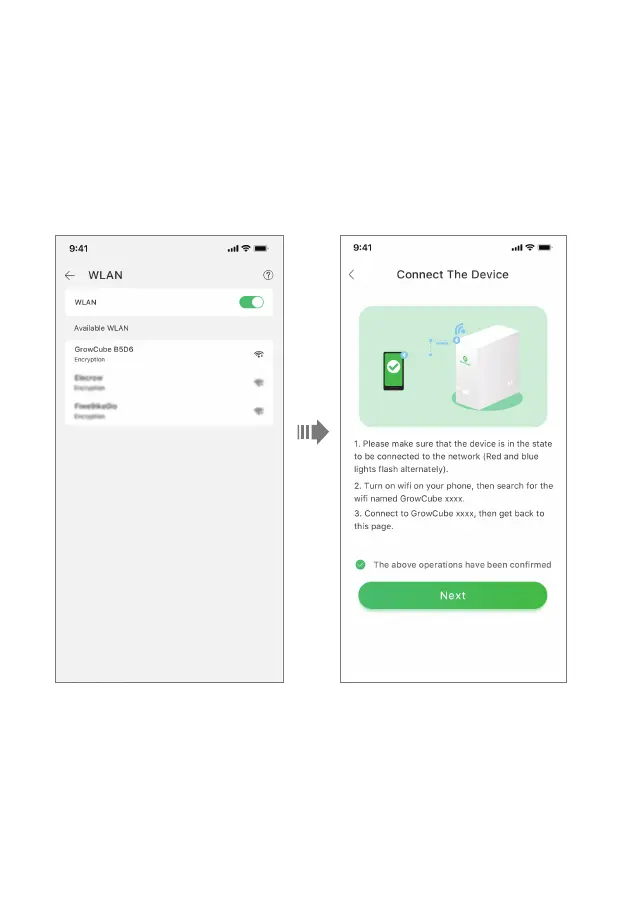
• 2. Go to Connect The Device page, make sure that the red and blue indicators on the front of the
GrowCube are flashing alternately before you initiate the connection, if not, the device is not ready
to be connected. Please press the side button for 3s until you hear the "beep" sound. At this time,
you can search for the WiFi named GrowCube xxxx launched by the device itself, where xxxx is a
random combination of numbers and letters. Use your phone to connect the WiFi as prompted,
check “The above operations have been confirmed”, and then click “Next”. If the phone is
already connected to the WiFi, the Networking page can be normally entered, and the App will
send the WiFi name and password just saved to GrowCube, then GrowCube will connect by itself.
12



 To Next Page