14
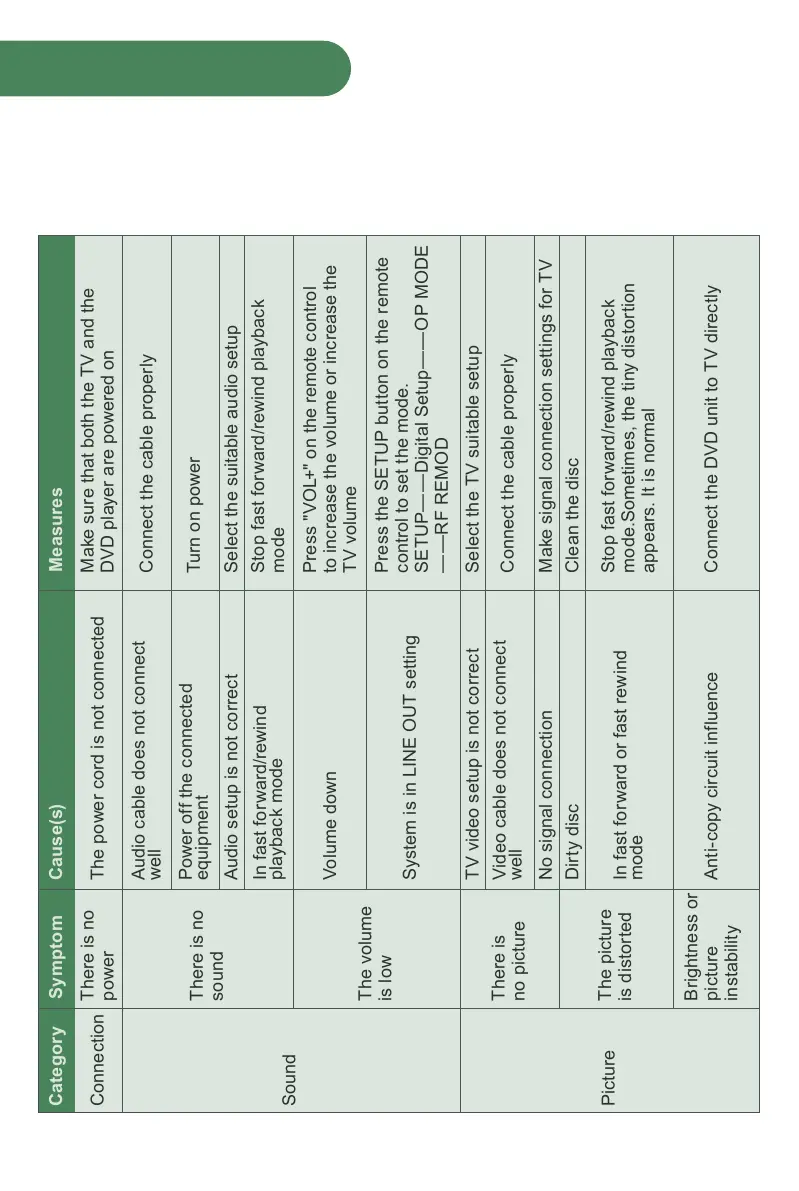
If you experience any of the following difficulties while using the player, use this
troubleshooting guide to help remedy the problem before requesting repairs.
Troubleshooting
Symptom Cause(s) MeasuresCategory
Connection
Sound
Picture
There is no
power
There is no
sound
The volume
is low
There is
no picture
The picture
is distorted
Brightness or
picture
instability
The power cord is not connected
Audio cable does not connect
well
Power off the connected
equipment
In fast forward/rewind
playback mode
Volume down
System is in LINE OUT setting
TV video setup is not correct
Video cable does not connect
well
No signal connection
In fast forward or fast rewind
mode
Anti-copy circuit influence
Audio setup is not correct
Make sure that both the TV and the
DVD player are powered on
Connect the cable properly
Turn on power
Stop fast forward/rewind playback
mode
Press "VOL+" on the remote control
to increase the volume or increase the
TV volume
Press the SETUP button on the remote
control to set the mode.
SETUP——Digital Setup——OP MODE
——RF REMOD
Select the TV suitable setup
Connect the cable properly
Make signal connection settings for TV
Dirty disc Clean the disc
Stop fast forward/rewind playback
mode.Sometimes, the tiny distortion
appears. It is normal
Connect the DVD unit to TV directly
Select the suitable audio setup



 To Next Page