4
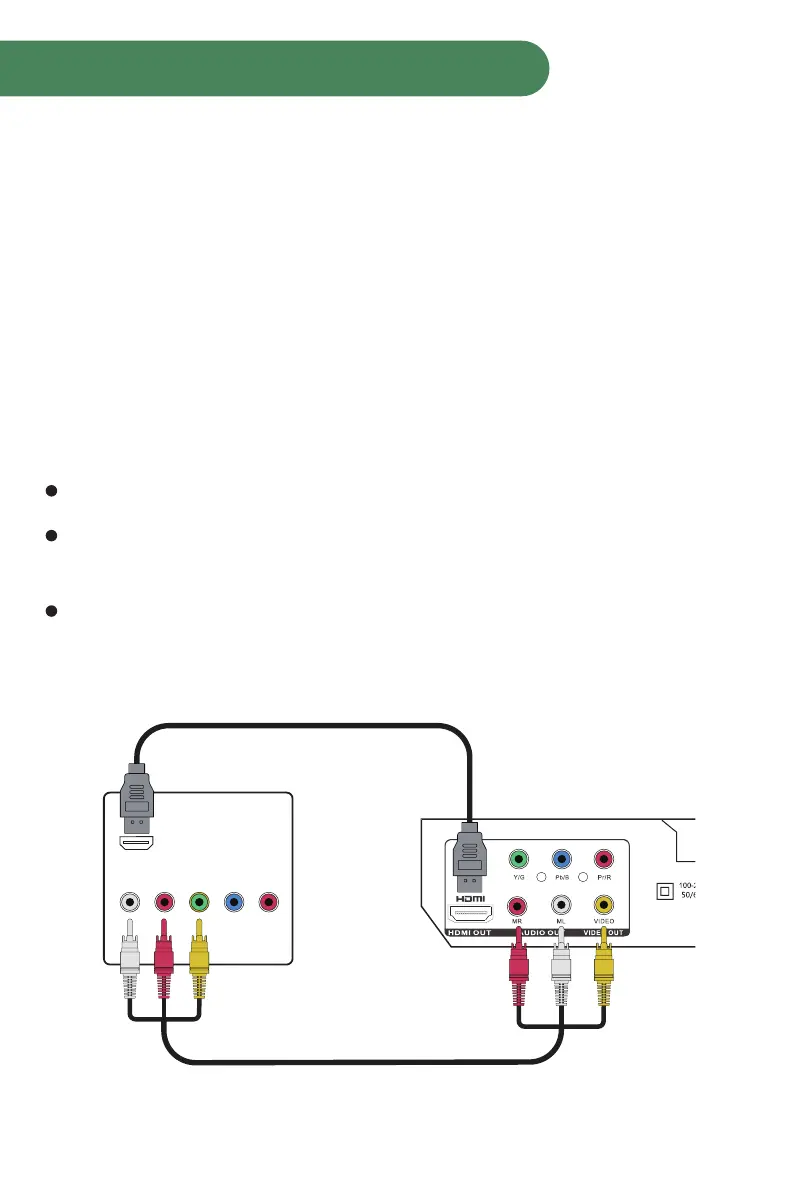
Connecting the DVD Player
Video system connection
Composite Video
Use the AV cable (yellow terminal) to connect composite video output of this
unit to the TV/monitor video input.
Component Video
Use 3-core AV cable to connect the component output terminals of this unit to
the corresponding TV/monitor input.
HDMI Output
Use a HDMI cable to connect the HDMI output to the HDMI input terminal.
Note!!!:
Which connection to use depends on the TV/monitor input terminal.
Do not use all the connections at one time, otherwise the picture will be
affected.
Only the physical connection conforms to the video setting can produce the
normal picture. (Please refer to the Video Setup in System Setup)
HDMI Connection (Best)
(HDMI Cable included)
TV
DVD
AV Connection (Good)
(RCA Cable included)
HDMI
AUDIO
L R Y Pb/Cb Pr/Cr
VIDEO



 To Next Page