13-21
TROUBLESHOOTING
SM OU12HP 2-E.2 GB
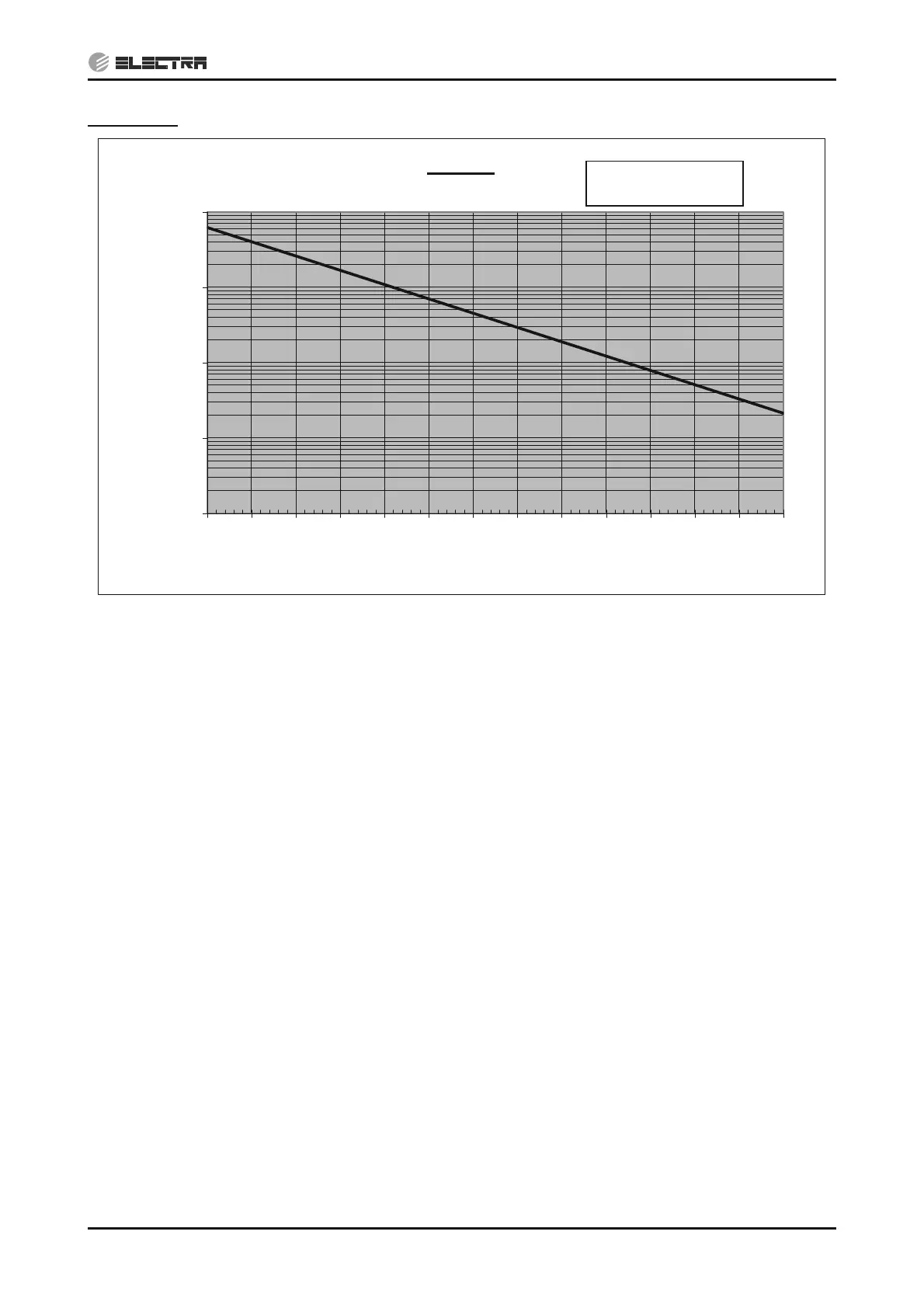
CTT Chart
Replacing thermistor - (14.1.11, 14.1.12, 14.2.9)
Replacing main board - (14.1.13)
13.5.14 Checking High Pressure Switch (HPS)
1) Disconnect HPS connector from the main board and check resistance between the 2 pins of the
HPS connector – if shorted the HPS is OK, otherwise replace HPS.
Replacing HPS - (14.1.9)
13.5.15 Checking Low Pressure Switch (LPS)
1) Disconnect LPS connector from the main board and check resistance between the 2 pins of the
HPS connector – if shorted the LPS is OK otherwise replace LPS.
Replacing LPS - (14.1.9)
13.5.16 Checking Compressor Driver Communications
1) Disconnect the wire cable from the connectors on both sides (driver and main board), check
the wiring continuity – Repair or replace wiring if needed.
2) Turn power ON and check if the red led in the driver is lighted. If OK and still no
communications, replace main board. If the led is OFF, replace driver.
Replacing Outdoor Unit main board - (14.1.13)
Replacing driver - (14.1.15)
R-T Table
0.1
1.0
10.0
100.0
1000.0
-30 -20 -10 0 10 20 30 40 50 60 70 80 90 100
Temperature [C]
Resistance [kOhm]
R
25°C
=50k:
25/85°C
=3977K


 To Next Page