12-14
CONTROL SYSTEM
SM OU12HP 2-E.2 GB
12.6.2 Technician mode procedure
x Indoor unit will enter technician test at high indoor fan speed.
x The outdoor unit will be working normally (according to the run mode control logic) except the
following changes:
o The dry contacts inputs will be ignored.
o Protections will be operative for stop compressor only.
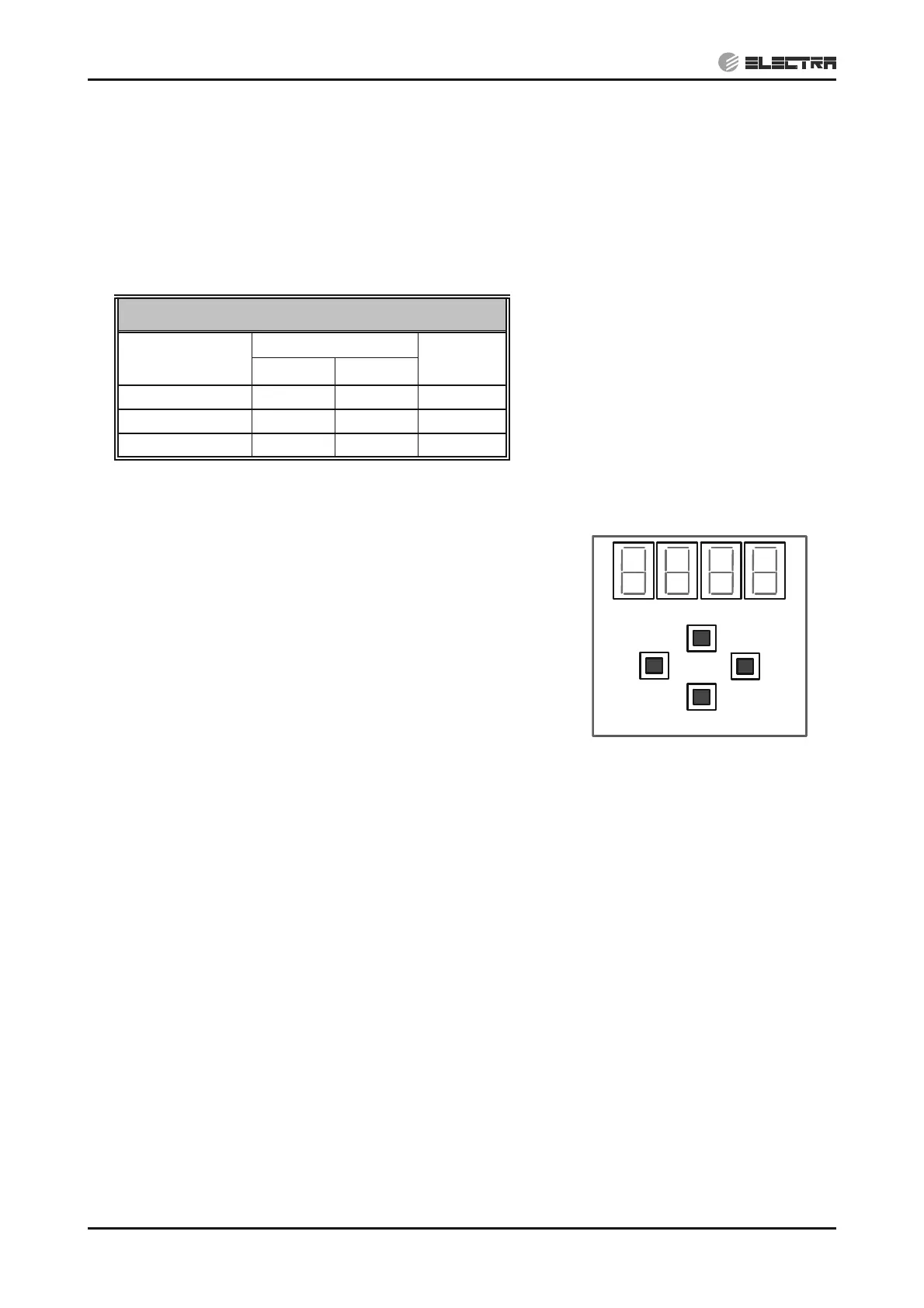
o The compressor and the outdoor fan will be working in target preset values according to the
following table:
Technician Test
Unit
Compressor Speed
OFAN
speed
Cool Heat
4HP 54 64 800
5HP 71 75 800
6HP 55 63 800
12.7 User Interface
12.7.1 User interface description
o The user interface uses four 7-segments, and 4 keys.
o The 4 keys are:
- Scroll - used to scroll between options (up and down)
- Select - use to select an option
- Escape - Will go up one level in the menu
o The user interface concept is Tree menus.
Up
Down
Esc
Select


 To Next Page