CAUTION! The program that was previously stored in this preset location is being erased! Please
make sure, that the selected destination program number matches the number you want
to save the program under. Pressing any other key cancels the saving procedure.
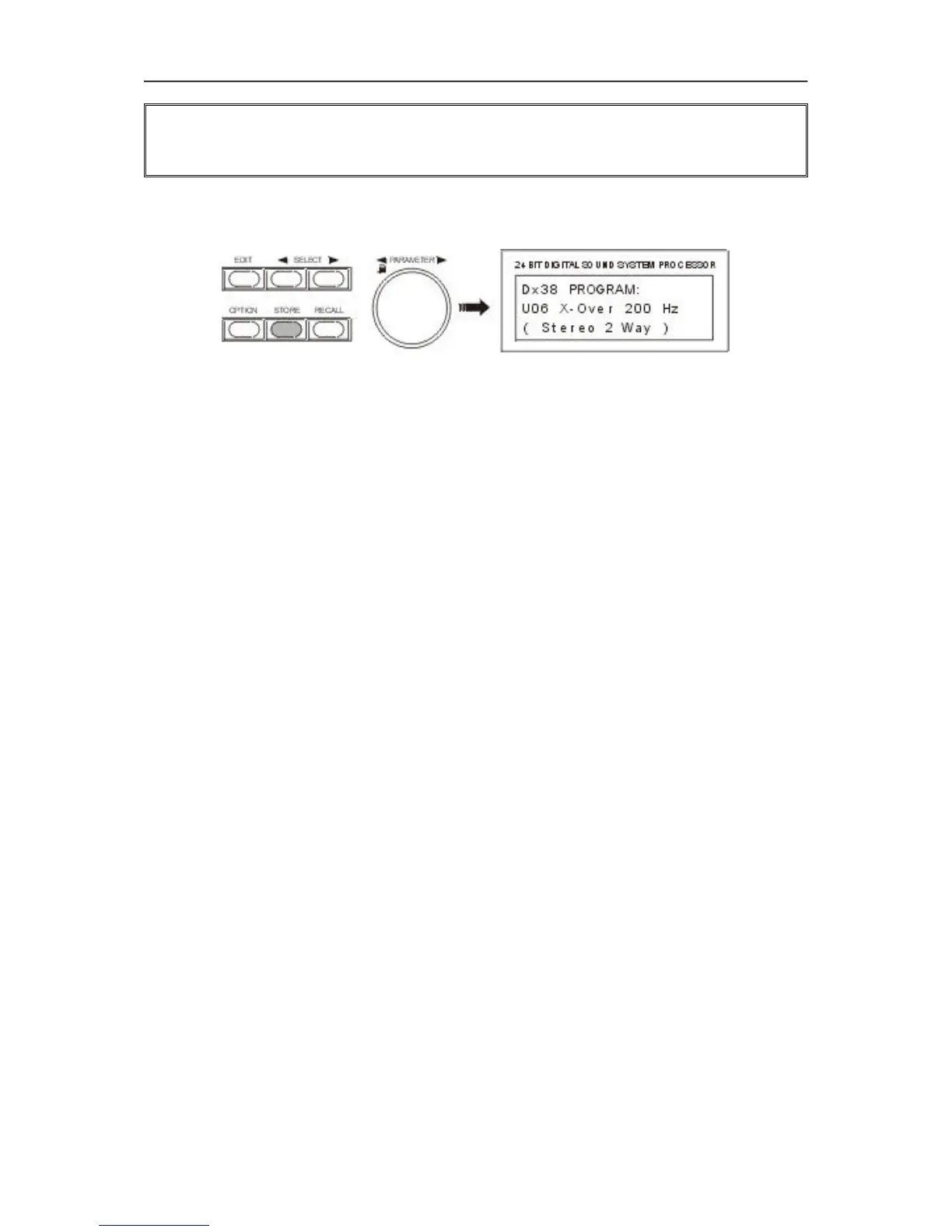
After saving is complete, the Store menu is automatically quitted and the display might look for instance
like this:
7.4 MODIFYING FACTORY PRESET PROGRAMS
The easiest and quickest way to achieve good results with the Dx 38 is the use of a factory preset program.
Factory preset programs are carefully designed, factory-pre-set programs that are stored non-volatile in
the FLASH memory of the Dx 38. Just select the preset that matches your loudspeaker combination and
the Dx 38 automatically sets all parameters to their optimal values matching your components. Afterwards,
your sound reinforcement system is ready for operation immediately.
If you want to make your own settings or re-adjustments, this can be done in the Standard or Full-Edit
modes at any time. To apply changes to a factory preset, it first has to be copied to a user-definable preset
location and the name has to be changed too. This is necessary to eliminate the chance that programs
are mistaken by each other.
1. In the Recall menu, select the program that you want to edit from the list of factory preset programs.
Press RECALL (9) to load the preset into RAM; see also chapter 7.1, PROGRAM SELECTION.
2. Press the STORE key (8) to copy the program to a user-definable preset location, like explained in
the paragraph 7.3.
3. Now, you can change the parameter values as desired. Enter the program’s new name and save it
in a user-definable preset location, like explained in the paragraph 7.3.
OPERATION
7-5


 To Next Page