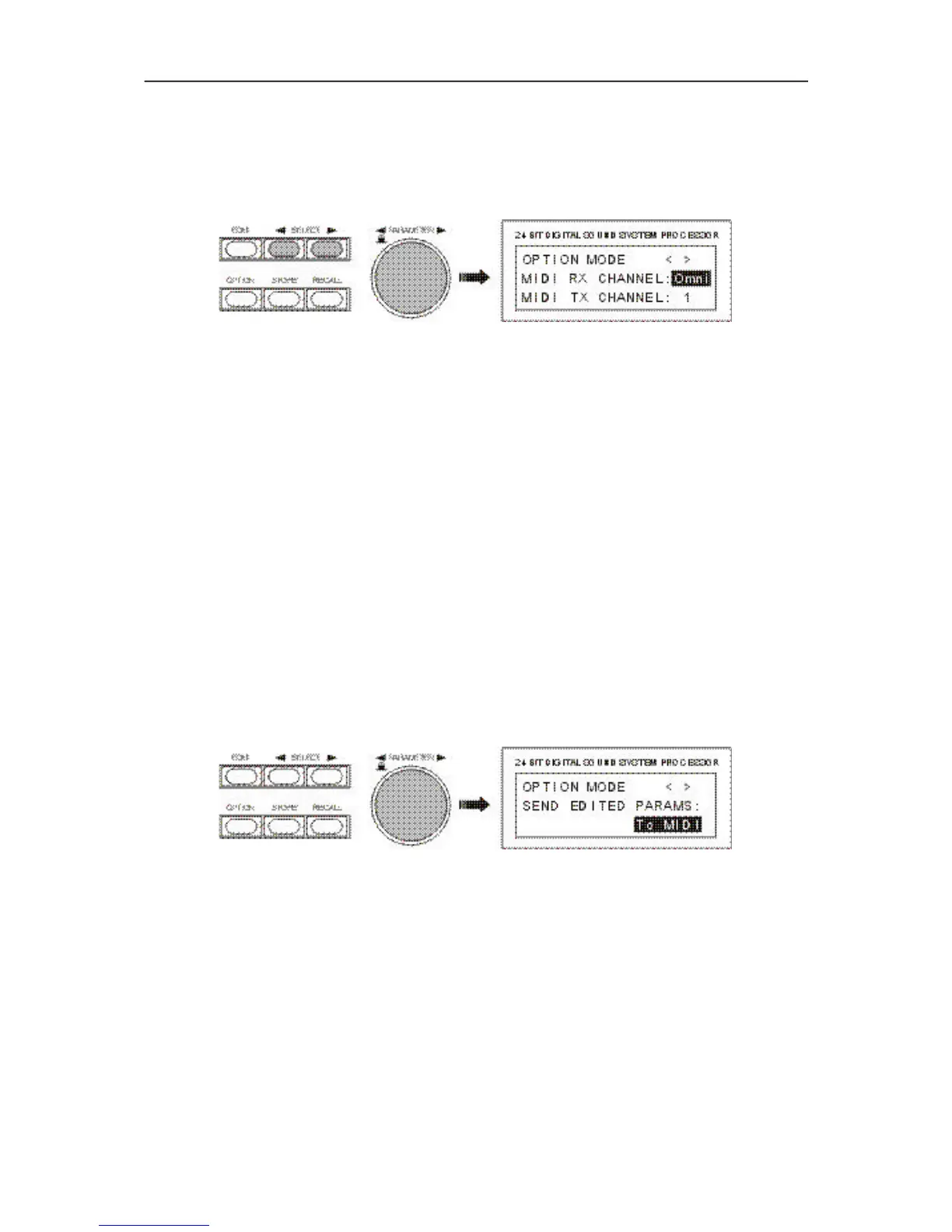
You can select one of the following settings for the MIDI TX CHANNEL:
Off:
No MIDI DATA is transmitted.
1 - 16:
The Dx 38 transmits MIDI DATA via the selected MIDI channel 1 to 16.
9.8 SEND PARAMETERS
During editing or when sending a program change command, the Dx 38 is capable of transmitting its
parameters in real time via the serial port(s). A complete parameter dump of the new program is
automatically carried out during program changes. This ensures that settings of receiver and sender are
identical. The function also provides the possibility to control additional Dx 38 (Master-Slave-Operation)
or to send data to the Dx 38 Editor which then are displayed on the PC-screen.
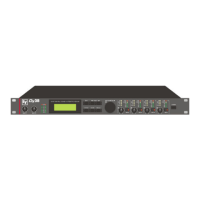
This page allows you to adjust whether data is being transmitted, and if so, which interface is going to be
used.
Off:
No data is transmitted.
To MIDI:
During editing and program change, data is transferred via the previously set MIDI-transmission channel
(MIDI TX CHANNEL). This allows to control a single or several connected Dx 38 slave units from one
master. All parameters and program changes are simultaneously set for the slave and master units. Before
connecting several units, always make sure that they all are adjusted to identical programs and parameter
settings.
To RS232:
During editing and program change, data is transmitted via the RS-232 port. In case that you have
connected a PC with the Dx 38 Editor software installed, you are able to monitor changes in the setting
on the PC-screen.
9.9 RS-232 TO MIDI data transmission
This function provides the possibility to pass data that is received over the RS-232 port on to the MIDI
OUT port, which offers the opportunity to create a so called “RS-232 to MIDI Bridge” from the master unit.
Whenever several Dx 38 are included in a MIDI chain, connect the Dx 38 master via RS-232 interface to
your computer, and control the master (via RS-232) as well as the Dx 38 slaves (via MIDI) from the PC.
OPTION
9-4


 To Next Page