4. FIRST OPERATION
4.1 SWITCHING THE POWER ON
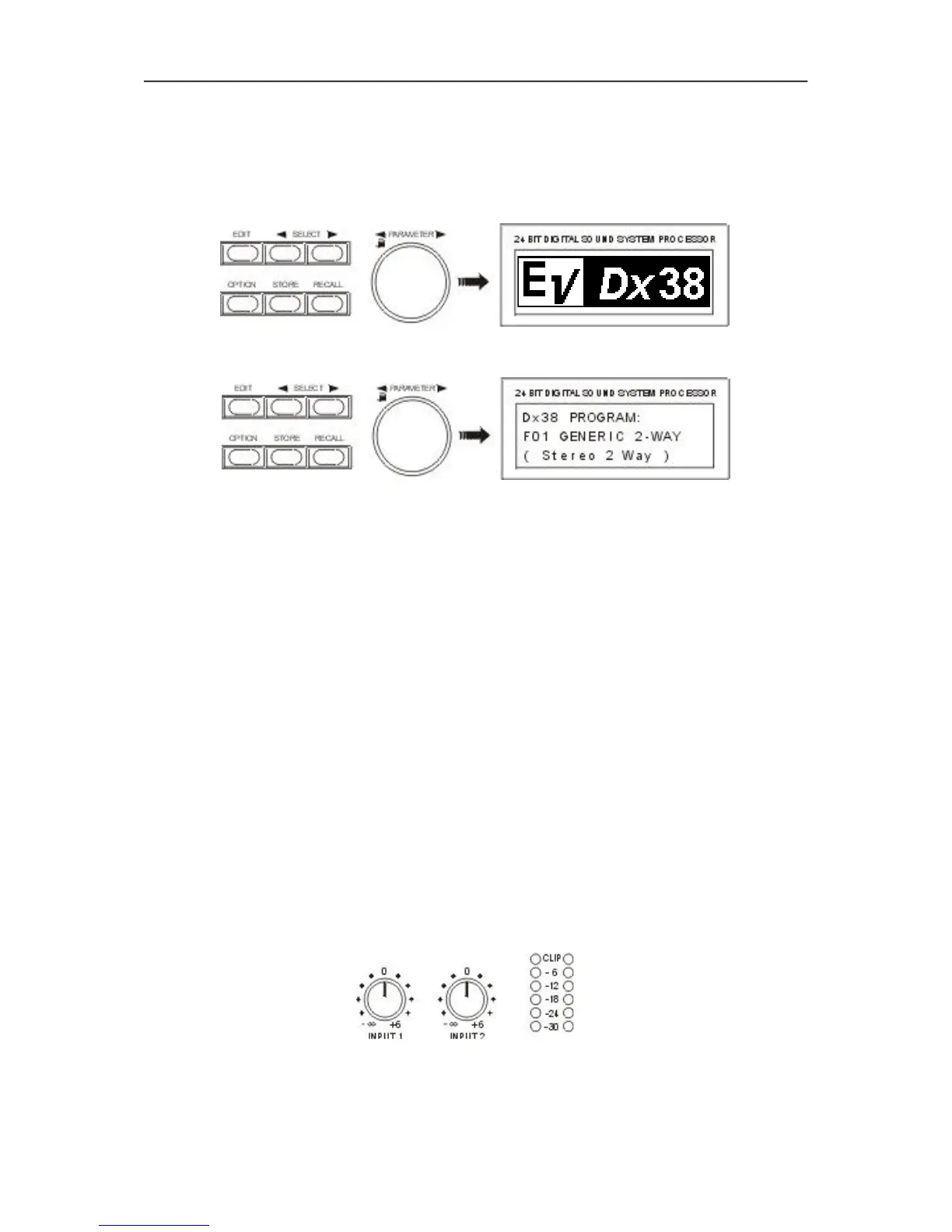
Using the POWER-switch (16) the Dx 38’s power is switched on. Upon initializing is complete, the last
program that had been active before turning off the appliance is recalled. For now, the display shows:
Now, the Dx 38 is ready for operation. The display shows for instance:
Here, you have entered the factory preset program F01, which is an universal program for the 2-way
operation. The configuration is stereo 2-way - the initial state of the Dx 38 when shipped from the factory.
In case the appliance had been operated before, any other program might appear on the display.
For setting the Dx 38 in accordance to the configuration of your sound system, the best way to start is to
select a factory preset program from the list that matches your actual system configuration (see chapter
7.1, PROGRAM SELECTION). You can copy this program to a user-definable preset and alter the settings
according to your personal preferences (see chapter 7.4, STORE PROGRAMS AND PROGRAM NAMES,
and chapter 7.2, EDITING).
4.2 LEVEL SETTINGS
To simultaneously achieve maximum headroom and minimal noise, the Dx 38 has to be properly
integrated into the gain structure of the entire audio system.
You can set the desired input level of the Dx 38 using the two INPUT controls (1). Therefore, operate the
system at the highest signal level that is to be expected in the further operation. Slowly turn the INPUT
control (1) clockwise, while continuously monitoring the level meters (2) for peak readings. The optimal
value for program peaks lies between -12dB and -6dB. The CLIP-LED’s indicate clipping of the
AD-converter and should not light at all or at least only very briefly. When driving the Dx 38 below the
mentioned range, its outstanding S/N ratio is not optimally used, resulting in probably audible system
noise.
FIRST OPERATION
4-1


 To Next Page