23
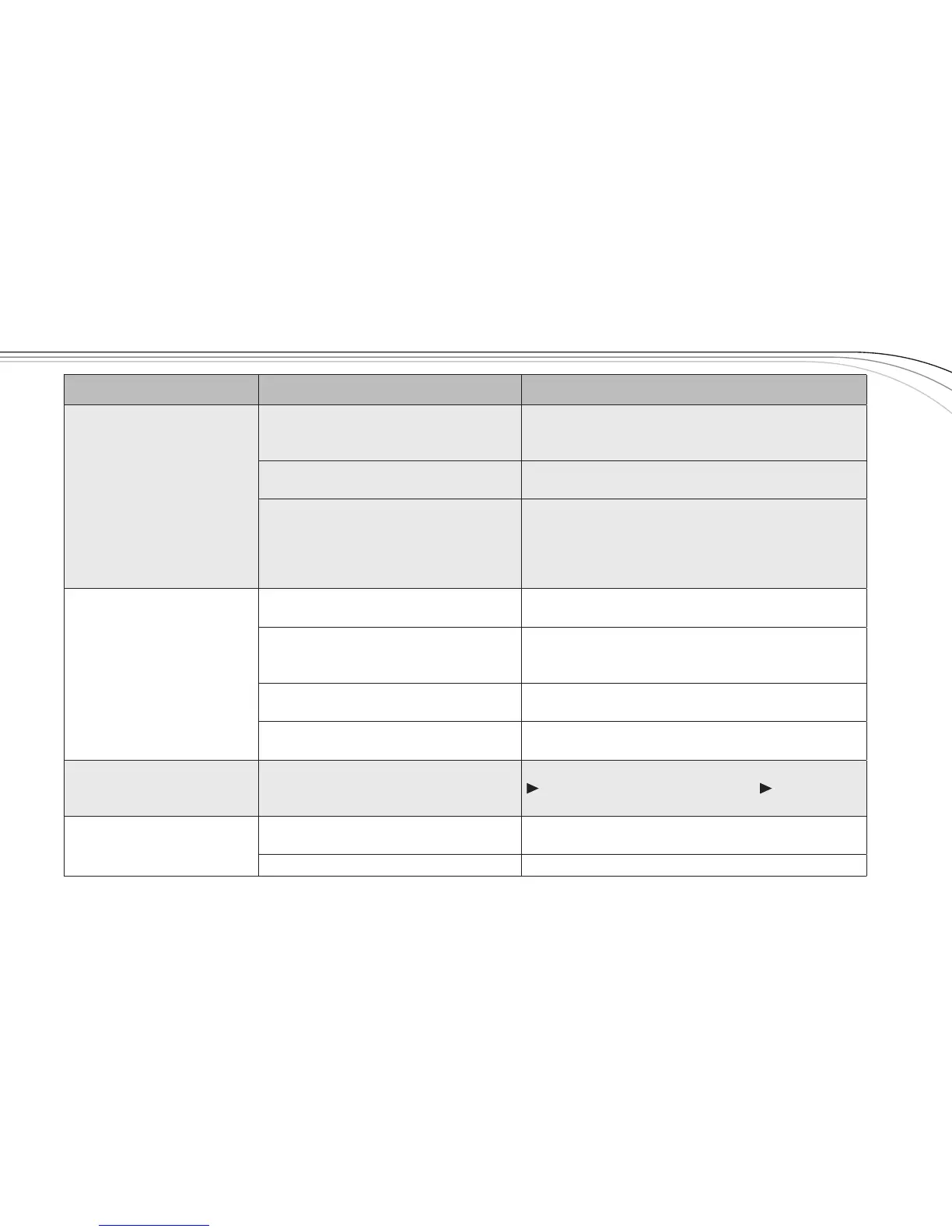
Problem Possible Causes Solutions
Interference
Anotherwirelessproductintheareais
onthesamefrequencyorthesignals
aremixing
UseClearScantochangetheoperatingfrequency.
Receiveristooclosetodigitalsignal
processororsimilardevice
Movethereceivertoadifferentlocation.
Strongelectromagneticeldfrom
stagelightingorothersourcenear
thetransmitterorreceiver,whichmay
beproducingRFnoiseatornearthe
operatingfrequency
UseClearScantochangetheoperatingfrequency.
Repairorremovethesourceofinterference.Move
thereceivertoadifferentlocation.
Shortrangeordrop-outs
RFreectivemetalobstaclesbetween
thetransmitterandreceiver
Movetheobstacles,orrepositionthe
receiver/antennas.
Poorlyorientedbeltpackantenna
Checktheantennaconnectionandreorientthe
bodypacksotheantennaisvertical(upanddown)
andfacingthereceiver,ifpossible.
Squelchsettoohigh
Checksquelchsetting,highernumericalsettings
meanshorterrange(seepage13).
Faultyreceivingantennasystem
Checkallantennaconnectionsandrepositiontobe
inline-of-sightwiththetransmitter.
Can'tchangesettings
onreceiver
Lockoutfeatureisenabled
DisablelockoutbypressingSETfor3seconds,press
todisplayLOCK,pressSET,press to
turnlockoff,pressSET.
Transmitterwillnotsyncwith
receiver
Batterycoveronhandheld
Removebatterycover,seepage15forlocationof
EZsyncwindow.
Lightinginenvironmentistoobright Shadowinfraredportsfromlight.



 To Next Page