EasyManua.ls Logo

Electro-Voice R300 - User Manual

Electro-Voice R300
36 pages
Print Icon
To Next Page IconTo Next Page
Loading...
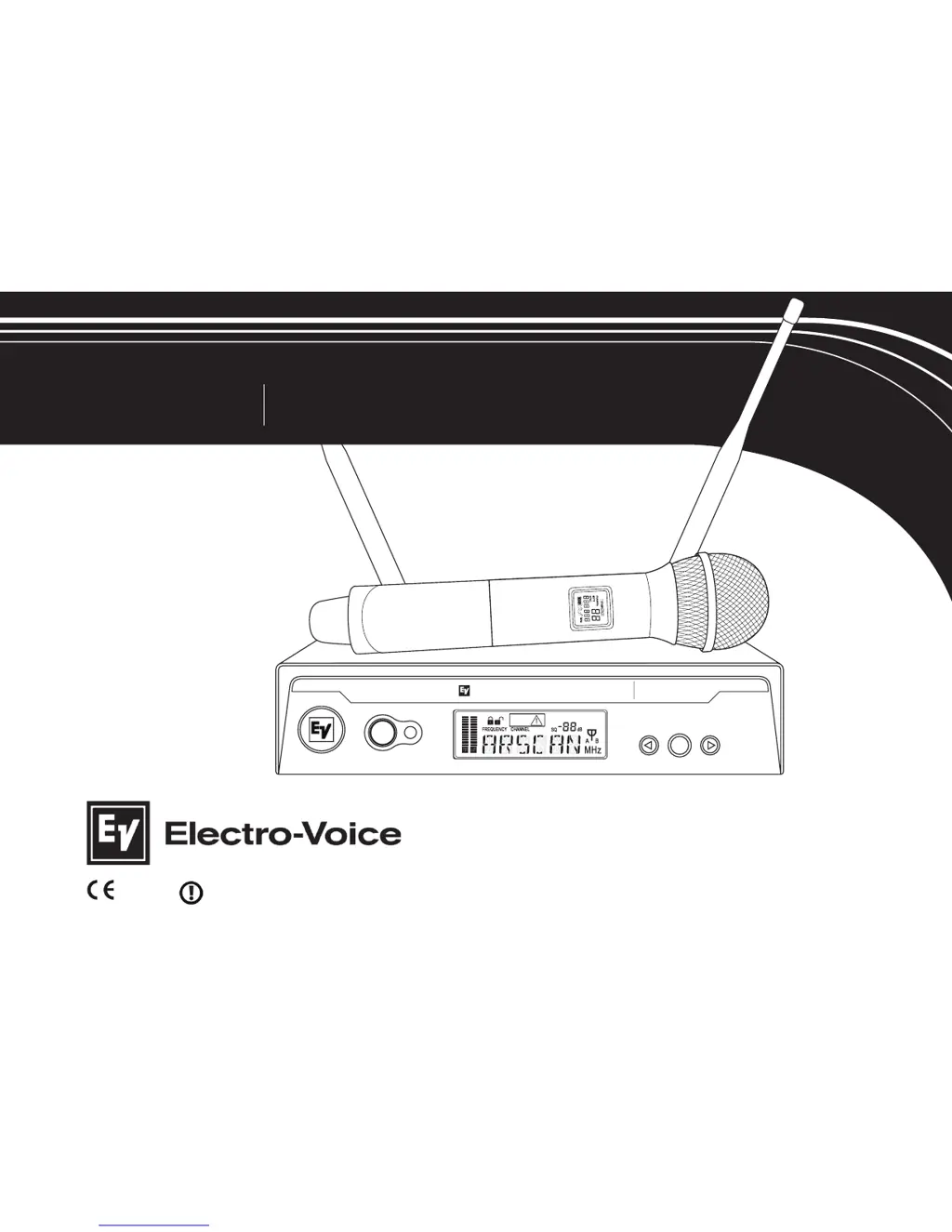
UHF WIRELESS MICROPHONE
USER GUIDE
R300
SYNC
R300
EZsync
Clear
SET
LE
N
NAHC
ET
U
M
C
N
YS
MHz
EZsync
ClearScan
Electro-Voice
R
300
1177

Other manuals for Electro-Voice R300

Questions and Answers

  • C
    Chelsea BurkeAug 20, 2025
    What to do if my Electro-Voice Microphone has no or low audio but a good RF signal?
    • F
      florespattyAug 20, 2025
      If your Electro-Voice Microphone system shows a good RF signal and audio indicators on the receiver display but you're getting no or low audio, consider these potential solutions: * Ensure the receiver audio output cable is properly connected. Repair or replace the cable if damaged. * Increase the gain on your mixer or preamp input, or un-mute the input if it's muted. * Adjust the receiver's audio output to a higher setting.
  • S
    samantha06Aug 22, 2025
    Why does my Electro-Voice R300 system have short range or drop-outs?
    • K
      karen19Aug 22, 2025
      Short range or drop-outs in your Electro-Voice Microphone system can occur due to several reasons: RF reflective metal obstacles may be present between the transmitter and receiver, so try moving the obstacles or repositioning the receiver/antennas. The beltpack antenna may be poorly oriented; check the antenna connection and reorient the bodypack so the antenna is vertical and facing the receiver, if possible. Also, the squelch might be set too high; check the squelch setting, as higher settings mean shorter range. Finally, there might be a faulty receiving antenna system, so check all antenna connections and reposition them to be in line-of-sight with the transmitter.
  • T
    Tara CabreraAug 25, 2025
    What to do if my Electro-Voice Microphone system has a distorted audio signal?
    • K
      Karen RandallAug 25, 2025
      A distorted audio signal in your Electro-Voice Microphone system can be due to several factors. The receiver output might be too high, so decrease the receiver output setting. If you are using a loud instrument or audio source, change the bodypack gain switch to INS. Also, check the battery level in the transmitter and insert fresh batteries if they are low.
  • F
    Frank AlexanderAug 26, 2025
    What to do if there is no audio with good RF signal indicator on my Electro-Voice R300 Microphone system?
    • S
      Sabrina AvilaAug 26, 2025
      If your Electro-Voice Microphone system shows a good RF signal but no audio, it could be due to a disconnected microphone. Check the TA4F connector on the bodypack or the detachable microphone element connection on the handheld. If possible, try another microphone. Another cause could be that the transmitter mute is on. To resolve this, press and hold the On/Off button to stop Mute.
  • C
    Christina HaysAug 28, 2025
    Why does my Electro-Voice Microphone system have no or low audio with good RF signal and audio indicators?
    • A
      Amy RobertsAug 28, 2025
      If your Electro-Voice Microphone system shows a good RF signal and audio indicators but has no or low audio, it might be because the receiver audio output cable is damaged or disconnected. Connect, repair, or replace the cable. Another reason could be that the gain isn't sufficient on the mixer/preamp/amp input, or it is muted; increase the gain on the mixer or un-mute the input. Also, the receiver output might be too low, so increase the audio output setting.
  • F
    fvargasAug 30, 2025
    How to fix interference in my Electro-Voice R300 system?
    • A
      Amanda ScottAug 30, 2025
      Interference in your Electro-Voice Microphone system can be caused by several factors. Another wireless product in the area might be on the same frequency, or the signals are mixing. Use ClearScan to change the operating frequency. The receiver might be too close to a digital signal processor or similar device; move the receiver to a different location. A strong electromagnetic field from stage lighting or another source near the transmitter or receiver might be producing RF noise. Use ClearScan to change the operating frequency, repair or remove the source of interference, and move the receiver to a different location.
  • J
    Jimmy CastilloAug 31, 2025
    What to do if my Electro-Voice Microphone system has no audio and no RF signal indicator?
    • R
      royteresaAug 31, 2025
      If your Electro-Voice Microphone system has no audio and no RF signal indicator on the receiver display, first ensure that the transmitter is on by turning on the transmitter power switch. Also, the transmitter might be on a different channel or band; check the band information on the serial number label and match it to the receiver, then reset the channel. Another possibility is that there is no or a dead battery in the transmitter; insert fresh batteries. Finally, faulty battery contacts could be the issue; clean and/or bend the contacts to improve the connection.
  • L
    Lauren SalinasSep 2, 2025
    What to do if my Electro-Voice Microphone system has no audio and no display on the receiver?
    • G
      Geoffrey RuizSep 2, 2025
      If there is no audio and no display on the receiver of your Electro-Voice Microphone system, ensure that the power supply is properly connected and the on/off button is in the on position.
  • C
    Christopher AndersonSep 4, 2025
    How to unlock settings on Electro-Voice R300 Microphone system receiver?
    • A
      Ann ClementsSep 4, 2025
      If you can't change the settings on your Electro-Voice Microphone system receiver, the lockout feature may be enabled. Disable lockout by pressing SET for 3 seconds, press to display LOCK, press SET again, press to turn the lock off, and then press SET again.
  • J
    Jeffrey GomezSep 6, 2025
    Why is there no audio and RF signal on my Electro-Voice R300 Microphone receiver?
    • C
      Craig EricksonSep 6, 2025
      If you are experiencing no audio and see no RF signal indicator on your Electro-Voice Microphone receiver display, here are a few things to check: * Ensure the transmitter is powered on. * Verify the transmitter is on the correct channel and band, matching the receiver. Check the band information on the serial number label and, if needed, reset the channel (see section 2.1). * Make sure the transmitter has fresh batteries. * Inspect the battery contacts; clean or bend them to improve the connection if they're faulty.

Summary

Quick Set-up

Receiver Quick Set-up

Step-by-step guide for setting up the wireless receiver.

Transmitter Quick Set-up

Step-by-step guide for setting up the wireless transmitter.

Systems Operation Quick Set-up

Instructions for operating the wireless microphone system.

Detailed Component Descriptions

R300 Receiver Components

Detailed description of the R300 receiver and its controls.

R300 Receiver Setup & Operation

Guide on setting up and operating the R300 receiver.

Receiver Lock-Out Feature

Explains how to enable or disable the receiver's lock-out feature.

Receiver Squelch Adjustment

Details on adjusting the squelch setting for optimal performance.

Receiver Main Operating Screen

Overview of the receiver's main display screen and controls.

Handheld Transmitter Components

Detailed description of the HT-300 handheld transmitter.

Handheld Transmitter Setup & Operation

Guide on setting up and operating the HT-300 handheld transmitter.

Transmitter Mute Function

Instructions for using the mute function on the transmitter.

Bodypack Transmitter Components

Detailed description of the BP-300 bodypack transmitter.

Bodypack Transmitter Setup & Operation

Guide on setting up and operating the BP-300 bodypack transmitter.

Guidelines and Recommendations For Best Performance

Compatibility Guidelines

Ensuring transmitters and receivers match frequency bands and channels.

Using Multiple Wireless Systems

Proper frequency coordination for multiple R300 or other UHF/VHF systems.

Multiple Systems and R300 Configuration

Using ClearScan to set up multiple R300 systems in the same frequency band.

Potential Sources of Interference

Identifying and minimizing interference from electronic devices and RF sources.

Battery Recommendations

Using fresh AA alkaline batteries for optimal transmitter performance.

Receiver and Antenna Placement

Optimizing placement to avoid metal objects and ensure clear signal path.

Transmitter and Antenna Distance

Maintaining optimal distance between transmitters, receivers, and antennas.

Troubleshooting Guide

Frequently Asked Questions

Components and Accessories

Compatible Channel Frequency Groups

Specifications

R300 Receiver Specifications

Technical details for the R300 wireless receiver.

Audio Parameters

Frequency response, distortion, and signal-to-noise ratio specifications.

Transmitter Specifications (BP-300 & HT-300)

Technical details for the BP-300 bodypack and HT-300 handheld transmitters.

Certifications

Factory Service

Factory Service (North America)

Contact information and instructions for factory service in North America.

Factory Service (Europe)

Contact information and instructions for factory service in Europe.

Electro-Voice R300 Specifications

General IconGeneral
BrandElectro-Voice
ModelR300
CategoryMicrophone
LanguageEnglish

Related product manuals