EasyManua.ls Logo

Electro-Voice R300 - User Manual

Electro-Voice R300
36 pages
Print Icon
To Next Page IconTo Next Page
Loading...
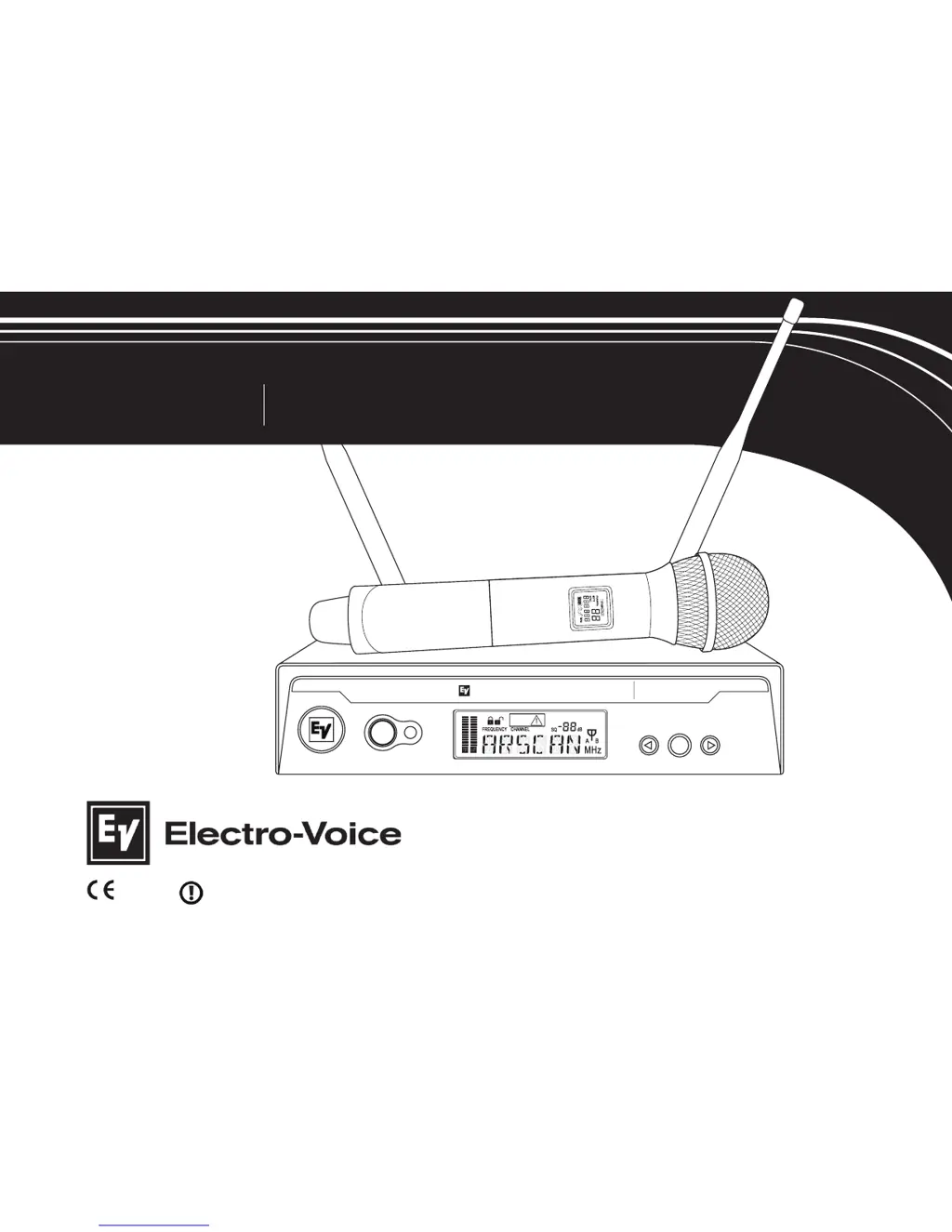
UHF WIRELESS MICROPHONE
USER GUIDE
R300
SYNC
R300
EZsync
Clear
SET
LE
N
NAHC
ET
U
M
C
N
YS
MHz
EZsync
ClearScan
Electro-Voice
R
300
1177

Other manuals for Electro-Voice R300

Questions and Answers

  • M
    Mckenzie ClarkSep 8, 2025
    How to fix short range or drop-outs on Electro-Voice R300 Microphone?
    • C
      Cynthia DavisSep 8, 2025
      Experiencing short range or drop-outs with your Electro-Voice Microphone? Here's what you can do: * Reposition or remove any metal obstacles between the transmitter and receiver that might be reflecting the RF signal. * Ensure the bodypack antenna is properly connected, oriented vertically (up and down), and facing the receiver if possible. * Check the squelch setting; higher settings can reduce the range. * Inspect all antenna connections on the receiving antenna system and reposition them for a clear line-of-sight with the transmitter.
  • J
    Joshua GonzalezSep 10, 2025
    Why is the audio signal distorted on my Electro-Voice R300 Microphone?
    • D
      Dennis GregorySep 10, 2025
      If you're experiencing a distorted audio signal with your Electro-Voice Microphone, here are some possible causes and solutions: * The receiver output may be set too high; try decreasing it. * If you're using a loud instrument or audio source, switch the bodypack gain to INS. * Low battery level in the transmitter can cause distortion; insert fresh batteries.
  • M
    Megan AvilaSep 12, 2025
    What to do if there is no audio but good RF signal on Electro-Voice R300 Microphone?
    • R
      Ryan CrossSep 12, 2025
      If you're getting a good RF signal indicator but no audio from your Electro-Voice Microphone, try these steps: * Check the TA4F connector on the bodypack or the detachable microphone element connection on the handheld. If possible, test with another microphone. * Ensure the transmitter is not muted. Press and hold the On/Off button to disable mute.
  • A
    Amanda AndersonSep 13, 2025
    How to reduce interference on Electro-Voice R300 Microphone?
    • D
      denniswilsonSep 14, 2025
      To address interference issues with your Electro-Voice Microphone, consider the following: * If you have multiple R300 systems, ensure each unit operates on a different channel to prevent signal mixing. For additional channel coordination assistance, contact EV at 800-392-3497. * If other wireless products are causing interference, use ClearScan to change the operating frequency. Contact EV at 800-392-3497 for coordination help if the issue continues. * Move the receiver away from digital signal processors or similar devices. * Strong electromagnetic fields can cause interference. Use ClearScan to change the operating frequency. Remove the source of interference or move the receiver.
  • C
    Cathy DrakeSep 15, 2025
    How to troubleshoot no audio and no display on Electro-Voice R300 Microphone receiver?
    • A
      Amanda StrongSep 16, 2025
      If your Electro-Voice Microphone receiver has no audio and no display, ensure that the power supply is properly connected and the on/off button is in the on position.
  • K
    Kayla PerrySep 18, 2025
    How to unlock settings on Electro-Voice R300 Microphone receiver?
    • S
      Samantha JonesSep 18, 2025
      If you can't change settings on your Electro-Voice Microphone receiver, the lockout feature may be enabled. To disable it, press and hold the SET button for 3 seconds. When 'LOCK' is displayed, press SET again, then press the button to turn the lock off, and finally, press SET to save the changes.

Summary

Quick Set-up

Receiver Quick Set-up

Step-by-step guide for setting up the wireless receiver.

Transmitter Quick Set-up

Step-by-step guide for setting up the wireless transmitter.

Systems Operation Quick Set-up

Instructions for operating the wireless microphone system.

Detailed Component Descriptions

R300 Receiver Components

Detailed description of the R300 receiver and its controls.

R300 Receiver Setup & Operation

Guide on setting up and operating the R300 receiver.

Receiver Lock-Out Feature

Explains how to enable or disable the receiver's lock-out feature.

Receiver Squelch Adjustment

Details on adjusting the squelch setting for optimal performance.

Receiver Main Operating Screen

Overview of the receiver's main display screen and controls.

Handheld Transmitter Components

Detailed description of the HT-300 handheld transmitter.

Handheld Transmitter Setup & Operation

Guide on setting up and operating the HT-300 handheld transmitter.

Transmitter Mute Function

Instructions for using the mute function on the transmitter.

Bodypack Transmitter Components

Detailed description of the BP-300 bodypack transmitter.

Bodypack Transmitter Setup & Operation

Guide on setting up and operating the BP-300 bodypack transmitter.

Guidelines and Recommendations For Best Performance

Compatibility Guidelines

Ensuring transmitters and receivers match frequency bands and channels.

Using Multiple Wireless Systems

Proper frequency coordination for multiple R300 or other UHF/VHF systems.

Multiple Systems and R300 Configuration

Using ClearScan to set up multiple R300 systems in the same frequency band.

Potential Sources of Interference

Identifying and minimizing interference from electronic devices and RF sources.

Battery Recommendations

Using fresh AA alkaline batteries for optimal transmitter performance.

Receiver and Antenna Placement

Optimizing placement to avoid metal objects and ensure clear signal path.

Transmitter and Antenna Distance

Maintaining optimal distance between transmitters, receivers, and antennas.

Troubleshooting Guide

Frequently Asked Questions

Components and Accessories

Compatible Channel Frequency Groups

Specifications

R300 Receiver Specifications

Technical details for the R300 wireless receiver.

Audio Parameters

Frequency response, distortion, and signal-to-noise ratio specifications.

Transmitter Specifications (BP-300 & HT-300)

Technical details for the BP-300 bodypack and HT-300 handheld transmitters.

Certifications

Factory Service

Factory Service (North America)

Contact information and instructions for factory service in North America.

Factory Service (Europe)

Contact information and instructions for factory service in Europe.

Electro-Voice R300 Specifications

General IconGeneral
BrandElectro-Voice
ModelR300
CategoryMicrophone
LanguageEnglish

Related product manuals