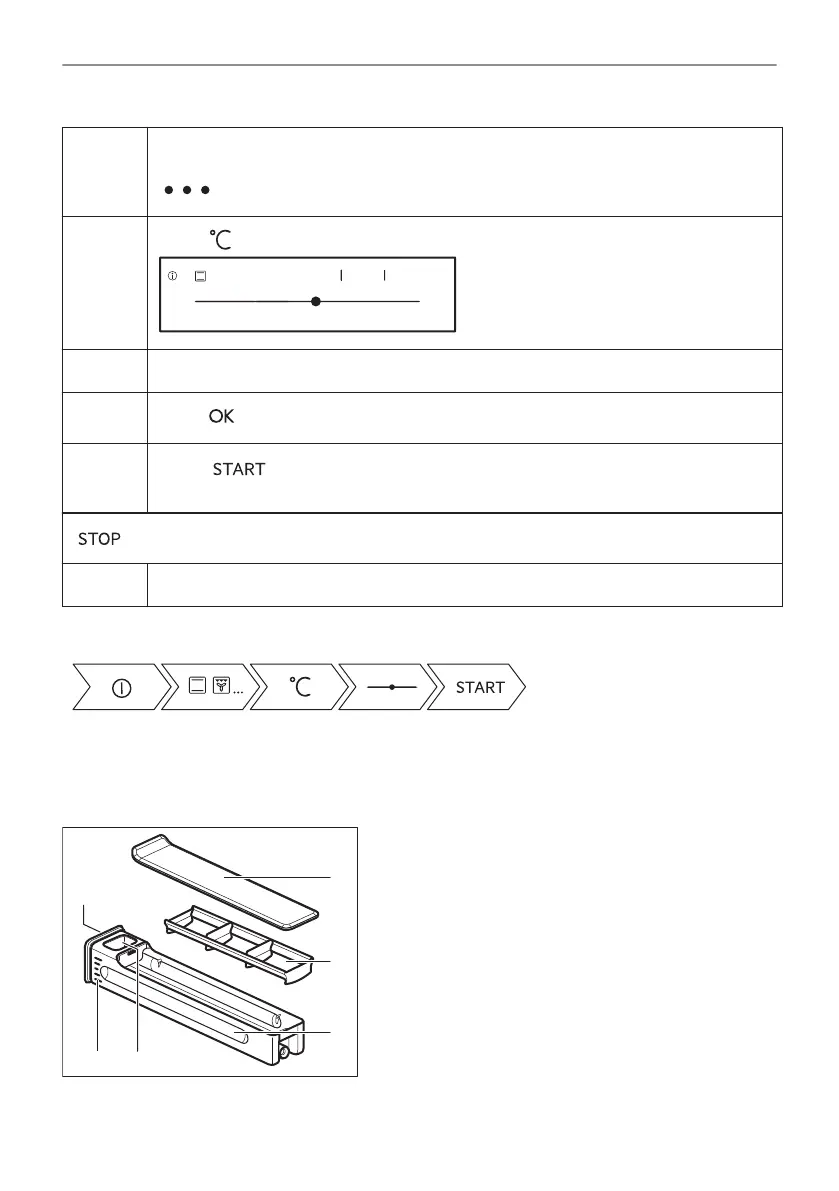
Step 2 Select a heating function.
The display shows the default heating functions. To see more heating functions press:
.
Step 3
Press: . The display shows the temperature settings.
170°C
-5°C +5°C
210°C
170°C70°C
OK
Step 4 Move the finger on the slider to set the temperature.
Step 5
Press: .
Step 6
Press: .
Food Sensor - you can plug the sensor at any time before or during cooking.
- press to turn off the heating function.
Step 7 Turn off the oven.
Take a shortcut!
6.2 Water drawer
A. Lid
B. Wave-breaker
C. Drawer
D. Water-filling opening
E. Scale
F. Front cover
16/56
DAILY USE




 To Next Page