EasyManua.ls Logo

Electrolux EFDE210TIW - User Manual

Electrolux EFDE210TIW
18 pages
Print Icon
To Next Page IconTo Next Page
Loading...
EN FRONT LOAD DRYER
FR SÉCHEUSE Á CHARGEMENT FRONTAL
ES SECADORA DE CARGA FRONTAL
USE & CARE GUIDE
GUIDE D’UTILISATION ET D’ENTRETIEN
GUÍA DE USO Y CUIDADO
136936001 March 2017
Question and Answer IconNeed help?

Do you have a question about the Electrolux EFDE210TIW and is the answer not in the manual?

Summary

Important Safety Instructions

Recognize Safety Symbols, Words, and Labels

Explains safety symbols, words, and labels used in the manual.

Definitions

Defines safety alert symbols like DANGER, WARNING, CAUTION, and IMPORTANT.

Product Record

Instructions to record model and serial numbers for future reference.

Prevent Fire

Details precautions to prevent fire hazards when using the dryer.

Protect Children

Safety measures to protect children from potential hazards related to the dryer.

Prevent Injury

Guidelines to prevent electrical shock and physical injury during operation.

Prevent Injury and Damage to the Dryer

Advice on proper servicing, control usage, and placement to prevent damage.

Operating Instructions

Normal Operating Sounds

Describes typical sounds produced by the dryer during operation.

Prepare Load for Drying

Steps for preparing laundry items before placing them in the dryer.

Check Lint Filter and Water Container

Ensure the lint filter is clean and the water container is empty.

Load Dryer and Close Door

Guidance on how to properly load the dryer and close the door.

Select Cycle and Settings

Instructions on selecting cycles, temperatures, and dryness levels.

Start the Dryer

Steps to start the drying cycle, including using Pause and Start.

Remove Items Promptly

Advice on promptly removing laundry after the cycle completes.

Cycle Selection

How to turn on the unit and select a desired drying cycle.

Auto Dry Cycles

Explanation of how Auto Dry cycles use moisture sensors for automatic drying.

Specialty Cycle Selection

How to scroll through and select specialty drying cycles like jeans, wool, etc.

Cycle Settings

How to adjust temperature, dryness level, and options before starting a cycle.

Drying Temperature

Guide to selecting appropriate drying temperatures for different fabric types.

Dryness Level (Auto Dry)

How to set the desired dryness level for Auto Dry cycles.

Cycle Options

Explanation of available cycle options like wrinkle release and chime.

My Favorites

How the dryer remembers and allows selection of the 3 most used cycles.

Delay Start

How to set a delayed start time for a drying cycle.

Control Lock

Instructions to lock or unlock the control panel to prevent accidental changes.

Status Display;Status Lights

Explanation of what the status display and lights indicate.

Drying Rack

Instructions for using the drying rack for items not meant for tumbling.

Drying System Maintenance Procedures

Water Container Full

Steps to follow when the water container is full and needs emptying.

Lint Filter Plugged

Instructions on how to clean the lint filter when the indicator is on.

Clean Condenser

Guidance on cleaning the condenser assembly when the indicator is lit.

Care and Cleaning

Inside Dryer Care

Instructions for cleaning the interior components of the dryer.

Outside Dryer Care

Guidelines for cleaning the exterior cabinet and parts of the dryer.

Condenser Assembly Cleaning

Step-by-step guide on how to remove and clean the condenser assembly.

Solutions to Common Problems

Common Drying Problems

Lists common drying issues, their causes, solutions, and preventive measures.

Avoid Service Checklist

A checklist to help troubleshoot common dryer issues before calling for service.

Major Appliance Warranty Information

Warranty Periods

Details the duration and coverage of the appliance warranty.

Warranty Exclusions

Lists items and conditions not covered by the manufacturer's warranty.

Disclaimer of Warranties and Remedies

Legal disclaimers and limitations regarding implied warranties.

Need for Service

Information on how to obtain warranty service and contact Electrolux.

Summary

Important Safety Instructions

Recognize Safety Symbols, Words, and Labels

Explains safety symbols, words, and labels used in the manual.

Definitions

Defines safety alert symbols like DANGER, WARNING, CAUTION, and IMPORTANT.

Product Record

Instructions to record model and serial numbers for future reference.

Prevent Fire

Details precautions to prevent fire hazards when using the dryer.

Protect Children

Safety measures to protect children from potential hazards related to the dryer.

Prevent Injury

Guidelines to prevent electrical shock and physical injury during operation.

Prevent Injury and Damage to the Dryer

Advice on proper servicing, control usage, and placement to prevent damage.

Operating Instructions

Normal Operating Sounds

Describes typical sounds produced by the dryer during operation.

Prepare Load for Drying

Steps for preparing laundry items before placing them in the dryer.

Check Lint Filter and Water Container

Ensure the lint filter is clean and the water container is empty.

Load Dryer and Close Door

Guidance on how to properly load the dryer and close the door.

Select Cycle and Settings

Instructions on selecting cycles, temperatures, and dryness levels.

Start the Dryer

Steps to start the drying cycle, including using Pause and Start.

Remove Items Promptly

Advice on promptly removing laundry after the cycle completes.

Cycle Selection

How to turn on the unit and select a desired drying cycle.

Auto Dry Cycles

Explanation of how Auto Dry cycles use moisture sensors for automatic drying.

Specialty Cycle Selection

How to scroll through and select specialty drying cycles like jeans, wool, etc.

Cycle Settings

How to adjust temperature, dryness level, and options before starting a cycle.

Drying Temperature

Guide to selecting appropriate drying temperatures for different fabric types.

Dryness Level (Auto Dry)

How to set the desired dryness level for Auto Dry cycles.

Cycle Options

Explanation of available cycle options like wrinkle release and chime.

My Favorites

How the dryer remembers and allows selection of the 3 most used cycles.

Delay Start

How to set a delayed start time for a drying cycle.

Control Lock

Instructions to lock or unlock the control panel to prevent accidental changes.

Status Display;Status Lights

Explanation of what the status display and lights indicate.

Drying Rack

Instructions for using the drying rack for items not meant for tumbling.

Drying System Maintenance Procedures

Water Container Full

Steps to follow when the water container is full and needs emptying.

Lint Filter Plugged

Instructions on how to clean the lint filter when the indicator is on.

Clean Condenser

Guidance on cleaning the condenser assembly when the indicator is lit.

Care and Cleaning

Inside Dryer Care

Instructions for cleaning the interior components of the dryer.

Outside Dryer Care

Guidelines for cleaning the exterior cabinet and parts of the dryer.

Condenser Assembly Cleaning

Step-by-step guide on how to remove and clean the condenser assembly.

Solutions to Common Problems

Common Drying Problems

Lists common drying issues, their causes, solutions, and preventive measures.

Avoid Service Checklist

A checklist to help troubleshoot common dryer issues before calling for service.

Major Appliance Warranty Information

Warranty Periods

Details the duration and coverage of the appliance warranty.

Warranty Exclusions

Lists items and conditions not covered by the manufacturer's warranty.

Disclaimer of Warranties and Remedies

Legal disclaimers and limitations regarding implied warranties.

Need for Service

Information on how to obtain warranty service and contact Electrolux.

Overview

This document describes a front-load dryer, providing comprehensive instructions for its operation, care, and maintenance. It serves as a user manual, guiding owners through safe and efficient use of the appliance.

Function Description

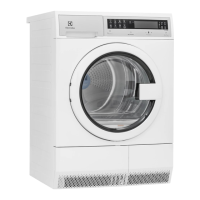
The Electrolux front-load dryer is designed to efficiently dry laundry using various cycles and settings tailored to different fabric types and load sizes. It operates by tumbling clothes through heated air, removing moisture, which is then collected in a water container or vented out if a direct drain kit is installed. The dryer features an intuitive control panel with an LED display, allowing users to select cycles, adjust settings, and monitor the drying process.

Key components include a drum light for visibility, a lint filter to capture lint, moisture sensors for optimal drying, and a condenser system that collects water from the drying process. The appliance is equipped with safety features such as a control lock to prevent accidental operation and indicators for maintenance tasks like emptying the water container and cleaning the lint filter and condenser.

Usage Features

The dryer offers a range of cycles and customizable settings to accommodate diverse laundry needs:

  • Cycle Selection: Users can choose from various Auto Dry cycles like "normal," "heavy duty," "delicates," "casual," "mixed load," and "towels," which automatically adjust drying time and temperature based on moisture levels. Specialty cycles such as "jeans," "fast dry," "wool," and "time dry" are also available for specific items or manual time control.
  • Auto Dry Cycles: These cycles utilize moisture sensing bars in the drum to detect the load's moisture level, ensuring items are dried to the desired dryness without over-drying, which helps save energy and protect fabrics. A cool-down period at the end of Auto Dry cycles helps reduce wrinkling.
  • Drying Temperature: Temperature settings can be adjusted to "max," "medium," or "low" to suit different fabric types, with "max" recommended for durable fabrics and towels, "medium" for most cottons, and "low" for delicate items. Not all temperatures are available for every cycle to protect fabrics.
  • Dryness Level: For Auto Dry cycles, the dryness level can be set to "max," "normal," "less," or "damp." "Normal" is the default for most cycles, while "damp" is useful for items intended for hanging or ironing.
  • Cycle Options:
    • Wrinkle Release: This option tumbles the dried load without heat to help reduce wrinkling if items are not removed promptly. A chime can be selected to sound periodically during this phase.
    • Chime: A signal sounds at the end of the cycle and periodically during wrinkle release if selected.
    • Delay Start: Allows users to postpone the start of a cycle to a more convenient time or to take advantage of off-peak energy hours.
  • My Favorites: After initial usage, the dryer automatically remembers the three most frequently used cycles with their settings and options, allowing for quick selection.
  • Control Lock: This feature prevents accidental starting or stopping of the dryer by locking the controls. It is activated and deactivated by pressing and holding specific buttons simultaneously.
  • Drum Light: Illuminates the drum when the door is opened, aiding in loading and unloading.
  • Reversible Door: The dryer door can be hinged on either the right or left side, offering flexibility for installation.
  • Drying Rack (on select models): For items that should not be tumble dried, a drying rack can be inserted into the drum. This is ideal for delicate items or those made of plastic, foam rubber, or down, which require low heat drying.

Maintenance Features

Regular maintenance is crucial for the dryer's performance and longevity. The dryer provides indicators and instructions for key maintenance tasks:

  • Lint Filter Cleaning: The "Lint Filter Plugged" indicator prompts users to clean the lint filter before or after each load. The filter is easily removed, opened, and cleaned by hand or with hot water. Operating the dryer without a clean lint filter can lead to inefficient drying, overheating, and potential fire hazards. Occasionally, a waxy build-up from fabric softener sheets may form on the filter, which can be removed by washing with warm, soapy water.
  • Water Container Emptying: If a direct drain kit is not installed, the "Water Container Full" indicator signals when the container needs to be emptied. The container is designed for easy removal and disposal of collected water. Users are cautioned not to drink or use the condensed water for food preparation.
  • Condenser Cleaning: The "Clean Condenser" indicator alerts users when the condenser assembly requires cleaning. The process involves opening an access door, releasing latches, pulling out the condenser, rinsing it with mild soap and water, and then returning it to its place.
  • Interior Cleaning: The dryer drum can be cleaned with a damp cloth and mild liquid household cleanser if stained by non-colorfast fabrics. It is important to remove cleanser residue before drying the next load. Users are warned against using spray cleansers in the dryer interior due to hazardous fumes and electrical shock risks.
  • Exterior Cleaning: The cabinet can be cleaned with mild soap and water. A vacuum cleaner can be used to remove debris and lint from the front of the condenser door. Glue residue from tape or labels can be removed with warm water and mild detergent.
  • Professional Servicing: The manual recommends that the interior of the dryer and lint screen housing be cleaned approximately every 18 months by qualified service personnel to prevent excessive lint build-up, which can lead to inefficient drying and fire hazards. All repairs and servicing should be performed by an authorized servicer using only authorized factory parts.
  • Pre-moving Precautions: Before moving the dryer, placing a strip of cardboard or thin fiberboard under the front leveling legs is advised to prevent damage to the floor.

The manual also includes a "Solutions to Common Problems" section, offering troubleshooting tips for issues like greasy stains, lint, pilling, shrinking, and wrinkling, as well as problems with the dryer not starting, heating, or taking too long to dry. This section helps users address minor issues before calling for service, emphasizing preventive measures and proper usage.

Electrolux EFDE210TIW Specifications

General IconGeneral
BrandElectrolux
ModelEFDE210TIW
TypeElectric Dryer
ColorWhite
Dryer VentingVented
Number of Programs10
Energy Star CertifiedNo
Voltage240V
Amperage30A
Drying CyclesDelicates, Heavy Duty, Normal, Quick Dry, Timed Dry, Towels
Width27 in.
Height38 in.
Depth31.5 in
Weight120 lb

Related product manuals