_i_i _ _ ii
Setting
Oven Controls
Fast preheat
Use the fast preheat option for single rack baking How to set fast preheat with the oven
to quickly bring the oven to baking temperature, temperature set for 425°F/218°C ):
The fast preheat option must be set using the bake
or cony bake feature. Fast preheat may be set
with cook time or cook time with an end time. The ....................
following oven temperature settings apply for fast
preheat:
• Factory default temperature: 350°F/176°C
• Minimum fast preheat setting: 170°F / 77°C
• Maximum fast preheat setting: 550°F / 288°C
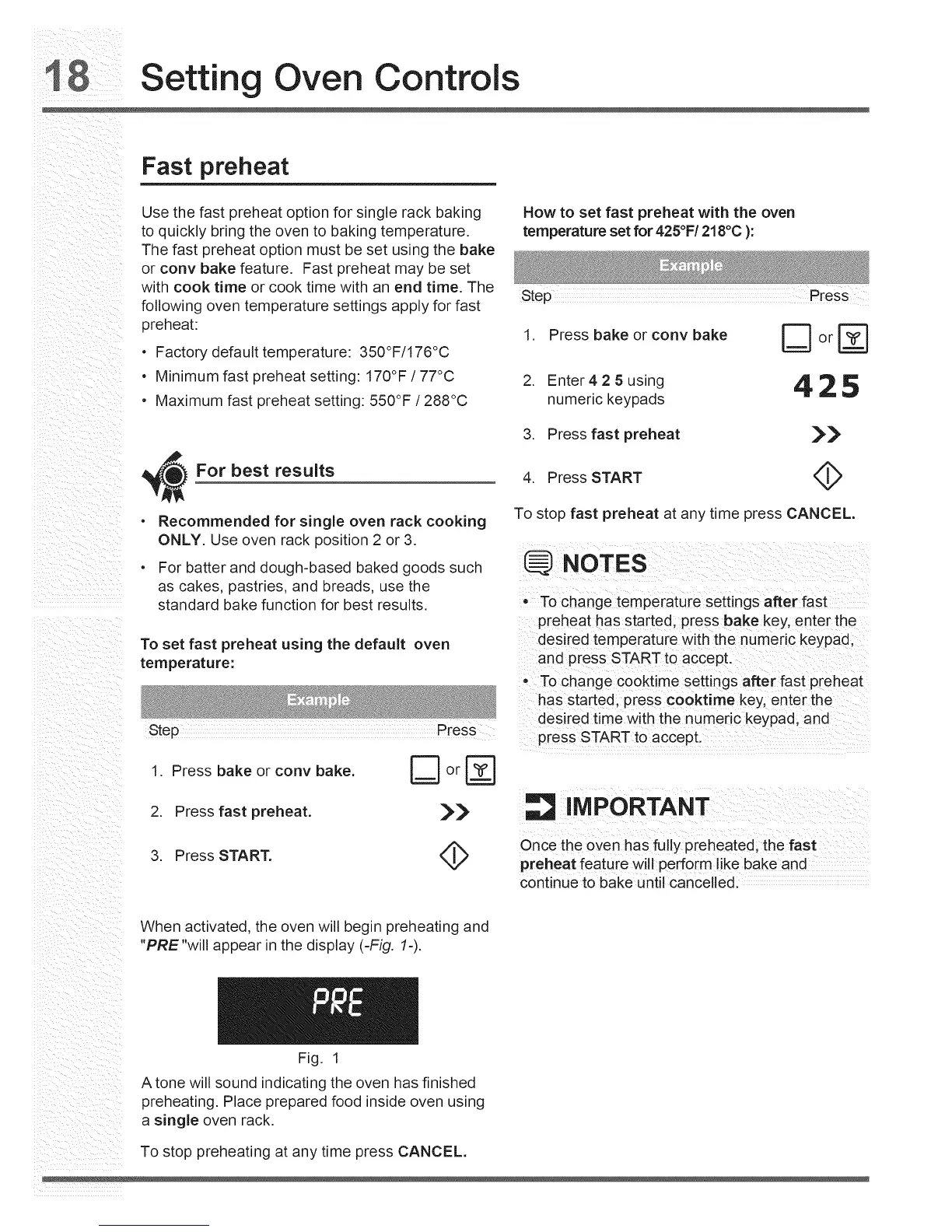
1. Press bake or conv bake _ or
2. Enter425using 425
numeric keypads
For best results
• Recommended for single oven rack cooking
ONLY. Use oven rack position 2 or 3.
• For batter and dough-based baked goods such
as cakes, pastries, and breads, use the
standard bake function for best results.
To set fast preheat using the default oven
temperature:
Step Press
3. Press fast preheat _
4. Press START
To stop fast preheat at any time press CANCEL.
:NOTES
ii_I _ i_ i IT i _ _i i _ i i i_ _ _i i
Tochange temperature settings after fast
preheat has started;press bake key, enter the
desired temperature with the numeric keypad;
and preSs START t0 accepL
, To change c0okt!me settings after fast pEeheat
has started; press c0oktime key, enter the
desired tirne wit h the numedc keypad;and
1. Press bake or cony bake. D or r_
2. Press fast preheat. ),_
3. Press START. <_
IMPORTANT
Once the oven has fully preheated; the fast .....
preheat feature Will perform fike bake and
continue to bake until cancelled: .....
When activated, the oven will begin preheating and
"PRE"will appear in the display (-Fig. 1-).
Fig. 1
Atone will sound indicating the oven has finished
preheating. Place prepared food inside oven using
a single oven rack.
To stop preheating at any time press CANCEL.






 To Next Page