11
Using the Oven
Switching the Oven On and Off
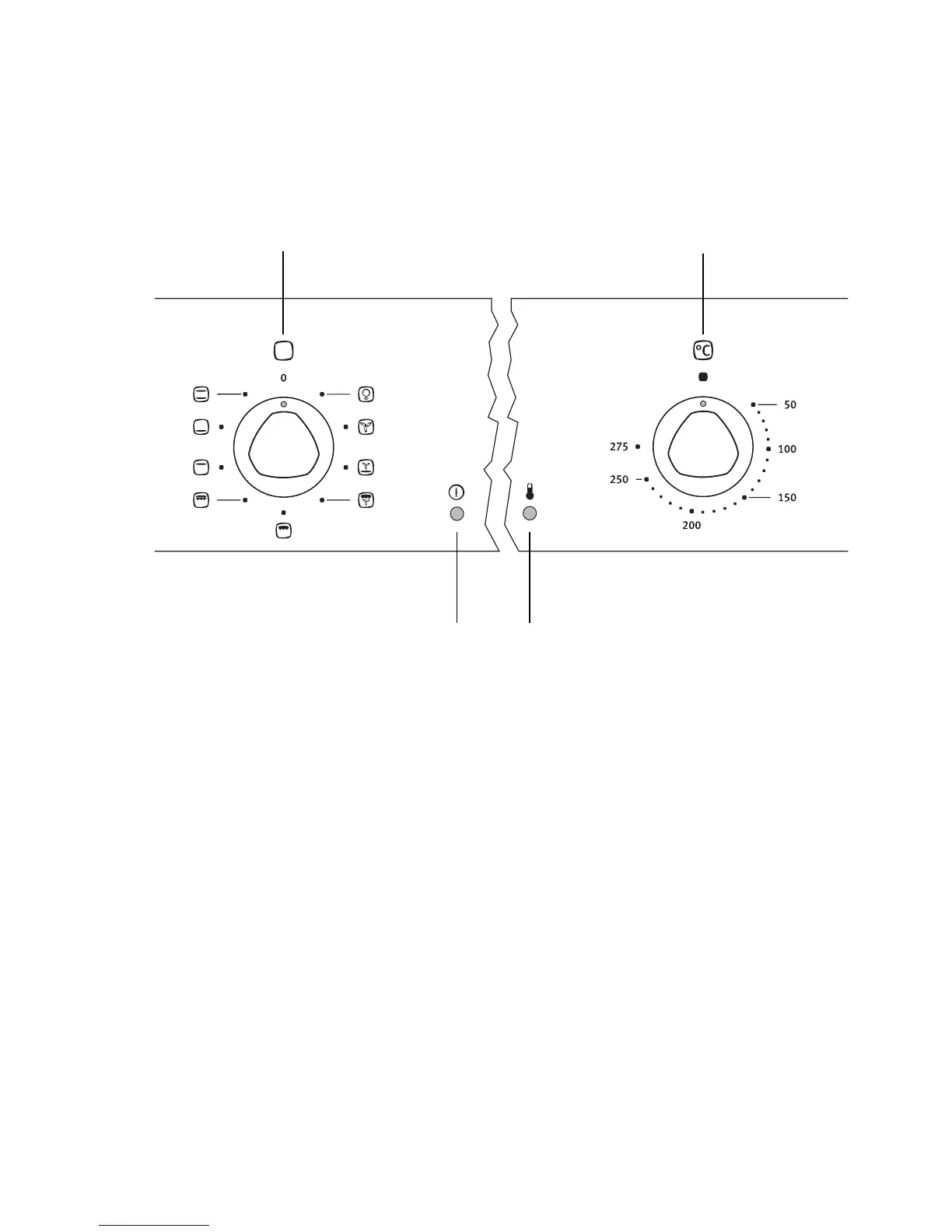
1. Turn the oven functions dial to the desired function.
2. Turn the temperature selector to the desired temperature.
The power indicator is lit as long as the oven is in operation.
The temperature pilot light is lit as long as the oven is heating up.
3. To turn the oven off, turn the oven functions dial and the temperature se-
lector to the OFF position.
3 Cooling fan
The fan switches on automatically in order to keep the appliance’s surfaces
cool. When the oven is switched off, the fan continues to run to cool the ap-
pliance down, then switches itself off automatically.
Temperature selector
Temperature Pilot Light
Oven Functions
Oven Power Indicator




 To Next Page