16
Meat probe
A signal will sound when the set core temperature has been reached.
3 The oven must not be switched off!
Two temperatures are to be taken into consideration:
– The oven temperature: see Roasting Chart!
– Core temperature: see Meat probe Chart!
1 Warning: Only the accompanying meat cooking rod may be used. When re-
placing parts, use only the original spare parts.
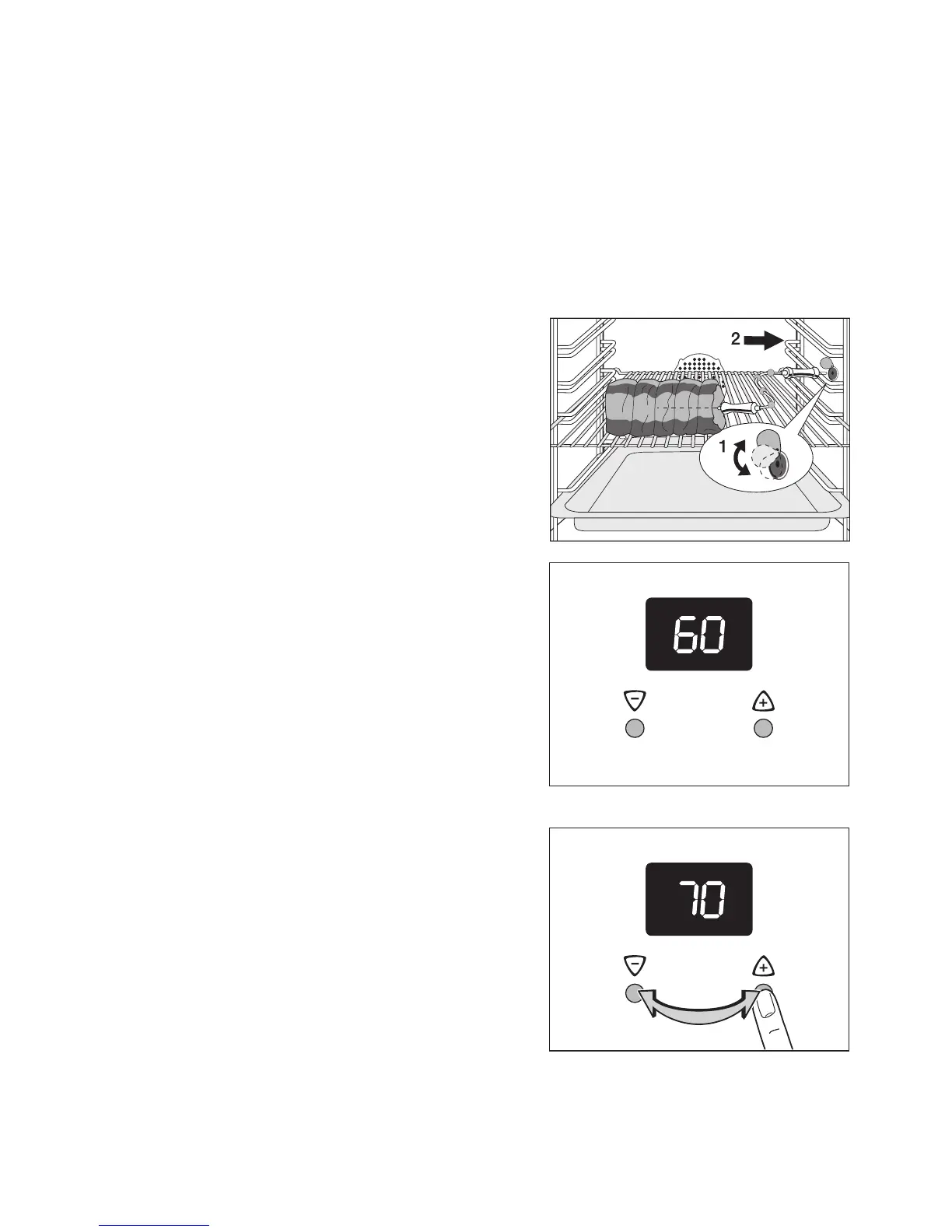
1. Insert the end point of the meat cook-
ing rod well into the meat to be roasted
so that the end point is located in the
middle of the meat.
2. Insert the meat cooking rod's plug into
the socket on the side wall of the oven
as far as it will go.
3. Set the desired oven function and tem-
peratures.
The recommended temperature will ap-
pear in the display.
3 The core temperature will be displayed
as it increases from 30°C.
4. Set the desired core temperature using
the + or - buttons.




 To Next Page