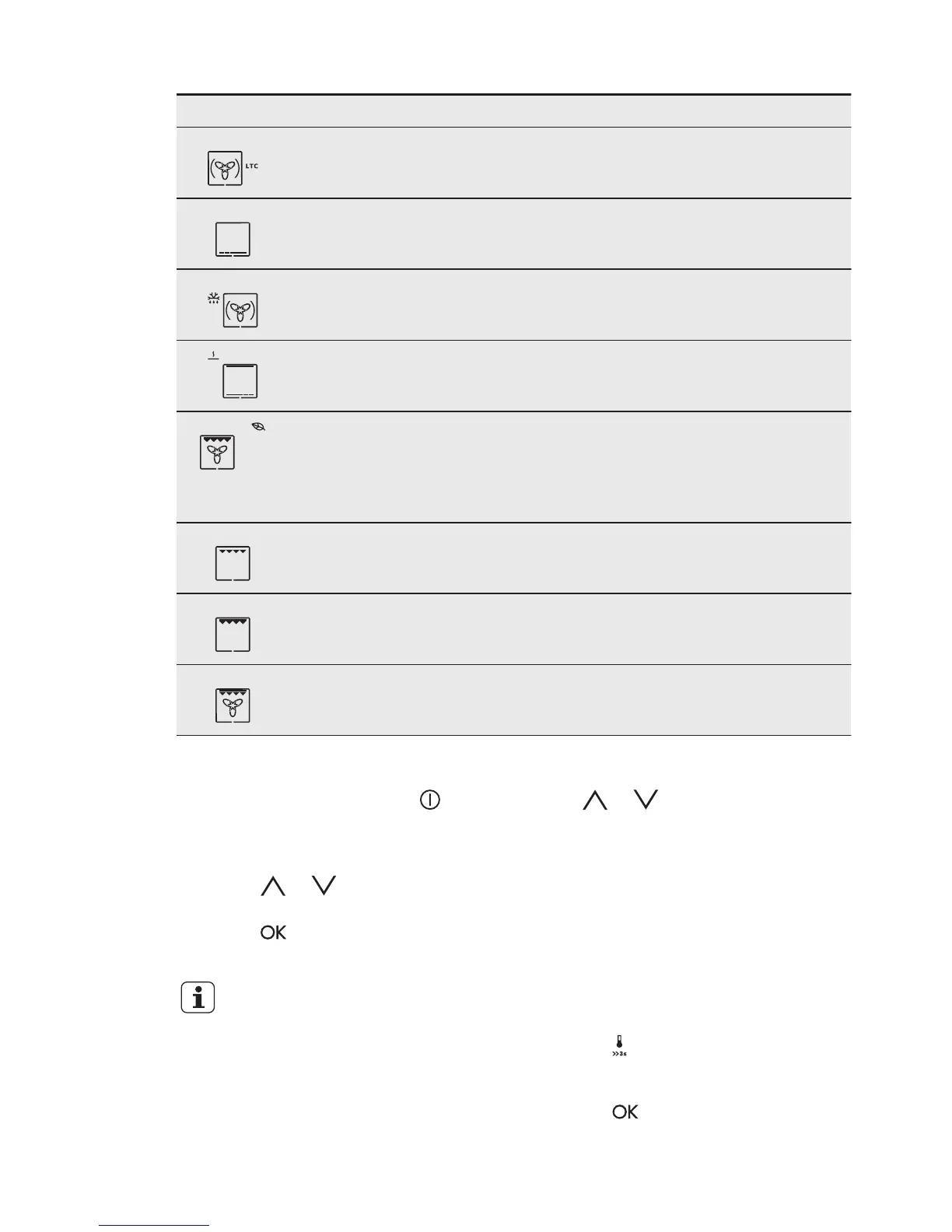
Oven function Application
Slow Cooking To prepare tender, succulent roasts.
Bottom Heat To bake cakes with crispy bottom and to preserve
food.
Defrost To defrost frozen food.
Keep Warm To keep food warm.
ECO Roasting The ECO functions let you optimize the energy con‐
sumption during cooking. It is necessary to set the
cooking time first. To get more information about the
recommended settings, refer to the cooking tables
with the equivalent function.
Grilling To grill flat food and to toast bread.
Fast Grilling To grill flat food in large quantities and to toast
bread.
Turbo Grilling To roast larger meat joints or poultry with bones on
1 shelf position. Also to make gratins and to brown.
6.4 Setting the oven function
1. Activate the appliance with .
The display shows the set temperature,
the symbol and the number of the oven
function.
2. Touch or to set an oven
function.
3. Touch or the appliance starts
automatically after five seconds.
If you activate the appliance
and do not set an oven
function or programme, the
appliance deactivates
automatically after 20
seconds.
6.5 Changing the temperature
Touch or to change the
temperature in steps of 5 °C.
When the appliance is at the set
temperature, an acoustic signal sounds
three times and the Heat up indicator
goes out.
6.6 Checking the temperature
You can see the temperature in the
appliance when the function or
programme operates.
1. Touch
.
The Temperature / Time display shows
the temperature in the appliance.
2. Touch to go back to the set
temperature or the display shows it
automatically after five seconds.
ENGLISH 11



 To Next Page