
 Need help?
Do you have a question about the Electrolux EOD5C70BX and is the answer not in the manual?
Safety guidelines for children and vulnerable individuals regarding appliance use.
General safety precautions for appliance operation and usage environment.
Instructions and warnings related to the safe installation of the appliance.
Guidance on proper electrical connections, earthing, and cable specifications.
Precautions for safe operation, avoiding damage, and proper usage.
Procedures and precautions for cleaning the appliance and its parts.
Information about the oven's internal lighting and lamp specifications.
Technical dimensions and requirements for integrating the appliance into cabinetry.
Overview of the oven's components and features with a diagram.
List and description of included accessories for cooking.
Explanation of how to use the retractable control knobs.
Description of the sensor fields and buttons on the control panel.
Explanation of the oven's display symbols and indicators.
Initial steps and precautions before using the appliance for the first time.
Step-by-step guide on selecting and setting heating functions.
Detailed instructions for using the True Fan Cooking PLUS function.
List and description of various heating functions and their applications.
Overview of available clock functions like Time of Day, Duration, and Minute Minder.
Detailed instructions for setting Time of Day, Duration, and Minute Minder.
Guidance on correctly inserting wire shelves, baking trays, and deep pans.
Instructions for installing and using telescopic runners for shelves.
Information about the automatic cooling fan operation.
Explanation of the safety thermostat and its function.
Tips for baking cakes, cooking meat/fish, and general cooking times.
Recommended accessories for Moist Fan Baking.
Suggestions for optimal results with Moist Fan Baking.
Data for test institutes based on IEC 60350-1 standard.
General advice on cleaning different parts of the appliance.
Procedure for cleaning the cavity embossment using vinegar.
Instructions for removing shelf supports and catalytic panels for cleaning.
Steps for performing catalytic cleaning of the oven cavity.
Procedure for using the Aqua Clean function for cleaning.
Step-by-step guide for removing and reinstalling the oven door.
Instructions for safely replacing the oven's internal lamp.
Common problems and their potential solutions or checks.
Information required for service calls, like model and serial numbers.
Details about the product's energy efficiency class and consumption.
Tips and features for saving energy during everyday appliance use.
This document serves as a user manual for Electrolux ovens, specifically models EOD5C70BX and KOD5C70BX. It provides comprehensive instructions for installation, safe operation, daily use, maintenance, and troubleshooting, ensuring users can effectively utilize and care for their appliance.
The oven is designed for cooking purposes in a single household domestic indoor environment, and may also be used in offices, hotel guest rooms, bed & breakfast guest rooms, and farm guest houses, provided usage levels do not exceed average domestic levels. It features an electric cooling system that operates automatically to keep surfaces cool during use and continues to run until the appliance has cooled down after being turned off. A safety thermostat is integrated to prevent dangerous overheating by interrupting the power supply if incorrect operation or defective components cause excessive heat; the oven will automatically restart once the temperature drops.
The oven offers various heating functions to cater to different cooking needs:
The oven also includes clock functions:
The control panel consists of a power lamp/symbol, a knob for heating functions, a display, a control knob for temperature, and a temperature indicator/symbol. The knobs are retractable; pressing them makes them pop out for use.
Before first use, it is recommended to set the clock, clean the oven and accessories with a microfiber cloth, warm water, and mild detergent, and then preheat the empty oven. For preheating, set the maximum temperature for the Conventional Cooking function for 1 hour, then for the True Fan Cooking function for 15 minutes, and finally for the Fast Grilling function for 15 minutes. After preheating, turn off the oven, let it cool, and then place the accessories and shelf supports back inside.
When using the True Fan Cooking PLUS function, ensure the oven is cold before filling the cavity embossment with up to 250 ml of tap water. Do not refill the cavity during cooking or when the oven is hot. Preheat the empty oven for 10 minutes to create humidity before placing food inside. It is advised not to open the oven door during cooking with this function.
For Moist Fan Baking, dark and non-reflective tins and containers are recommended as they absorb heat better than light-colored and reflective dishes.
The oven has four shelf positions, counted from the bottom. When baking cakes, avoid opening the oven door before 3/4 of the set cooking time has passed. If using two baking trays simultaneously, leave one empty level between them. For very fatty foods, use a deep pan to prevent permanent stains. Add water to the deep pan during roasting to prevent excessive smoke. Allow meat to rest for about 15 minutes before carving. Cooking times vary based on food type, consistency, and volume, so initial monitoring is advised to find optimal settings.
Regular cleaning is essential to prevent surface material deterioration. The appliance should be cleaned with a moist soft cloth and neutral detergents. Abrasive products, abrasive cleaning pads, solvents, or metal objects should not be used. If using an oven spray, follow its safety instructions. Catalytic enamel surfaces should not be cleaned with detergents.
The oven door has two glass panels that can be removed for cleaning. To remove the door, open it fully, lift and pull the latches until they click, then close the door halfway to the first opening position and lift it from its seat. The internal glass panel can then be removed by turning fasteners 90 degrees. The glass panels should be cleaned with water and soap and dried carefully; they are not dishwasher safe.
The oven features catalytic panels that absorb fat during catalysis. To clean the oven using catalytic cleaning, remove all accessories, clean the oven floor and inner door glass with warm water, a soft cloth, and mild detergent. Then, set the oven to 250°C for 1 hour using the Conventional Cooking function. After the cycle, turn off the oven and, once cold, clean the cavity with a wet soft cloth. Spots or discoloration on the catalytic coating do not affect its cleaning performance.
The Aqua Clean procedure uses humidity to remove remaining fat and food particles. To perform Aqua Clean, pour 200 ml of water into the cavity embossment, set the function to True Fan Cooking PLUS, and set the temperature to 90°C for 30 minutes. After the cycle, turn off the oven and, once cold, dry the cavity with a soft cloth. For the True Fan Cooking PLUS function, it is recommended to clean the oven every 5-10 cooking cycles.
Shelf supports and catalytic panels can be removed for cleaning. To remove shelf supports, pull the front away from the side wall, then the rear end. When reinstalling, ensure the retaining pins on the telescopic runners point to the front.
The internal lamp can be replaced. Before replacing, turn off the oven, ensure it is cold, and disconnect it from the mains. Place a cloth on the bottom of the cavity, turn the glass cover to remove it, clean the glass cover, replace the lamp with a suitable 300°C heat-resistant lamp, and then install the glass cover.
 General
| Oven size | Medium |
|---|---|
| Oven type | Electric |
| Top heating | Yes |
| Cleaning type | Catalytic |
| Number of ovens | 1 |
| Total oven power | 2750 W |
| Microwave cooking | No |
| Number of shelf positions | 4 |
| Total oven(s) interior capacity | 65 L |
| Clock type | Electronic |
| Timer type | Digital |
| Energy consumption (conventional) | 0.89 kWh |
| Energy consumption (forced convection) | 0.78 kWh |
| Control type | Rotary, Touch |
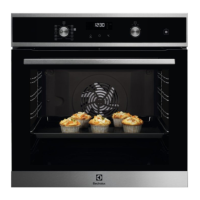
| Product color | Black, Stainless steel |
| Appliance placement | Built-in |


 To Next Page