NOTES
39
TO REMOVE COVER OF MAINS TERMINAL
From the rear of the appliance, remove mains input
terminal cover to gain access to terminal block.
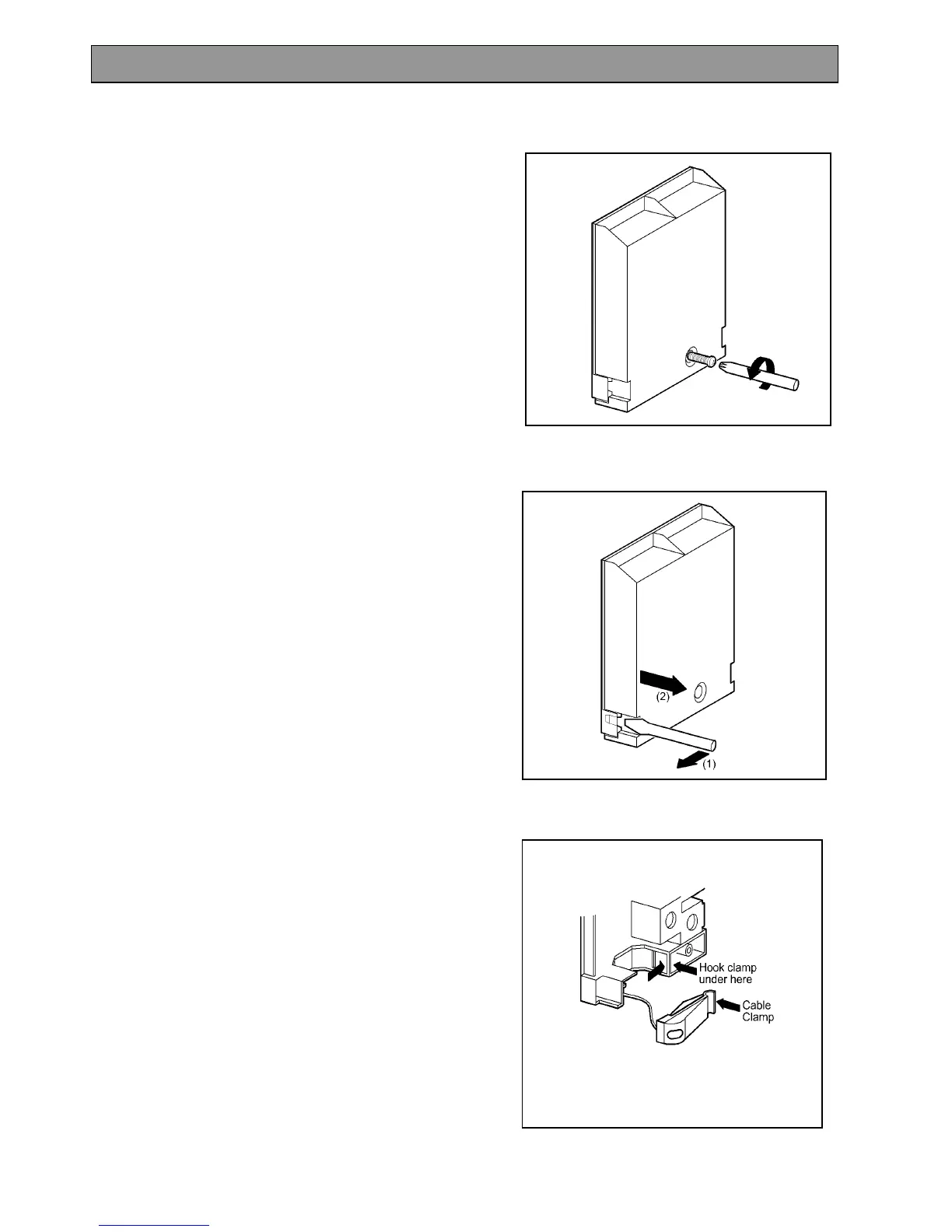
· First remove retaining screw with pozidrive
screwdriver. See Fig. 9.
· Prise cover loose using screwdriver in position (1)
then lever off with screwdriver in position (2) at
either side. See Fig. 10.
· Lift cover and remove screw from cable clamp. See
Fig. 11.
Fig. 9
Fig.10
Fig.11
INSTALLATION INSTRUCTIONS



 To Next Page