EasyManua.ls Logo

Electrolux EPT-800 - Starting the Air Conditioner; Fan Operation Mode; Cooling Operation Mode; Heating Operation Mode

Electrolux EPT-800
13 pages
Print Icon
To Next Page IconTo Next Page
To Previous Page IconTo Previous Page
Loading...
English
8
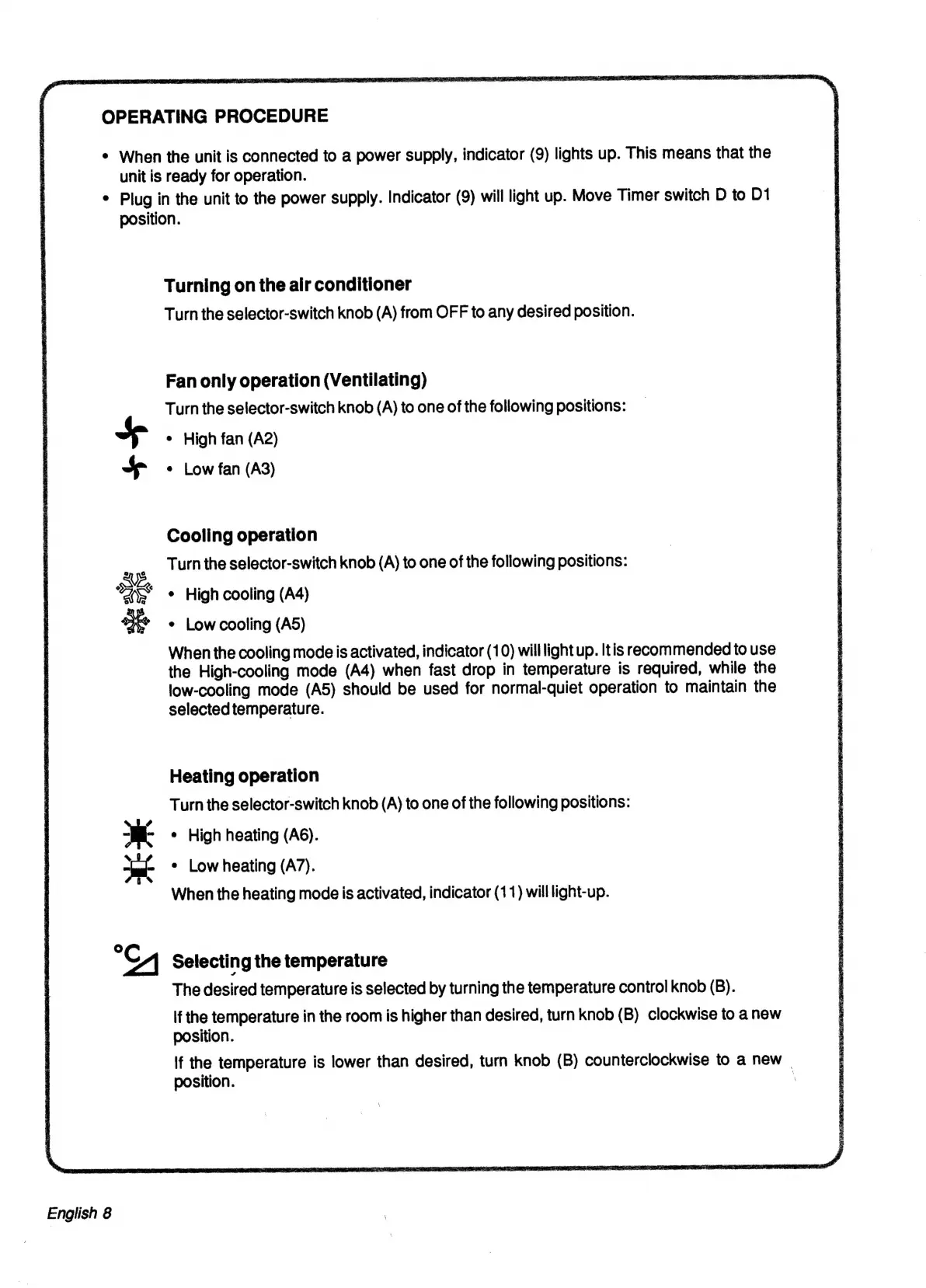
OPERATING
PROCEDURE
¢
When
the
unit
is
connected
to
a
power
supply,
indicator
(9)
lights
up.
This
means
that
the
unit
is
ready
for
operation.
°
Plug
in
the
unit
to
the
power
supply.
Indicator
(9)
will
light
up.
Move
Timer
switch
D
to
D1
position.
+
+p
eee
©
Turning
on
the
air
conditioner
Turn
the
selector-switch
knob
(A)
from
OFF
to
any
desired
position.
Fan
only
operation
(Ventilating)
Turn
the
selector-switch
knob
(A)
to
one
of
the
following
positions:
¢
High
fan
(A2)
e
Low
fan
(A3)
Cooling
operation
Turn
the
selector-switch
knob
(A)
to
one
of
the
following
positions:
¢
High
cooling
(A4)
¢
Low
cooling
(A5)
When
the
cooling
mode
is
activated,
indicator
(10)
willlight
up.
Itis
recommended
to
use
the
High-cooling
mode
(A4)
when
fast
drop
in
temperature
is
required,
while
the
low-cooling
mode
(A5)
should
be
used
for
normal-quiet
operation
to
maintain
the
selected
temperature.
Heating
operation
Turn
the
selector-switch
knob
(A)
to
one
of
the
following
positions:
¢
High
heating
(A6).
¢
Low
heating
(A7).
When
the
heating
mode
is
activated,
indicator
(11)
will
light-up.
Selecting
the
temperature
The
desired
temperature
is
selected
by
turning
the
temperature
control
knob
(B).
lf
the
temperature
in
the
room
is
higher
than
desired,
turn
knob
(B)
clockwise
to
a
new
position.
lf
the
temperature
is
lower
than
desired,
turn
knob
(B)
counterclockwise
to
a
new
|
position.
|

Related product manuals