EasyManua.ls Logo

Electrolux EPT-800 - Dry Operation Mode; Dehumidifying Operation Details; Turning Off the Unit

Electrolux EPT-800
13 pages
Print Icon
To Next Page IconTo Next Page
To Previous Page IconTo Previous Page
Loading...
“Dry”
operation
At
high
humidity
conditions,
turn
selector-switch
(A)
to
the
“dry”
position
(8)
to
activate
the
dehumidifying
mode.
Indicator
(10)
will
light
up.
At
this
mode,
the
fan
will
switch
to
low
speed,
the
compressor
will
run
continuously
and
the
temperature
will
be
regulated
automatically
by
the
thermostat,
which
will
be
switched
on
and
off
accordingly.
Select
Suitable
temperature.
NOTE:
At
extremely
high
humidity
conditions,
operating
in
cooling
or
“dry”mode,
the
water
basin
may
fill
up.
Indicator
(12)
will
turn-on.
At
this
point
the
unit
will
stop.
Turn
the
unit
off,
drain
the
water
basin
and
then
restart
the
unit
to
resume
normal
operation.
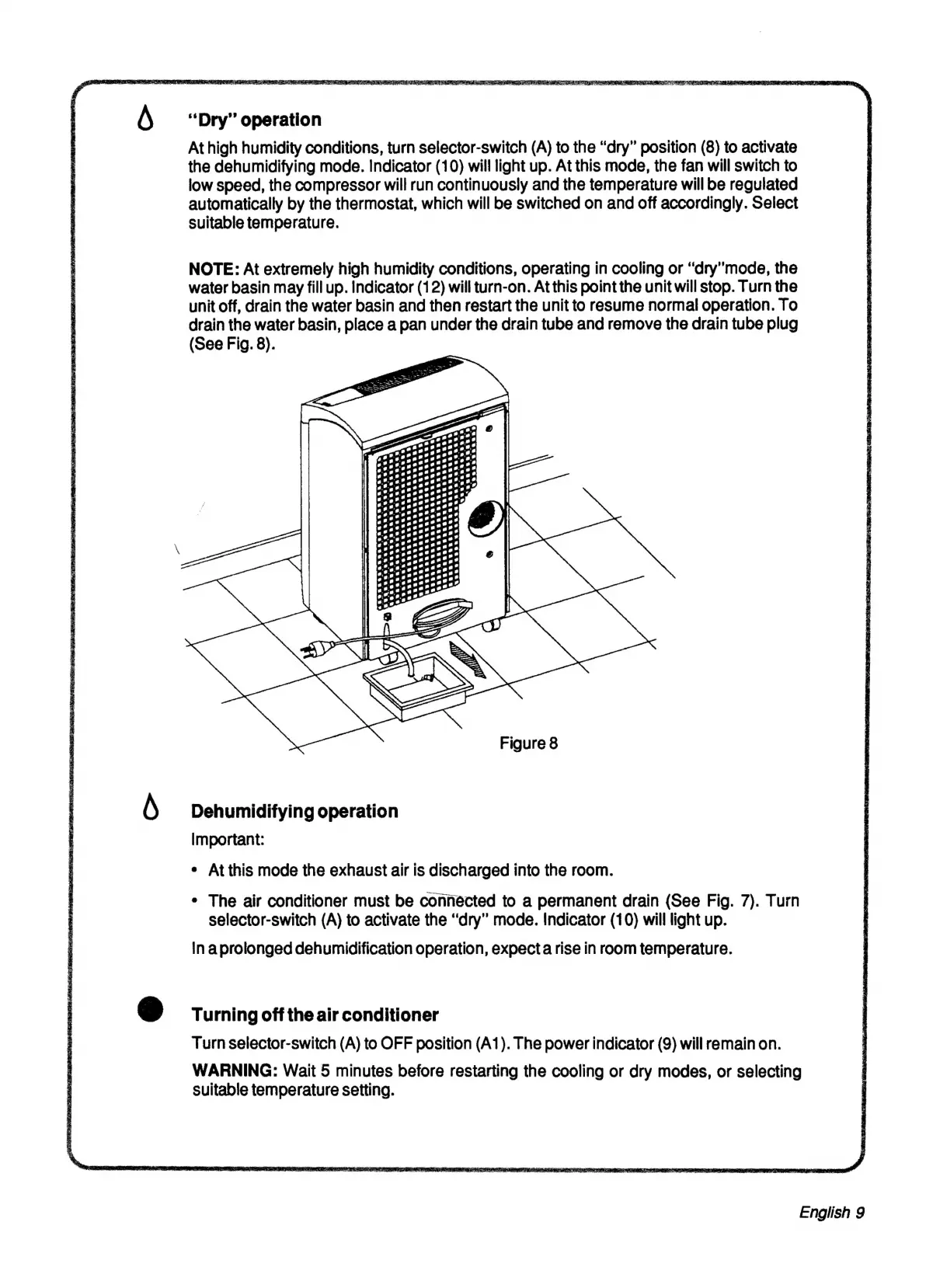
To
drain
the
water
basin,
place
a
pan
under
the
drain
tube
and
remove
the
drain
tube
plug
(See
Fig.
8).
Figure
8
Dehumidifying
operation
Important:
¢
At
this
mode
the
exhaust
air
is
discharged
into
the
room.
*
The
air
conditioner
must
be
connected
to
a
permanent
drain
(See
Fig.
7).
Turn
selector-switch
(A)
to
activate
the
“dry”
mode.
Indicator
(10)
will
light
up.
In
aprolonged
dehumidification
operation,
expecta
rise
in
room
temperature.
Turning
off
the
air
conditioner
Turn
selector-switch
(A)
to
OFF
position
(A1).
The
power
indicator
(9)
will
remain
on.
WARNING:
Wait
5
minutes
before
restarting
the
cooling
or
dry
modes,
or
selecting
Suitable
temperature
setting.
English
9

Related product manuals