EasyManua.ls Logo

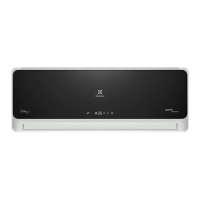
Electrolux ESD30HRA - User Manual

Electrolux ESD30HRA
22 pages
Print Icon
To Next Page IconTo Next Page
Loading...
Congratulations
Congratulations and thank you for choosing our inverter
split-type room air conditioner. We are sure you will find your
new air conditioner a pleasure to use and a great asset to
your comfort. Before you use the inverter split-type room
air conditioner, we recommend that you read through the
whole user manual, which provides the description of the
air conditioner and its functions.
To avoid the risks that are always present when you
use an electric appliance, it is important that the inverter
split-type room air conditioner is installed correctly and that
you read the safety instructions carefully to avoid misuse
and hazards. For future reference, please store this manual
in a safe place.
Contents
• Precautions 1
• Additional notes on operation 4
• Tips on saving energy 4
• Using the remote control 5
• Set current clock time 6
• Basic operation 7
• Adjusting the air flow direction 8
• Indirect (Coanda) air 9
• Turbo operation 9
• Plasmacluster operation 10
• Self clean operation 10
• Off one-hour timer 11
• Timer operation 11
• Tips about timer operation 12
• Timer on 12
• Combined use of timer off and on 13
• Auxiliary mode 13
• Maintenance 14
• Before calling for service 15
• Warranty 16
Information on disposal for users
If you wish to discard this product, please contact your
local authorities and ask for the correct method of
disposal.
This air conditioner uses R410A refrigerant.
electrolux ESD24HRA & ESD30HRA contents
Plasmacluster is a trademark of SHARP Corporation
Electrolux Home Products Australia
telephone: 1300 363 640
fax: 1800 350 067
email: customercare@electrolux.com.au
web: www.electrolux.com.au
user manual
inverter split-type air conditioners
(ESD24HRA, ESD30HRA)
Parts code: TINSEA486JBRZ
© 2006 Electrolux Home Products Pty Ltd ABN 51 004 762 341
Print code: EINVERTACUMAN
Issue date: Jul 06
The Thoughtful Design Innovator.
Do you remember the last time you opened a gift that made you say
Oh! How did you know? Thats exactly what I wanted! Thats the kind of
feeling that the designers at Electrolux seek to evoke in everyone who
chooses or uses one of our products. We devote time, knowledge, and a
great deal of thought to anticipating and creating the kind of appliances that
our customers really need and want.
This kind of thoughtful care means innovating with insight. Not design for
designs sake, but design for the users sake. For us, thoughtful design means
making appliances easier to use and tasks more enjoyable to perform, freeing
our customers to experience that ultimate 21st century luxury, ease of mind.
Our aim is to make this ease of mind more available to more people in more
parts of their everyday lives, all over the world. So when we say were thinking
of you, you know we mean just that.
Electrolux. Thinking of you.
Share more of our thinking at www.electrolux.com
Question and Answer IconNeed help?

Do you have a question about the Electrolux ESD30HRA and is the answer not in the manual?

Summary

Important Safety Instructions

General Safety Advice

Covers essential reading, notes, and general precautions for safe operation.

Cautionary Guidance

Provides specific cautions related to unit operation and handling.

Usage and Installation Cautions

Details cautions for operating the unit and its installation.

Warning and Caution Details

Explains safety symbols and lists specific warnings/cautions with their meanings.

Additional Notes on Operation

Energy Saving Tips

Provides advice on how to use the air conditioner efficiently and reduce power consumption.

Using the Remote Control

Basic Operation

Selecting Operation Modes

How to choose between AUTO, HEAT, COOL, or DRY modes.

Temperature and Fan Speed Settings

Adjusting the desired temperature and fan speed for comfort.

Adjusting the Airflow Direction

Turbo Operation

Plasmacluster Operation

Self Clean Operation

Timer Operation

Tips About Timer Operation

Maintenance

Cleaning the Filters

Step-by-step guide for cleaning the air filters.

Before Calling for Service

Troubleshooting Common Issues

Guidance for diagnosing and resolving common operational problems.

Electrolux Warranty

Summary

Important Safety Instructions

General Safety Advice

Covers essential reading, notes, and general precautions for safe operation.

Cautionary Guidance

Provides specific cautions related to unit operation and handling.

Usage and Installation Cautions

Details cautions for operating the unit and its installation.

Warning and Caution Details

Explains safety symbols and lists specific warnings/cautions with their meanings.

Additional Notes on Operation

Energy Saving Tips

Provides advice on how to use the air conditioner efficiently and reduce power consumption.

Using the Remote Control

Basic Operation

Selecting Operation Modes

How to choose between AUTO, HEAT, COOL, or DRY modes.

Temperature and Fan Speed Settings

Adjusting the desired temperature and fan speed for comfort.

Adjusting the Airflow Direction

Turbo Operation

Plasmacluster Operation

Self Clean Operation

Timer Operation

Tips About Timer Operation

Maintenance

Cleaning the Filters

Step-by-step guide for cleaning the air filters.

Before Calling for Service

Troubleshooting Common Issues

Guidance for diagnosing and resolving common operational problems.

Electrolux Warranty

Overview

This document serves as a user manual for Electrolux inverter split-type air conditioners, specifically models ESD24HRA and ESD30HRA. It provides comprehensive instructions on operation, maintenance, and safety to ensure optimal performance and longevity of the appliance.

Function Description

The Electrolux inverter split-type air conditioner is designed to provide comfort through various operating modes. It utilizes an inverter technology for efficient temperature control. The unit features a Plasmacluster Ion generator that releases positive and negative ions into the room to reduce airborne mould, allergens, and viruses, contributing to cleaner air.

The air conditioner offers several operational modes:

  • AUTO Mode: In this mode, the unit automatically selects the temperature setting and operation mode (COOL, HEAT, or DRY) based on the room and outdoor temperatures, aiming to maintain a comfortable environment.
  • COOL Mode: For cooling the room.
  • HEAT Mode: For heating the room, utilizing a heat pump system that draws heat from the outside atmosphere.
  • DRY Mode: For dehumidifying the room.
  • FAN Only Mode: Circulates air without heating or cooling.
  • TURBO Operation: Allows the air conditioner to work at maximum power for a short period to rapidly cool or warm the room, useful when quick temperature changes are desired.
  • Plasmacluster Operation: Activates the Plasmacluster Ion generator to purify the air. This can be used independently or in conjunction with other modes.
  • Self CLEAN Operation: Reduces the growth of mould or fungus and dries the inside of the air conditioner unit using Plasmacluster ions. This function operates in FAN or HEAT mode when the unit is not actively cooling or heating.

The unit also incorporates several protective and convenience functions:

  • Memory Function: Stores settings in case of a power failure, automatically restarting with the previous settings (except for timer settings) once power is restored.
  • Preheating Function: In HEAT operation, the indoor fan may delay starting to prevent cold air from blowing out initially.
  • De-icing Function: Automatically de-ices the outdoor unit's heat exchanger during HEAT operation when ice forms, temporarily stopping fans and then resuming normal operation.
  • Indirect (Coanda) Air: Adjusts the horizontal louvre to direct cool air upwards towards the ceiling during cooling/dry operation or warm air downwards towards the floor during heating operation, avoiding direct airflow on occupants.
  • Timer Functions: Includes a "Timer On" to program the unit to start at a specific time, a "Timer Off" to program it to stop, and an "Off One-Hour Timer" to automatically turn off after one hour. These timers can also be combined.

Usage Features

The air conditioner is primarily controlled via a remote control, which features a liquid crystal display for easy viewing of settings.

Remote Control Usage:

  1. Battery Installation: Requires two AAA (1.5V) batteries, ensuring correct polarity.
  2. Signal Transmission: Point the remote control towards the unit's signal receiver window. A beep confirms signal reception. The remote control has an operating range of up to 7 meters.
  3. Clock Setting: The remote control allows setting the current time in either 12-hour or 24-hour mode using the CLOCK, TIME ADVANCE/REVERSE, and SET/C buttons.
  4. Mode Selection: Use the MODE button to cycle through AUTO, HEAT, COOL, and DRY operations.
  5. Temperature Adjustment: The TEMP up/down buttons adjust the desired temperature. In AUTO/DRY mode, the temperature can be adjusted within a narrow range relative to the automatically determined temperature. In COOL/HEAT mode, it can be set between 18°C and 32°C.
  6. Fan Speed Control: The FAN button allows selection of AUTO, SOFT, LOW, or HIGH fan speeds. In DRY mode, fan speed is preset to AUTO.
  7. Airflow Direction:
    • Vertical Airflow: The SWING button adjusts the horizontal louvre's angle continuously. Pressing it again stops the louvre at the desired position, which is then memorized for future operations.
    • Horizontal Airflow: Manual adjustment of the vertical louvres is performed by holding them while the unit operates on low fan speed.
  8. Special Operations:
    • Plasmacluster: Press the PLASMACLUSTER button to activate air purification. The blue Plasmacluster lamp on the unit illuminates.
    • TURBO: Press the TURBO button for rapid cooling or heating. The green TURBO lamp illuminates, and the temperature display on the remote control goes off. Temperature and fan speed cannot be set during TURBO operation.
    • Indirect Air (Coanda): Press the INDIRECT AIR button to direct airflow away from occupants. The remote control displays the corresponding symbol.
    • Self CLEAN: Press the CLEAN button when the unit is off to initiate the self-cleaning cycle. The red OPERATION, green self CLEAN, and blue Plasmacluster lamps illuminate.
  9. Timer Settings:
    • Timer OFF: Use the TIMER OFF button, TIME ADJUST buttons, and SET/C button to set a specific time for the unit to turn off.
    • Timer ON: Use the TIMER ON button, TIME ADJUST buttons, and SET/C button to set a specific time for the unit to turn on.
    • Off One-Hour Timer: Press the OFF 1 HR button to automatically turn off the unit after one hour.
    • Combined Timers: TIMER ON and TIMER OFF can be used together to program a specific operational window.
    • Cancelling Timers: The TIMER CANCEL (SET/C) button cancels all active timer settings.

Auxiliary Mode:

In case the remote control is lost or not operational, the unit can be turned on or off using the AUX. button located on the indoor unit's operation panel. Pressing it once turns the unit on in AUTO mode with AUTO fan speed and temperature settings. Pressing it again turns the unit off.

Tips on Saving Energy:

  • Set the thermostat 1°C higher in COOL mode or 2°C lower in HEAT mode to save approximately 10% in power consumption.
  • Block direct sunlight during cooling and close windows/doors during cooling/heating.
  • Ensure proper airflow direction for best circulation.
  • Keep air filters clean.
  • Utilize the timer off function.
  • Disconnect power supply when the unit is not used for extended periods.

Maintenance Features

Regular maintenance is crucial for the air conditioner's efficiency and lifespan.

Air Filter Cleaning:

  • Frequency: Air filters should be cleaned every two weeks.
  • Procedure:
    1. Turn off the unit and switch off the circuit breaker.
    2. Lift and open the front panel of the indoor unit.
    3. Push the air filters up slightly to unlock, then pull them down to remove.
    4. Clean filters with a vacuum cleaner or wash with warm water and mild detergent.
    5. Dry filters in the shade before reinstalling them in their original positions and closing the front panel.

Air Purifying & Deodorising Carbon Filter (Black) / Purifying Dust Collection Filter (Green):

  • Frequency: These filters should be changed every 3-6 months. They are not washable or reusable.
  • Procedure:
    1. Remove the main air filters.
    2. Set the carbon/dust collection filter under the filter stoppers on the air filter, ensuring the black side of the carbon filter faces up (away from the dust filter).
    3. Replace the main air filters.
  • Disposal: Dispose of replaced filters according to local disposal laws and regulations.

Cleaning the Unit and Remote Control:

  • Wipe with a soft, dry cloth.
  • Do not splash water directly on them, use hot water, thinner, abrasive powders, or strong solvents, as this can cause electrical shock or damage.

Maintenance After Air Conditioner Season:

  1. Operate the unit in self CLEAN mode to thoroughly dry the internal mechanism.
  2. Stop operation and switch off the circuit breaker.
  3. Clean and reinstall the filters.

Maintenance Before Air Conditioner Season:

  1. Ensure air filters are clean.
  2. Check that air inlets and outlets are unobstructed.
  3. Periodically check the outdoor unit mounting bracket for wear and stability.

Safety Precautions:

The manual emphasizes numerous safety precautions, including:

  • Ensuring proper installation by authorized personnel and utility service approval.
  • Not operating the unit without air filters or near heat sources/open flames.
  • Avoiding direct exposure to outlet air for prolonged periods.
  • Supervising children and infirm persons around the unit.
  • Ensuring proper earthing and not modifying the power cord.
  • Disconnecting power and turning off the circuit breaker before maintenance or if abnormalities occur.
  • Not placing obstacles around air inlets/outlets.
  • Using caution when unpacking and installing due to sharp edges.
  • Not drinking water drained from the air conditioner.
  • Ventilating the room when using gas appliances simultaneously.
  • Not attempting self-repair or modification.

By following these instructions, users can ensure safe, efficient, and long-lasting operation of their Electrolux inverter split-type air conditioner.

Electrolux ESD30HRA Specifications

General IconGeneral
BrandElectrolux
ModelESD30HRA
CategoryAir Conditioner
LanguageEnglish

Related product manuals