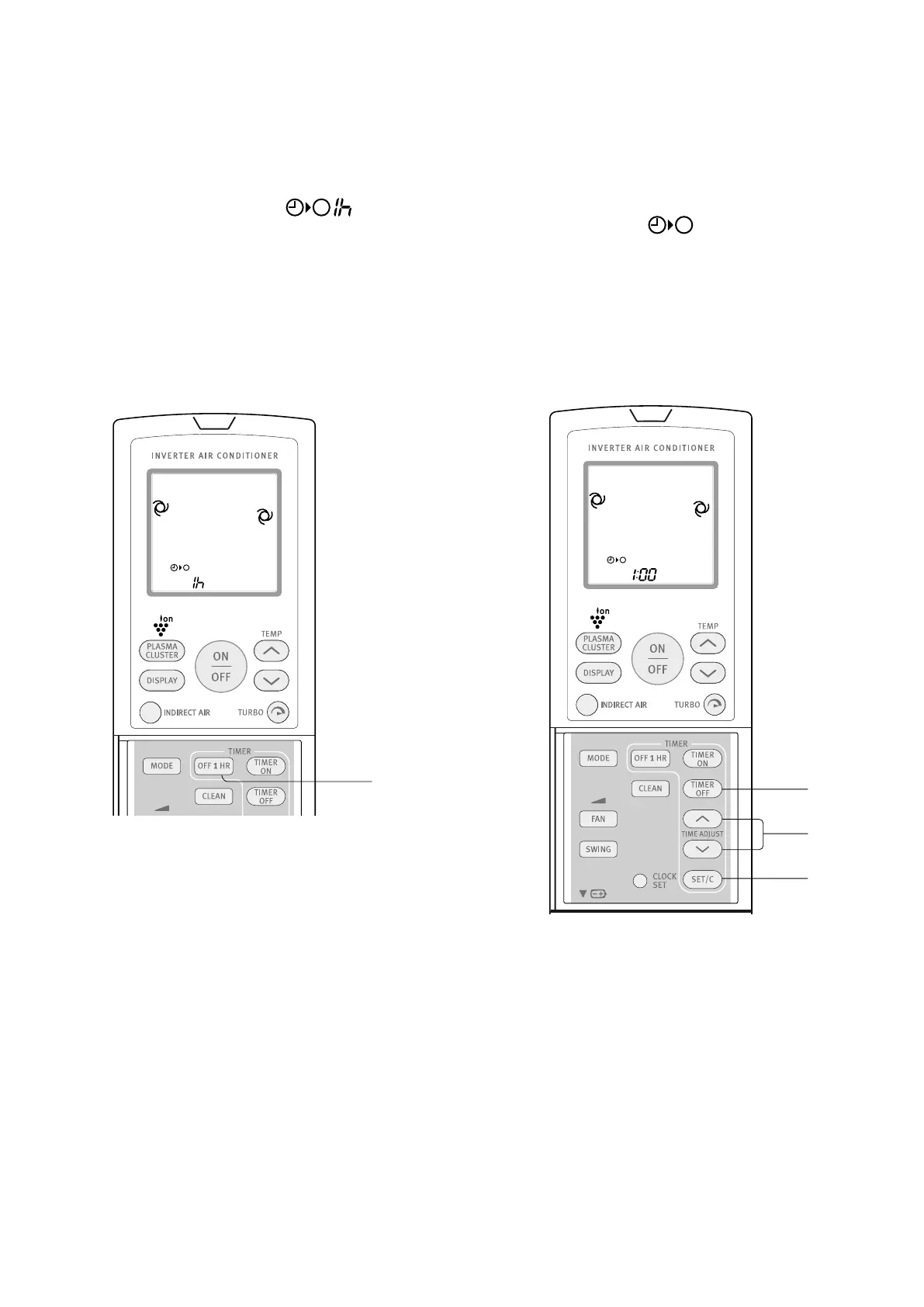
Off one-hour timer
When the OFF ONE-HOUR TIMER is set, the unit will
automatically turn off after one hour.
1. Press the OFF ONE-HOUR TIMER button.
• The remote control displays “ ”.
• The orange TIMER lamp on the unit will illuminate.
• The unit will stop operating after one hour.
to cancel
Press the TIMER CANCEL (SET/C) button.
• The orange TIMER lamp on the unit will turn off.
Alternatively, turn the unit off by pressing the ON/OFF
button.
• The red OPERATION lamp and the orange TIMER
lamp on the unit will turn off.
NOTES
• The OFF ONE-HOUR TIMER operation has priority over
TIMER ON and TIMER OFF operations.
• If the OFF ONE-HOUR TIMER is set while the unit is not
operating, the unit will operate for an hour at the formerly
set condition then turn off.
• If you wish to operate the unit for another hour before
the OFF ONE-HOUR TIMER is activated, press the OFF
ONE-HOUR TIMER button again during operation.
• If TIMER ON and/or TIMER OFF are set, SET/C button
cancels every setting.
1
Timer operation
NOTE
Before setting the timer, make sure the clock is properly set
with the current time.
timer off
1. Press the TIMER OFF ( ) button.
2. The TIMER OFF indicator will blink; press the TIME
ADJUST up or down buttons to set the desired time (the
time can be set in 10-minute increments).
3. Point the remote control at the signal receiver window
on the unit and press the TIMER SET (SET/C) button.
• The orange TIMER lamp on the unit will illuminate.
• The unit will generate a beep when it receives
the signal.
SWING
CLEAN
FAN
MODE
SET/C
1h
DISPLAY
SWING
CLEAN
FAN
MODE
SET/C
1h
1
2
3
electrolux ESD24HRA & ESD30HRA timer operation 11



 To Next Page