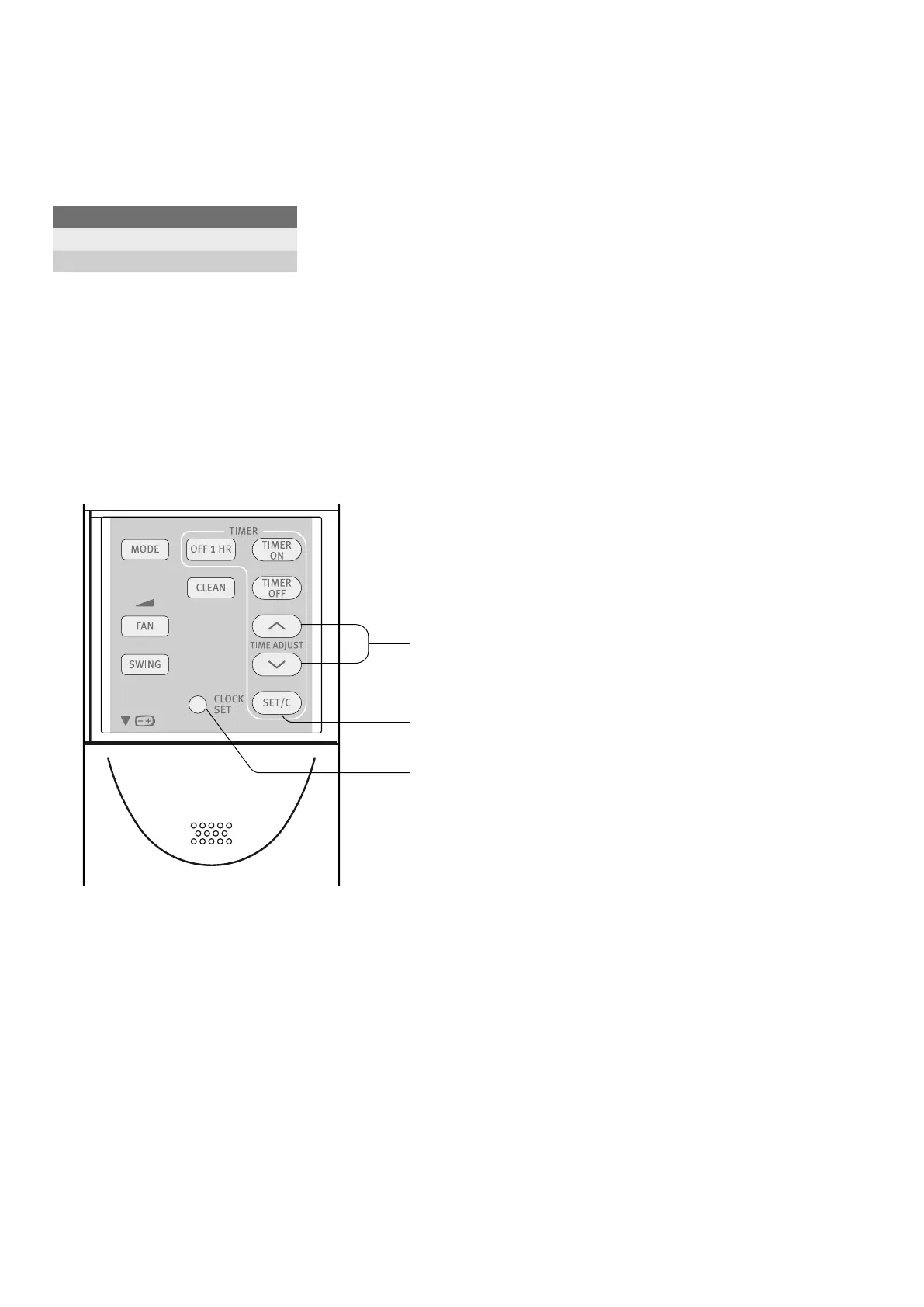
Set current clock time
There are two clock modes:
12-hour mode and 24-hour mode.
Example: 5 o’clock in the afternoon
1. To set to the 12-hour mode, press the CLOCK button
once in the first step.
To set to the 24-hour mode, press the CLOCK button
twice in the first step.
2.
Press the TIME ADVANCE or REVERSE button to set
the current time.
• Keep the button pressed to advance or reverse the
time display quickly.
3. Press the SET/C button.
• The colon (:) between hours and minutes blinks to
indicate that the clock is functioning.
Clock Display
12 hour mode PM 5:00
24 hour mode 17:00
2
3
1
6 electrolux ESD24HRA & ESD30HRA set current clock time



 To Next Page