set the core temperature, touch
and or to set a new value.
6.
Set the oven function and, if necessa-
ry, the oven temperature.
The display shows the current core
temperature and the temperature bar,
which shows the relation between the
set oven temperature and the current
oven temperature.
Useful information:
The core temperature sensor must
stay in the meat and in the socket
during the cooking.
While the appliance calculates the ap-
proximate duration time, the value of
the Count Up Timer function shows in
the Timer / residual heat display.
When the first calculation ends, an
acoustic signal sounds and the Tim-
er / residual heat display shows —:—
and then the approximate duration of
the cooking. The appliance continues
to calculate the duration during the
cooking. The display updates at inter-
vals with the new duration value.
7.
When the meat is at the set core tem-
perature, the core temperature and
flash. An acoustic signal sounds
for two minutes. Touch a sensor field
to deactivate the acoustic signal.
8.
Remove the core temperature sensor
from the socket and remove the meat
from the appliance.
WARNING!
Be careful when you remove the
core temperature sensor. It is hot.
There is a risk of burns.
9.
Deactivate the appliance.
When you put the core tempera-
ture sensor into the socket, you
cancel the settings for the clock
functions.
When you cook with the core temperature
sensor, you can change the temperature
shown in the Temperature / Time display.
After you put the core temperature sensor
into the socket and set an oven function
and temperature, the display shows the
current core temperature.
Touch
again and again to see three
other temperatures:
• The set core temperature
• The current oven temperature
• The current core temperature.
The set core temperature changes into
the current core temperature and the cur-
rent oven temperature changes into the
set oven temperature.
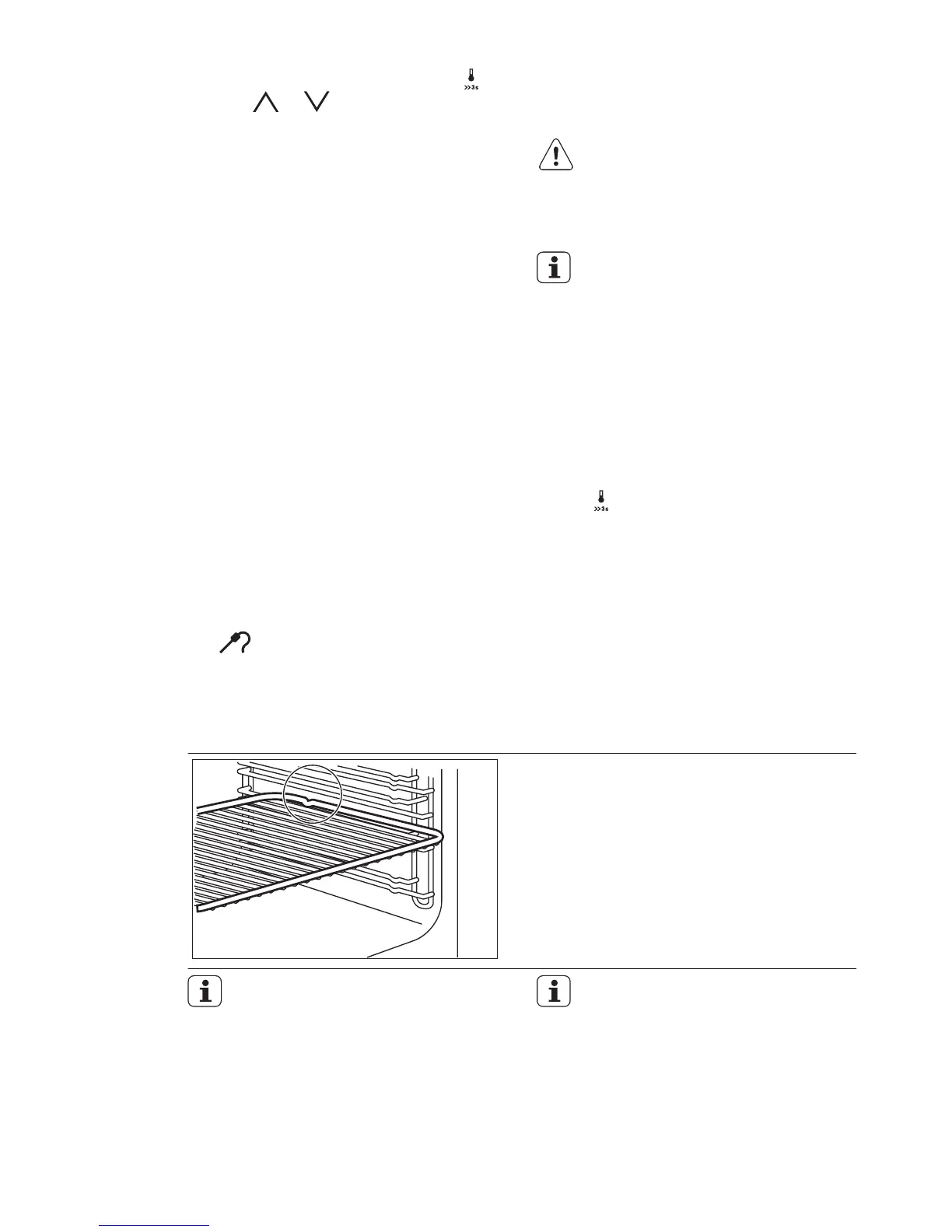
9.2 Installing the accessories
Wire shelf:
Put the shelf in and make sure that the in-
dentations point down.
Push the shelf between the guide bars of
the shelf support.
All accessories have small inden-
tations at the bottom of the right
and left edges to increase the
safety.
Always make sure that these indentations
are at the rear of the appliance. These in-
dentations are also an anti-tip device.
The high rim around the shelf is a
device which prevents cookware
from slipping off.
16
www.electrolux.com




 To Next Page