Settin Oven Controls 33
About defrost
About dehydrate
Use the defrost feature to thaw small portions of
delicate items such as cream cakes, frozen cream
pies and cheesecake at room temperature. While
in the defrost mode, the convection fan will operate
to circulate room temperature air around the food
slowlyl accelerating the natural defrosting of the
food without using heat
Defrost may be set with the following options:
, Cook time
, Cook time with end time
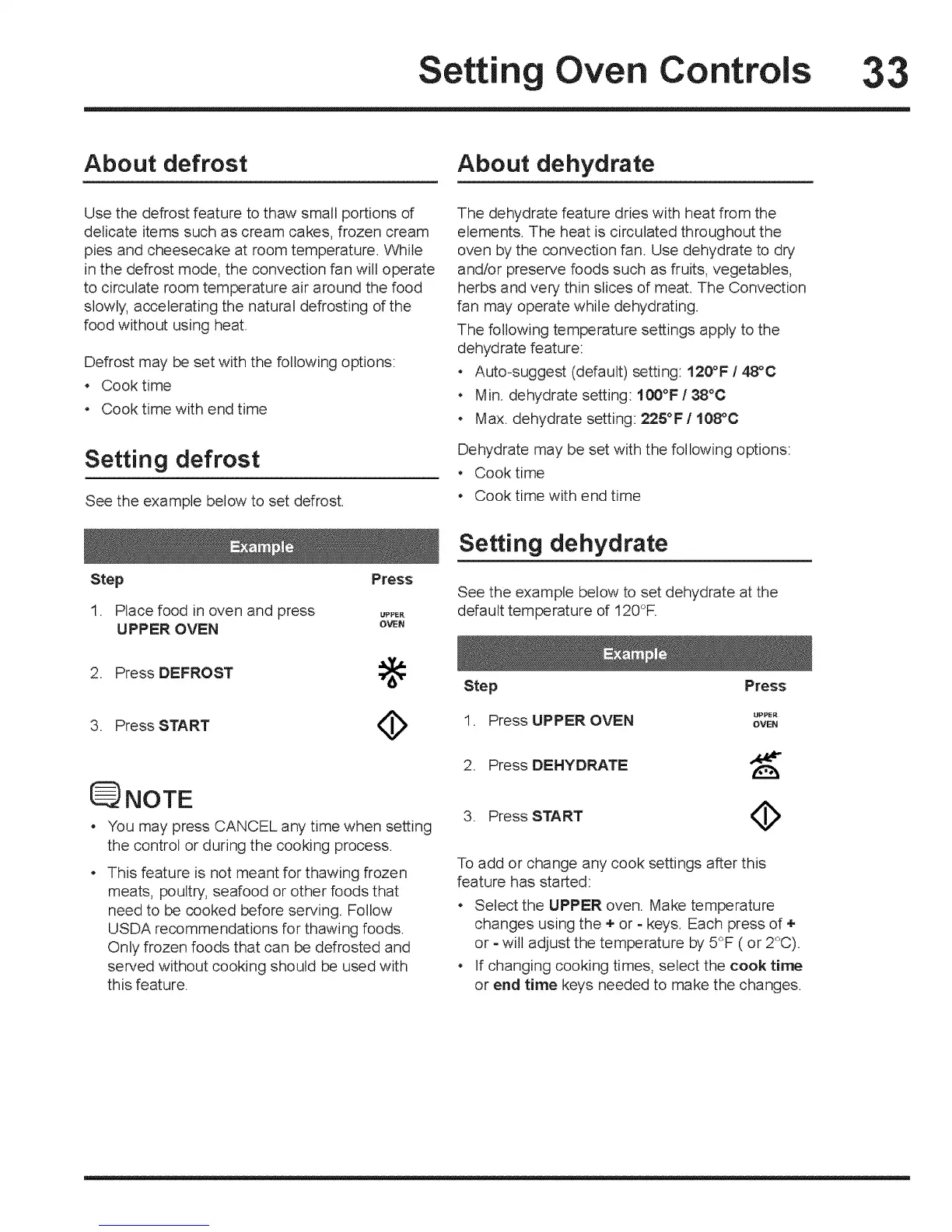
Setting defrost
See the example below to set defrost.
Step Press
1. Place food in oven and press _pp_,
UPPER OVEN own
2. Press DEFROST :_
3, Press START ¢
NOTE
• You may press CANCEL any time when setting
the control or during the cooking process.
This feature is not meant for thawing frozen
meats, poultry, seafood or other foods that
need to be cooked before serving. Follow
USDA recommendations for thawing foods.
Only frozen foods that can be defrosted and
served without cooking should be used with
this feature.
The dehydrate feature dries with heat from the
elements. The heat is circulated throughout the
oven by the convection fan. Use dehydrate to dry
andtor preserve foods such as fruits, vegetables,
herbs and very thin slices of meat. The Convection
fan may operate while dehydrating.
The following temperature settings apply to the
dehydrate feature:
Auto-suggest (default) setting: t20°F / 48°0
• Min, dehydrate setting: 100°F / 38°0
. Max. dehydrate setting: 225°F / 108°O
Dehydrate may be set with the following options:
o Cook time
Cook time with end time
Setting dehydrate
See the example below to set dehydrate at the
default temperature of 120_F,
Step Press
1 Press UPPER OVEN _PP_"
• OVEN
2. Press DEHYDRATE
3. Press START ¢
To add or change any cook settings after this
feature has started:
o Select the UPPER oven. Make temperature
changes using the + or - keys, Each press of +
or - will adjust the temperature by 5°F ( or 2°C).
o If changing cooking times, select the cook time
or end time keys needed to make the changes.





 To Next Page