Settin Oven Controls 35
About my favorite
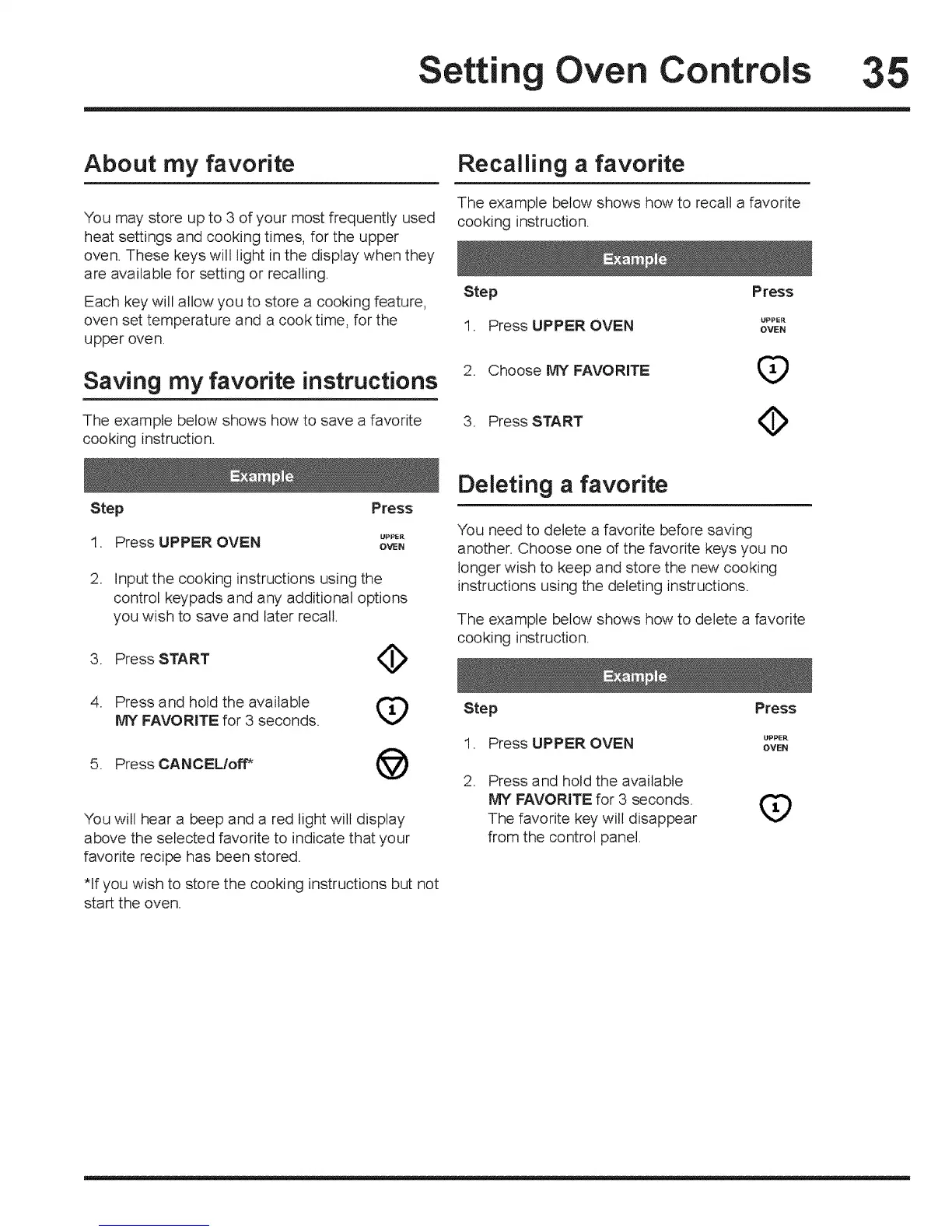
"You may store up to 3 of your most frequently used
heat settings and cooking times, for the upper
oven. These keys will light in the display when they
are available for setting or recalling.
Each key will allow you to store a cooking feature,
oven set temperature and a cook time, for the
upper oven.
Saving my favorite instructions
The example below shows how to save a favorite
cooking instruction.
Recalling a favorite
The example below shows how to recall a favorite
cooking instruction.
Step Press
1 Press UPPER OVEN _PP_"
= OVEN
2. Choose MY FAVORITE ([_
3= PressSTART (_
Step
1=
2.
Press
Press UPPER OVEN _P*"
OVEN
Input the cooking instructions using the
control keypads and any additional options
you wish to save and later recal!.
3. Press START _I_
4. Press and hold the available
MY FAVORITE for 3 seconds.
5. Press CANCEL/off* @
"Youwill hear a beep and a red light will display
above the selected favorite to indicate that your
favorite recipe has been stored.
*If you wish to store the cooking instructions but not
start the oven.
Deleting a favorite
You need to delete a favorite before saving
another. Choose one d the favorite keys you no
longer wish to keep and store the new cooking
instructions using the deleting instructions.
The example below shows how to delete a favorite
cooking instruction.
Step Press
1 Press UPPER OVEN °P*_"
• OVEN
. Press and hold the available
MY FAVORITE for 3 seconds.
The favorite key will disappear
from the control panel.
(9





 To Next Page