Q&CI - Technical Support 20 599 844 - 908 Rev. 01
4 DEMO MODE LUX (2021)
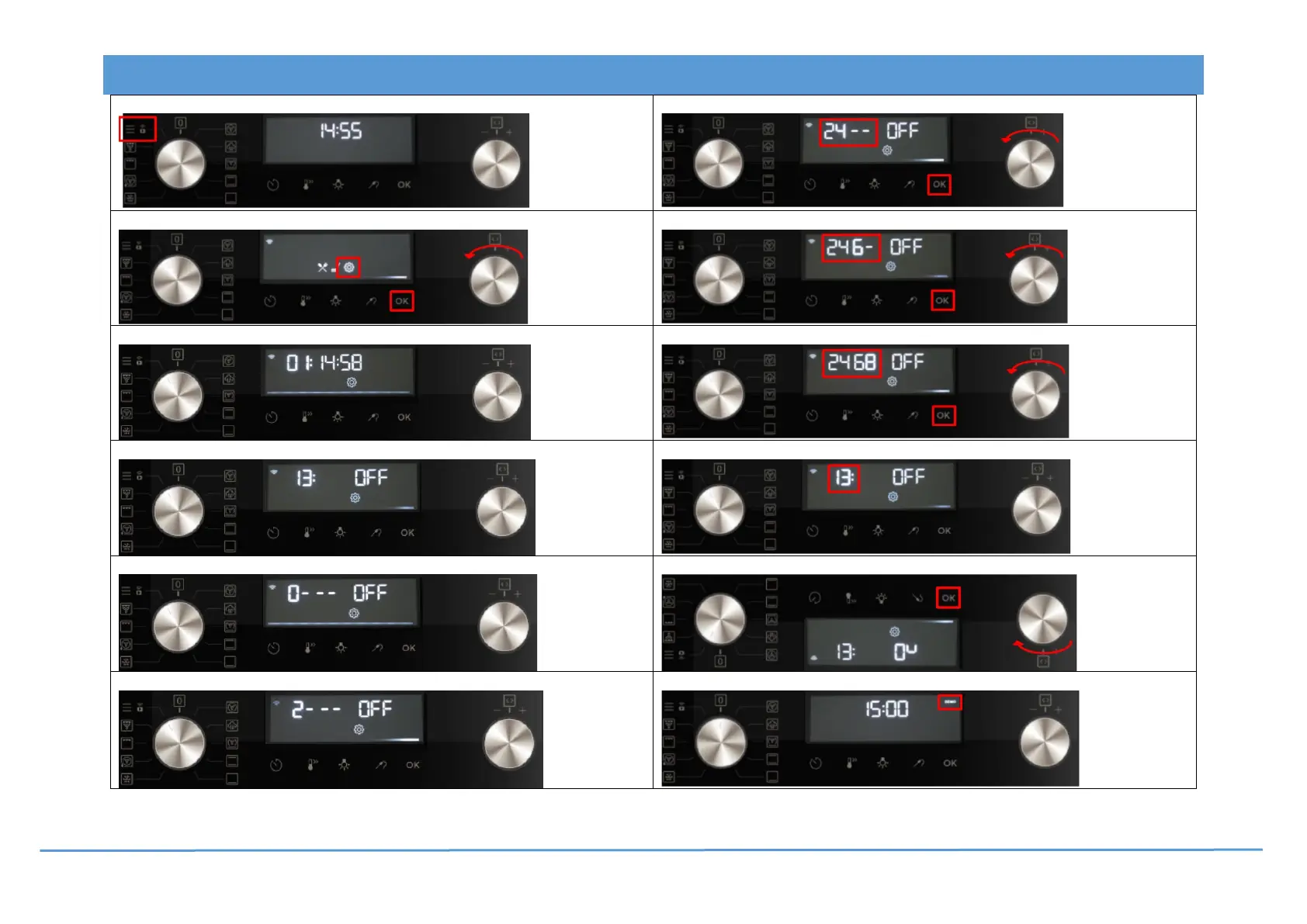
1. Switch the appliance on. Turn the program selector to “Menu”
7. Turn the selector to “Code 4” “OK”.
2. Turn the selector to “Settings”
8. Turn the selector to “Code 6”
3. “Settings 01” appears.
9. Turn the selector to “Code 8”
4. Turn the selector to “Settings 13 (Demo mode)”
10. “Settings 13” appears
5. Activation code entry appears 2 : 4 : 6 : 8
11. Turn the selector to “On” “OK”.
6. Turn the selector to “Code 2”
12. Switch off the appliance “DEMO” appears.
Deactivate demo mode: Same procedure.




 To Next Page