13
General
6204
18
19
6204
6204
17
XXXX
60°
6204
16
60°
FUNCTION
NOT
ALLOWED
17
18
19
DELAYED START
HOUR:MINUTES
00:00
NORMAL 60
16
43
PROGR.TIME, MIN
NORMAL 60
Program time
Shows approximate wash time for selected
program.
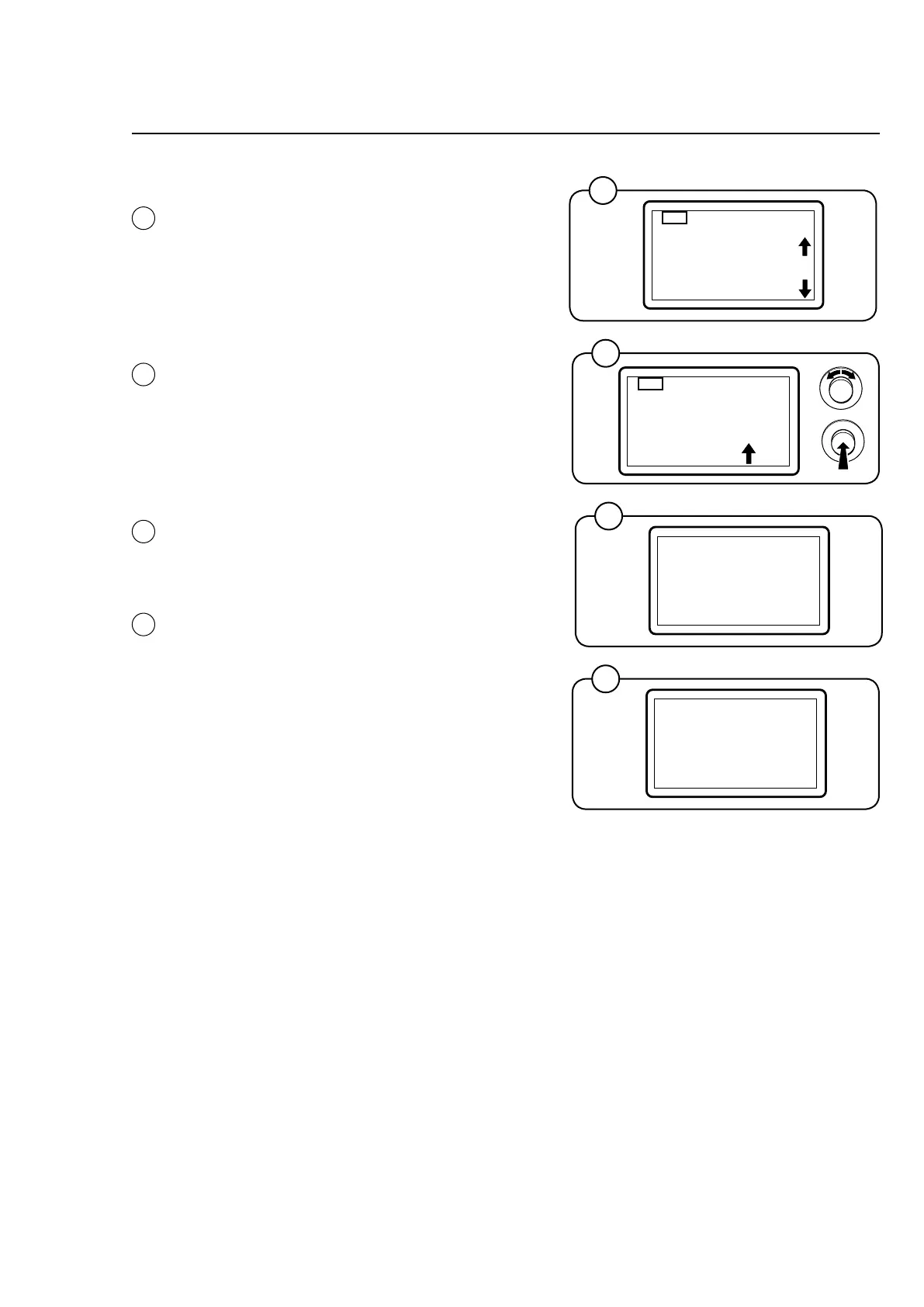
Delayed start
In this menu, you can set a delay of up to 99
hours and 59 minutes before the machine starts
the selected wash program.
The arrow in the menu indicates the column
being adjusted. Turn the knob clockwise to set
the desired number. Turn the knob anticlockwise
to move to the next column. Press the knob to
confirm after completing the settings.
The time left to start starts when the setting has
been confirmed.
It will be indicated on the display if the selected
wash program does not allow this function.
Info
This menu presents information on the selected
wash program.
Exit
Return to the program selection menu.









 To Next Page