7
2
6179
6180
3
6203
1
6614
6611
3
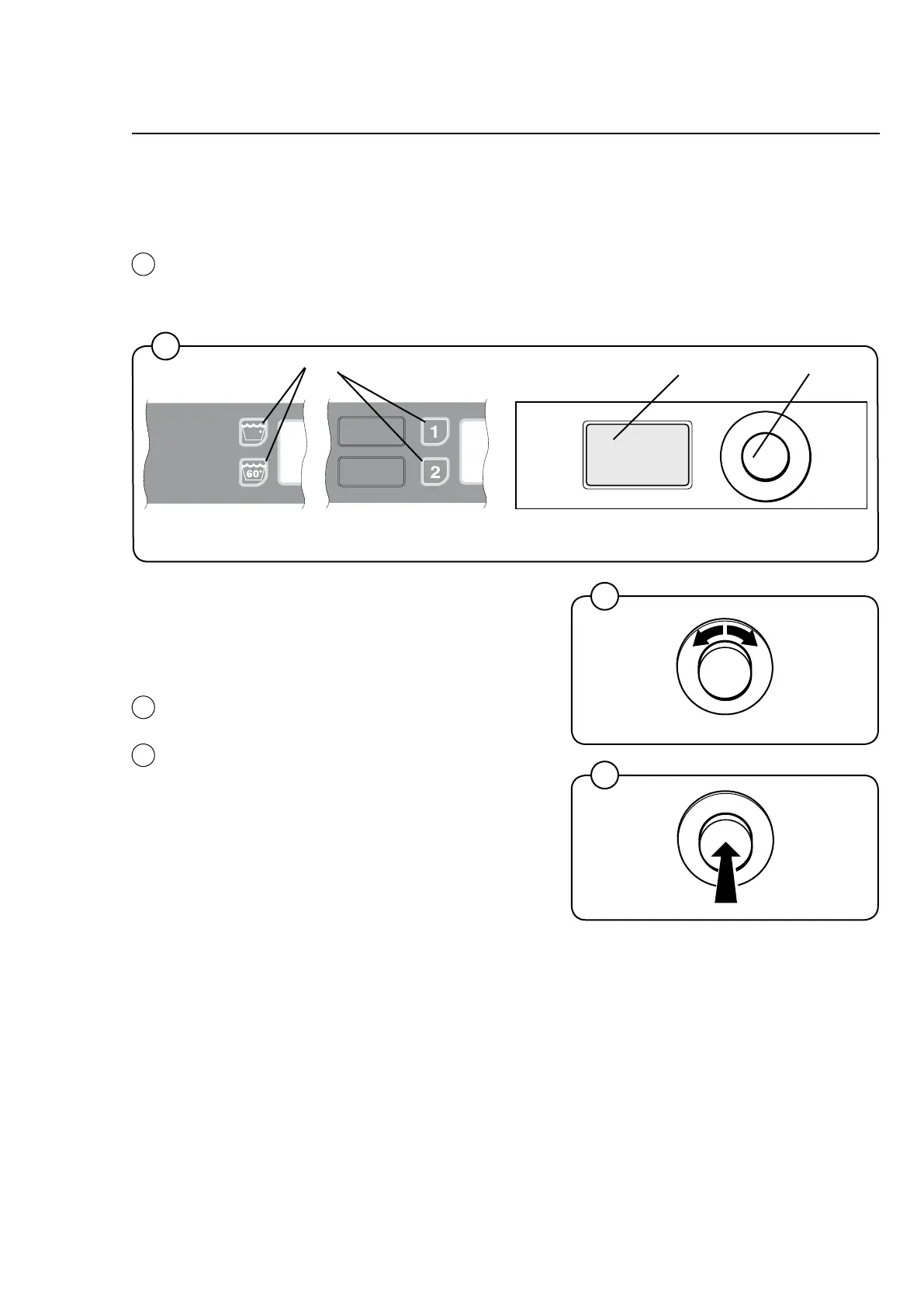
Display
Control knob
Preset buttons
1
2
Alternative 2
Alternative 1
General
General
Control panel
The control panel is used to choose the wash program with options and
to start and stop the machine. The panel houses a control knob and a display.
Some machines also have two preset buttons.
Control knob
The control knob is used to select wash
program, options and any other available
functions.
Turn the knob until the required option is shown
on the display.
Confirm your choice by pushing in the knob.
Repeat this procedure until all the required
options have been chosen.









 To Next Page