22
Setting the timer
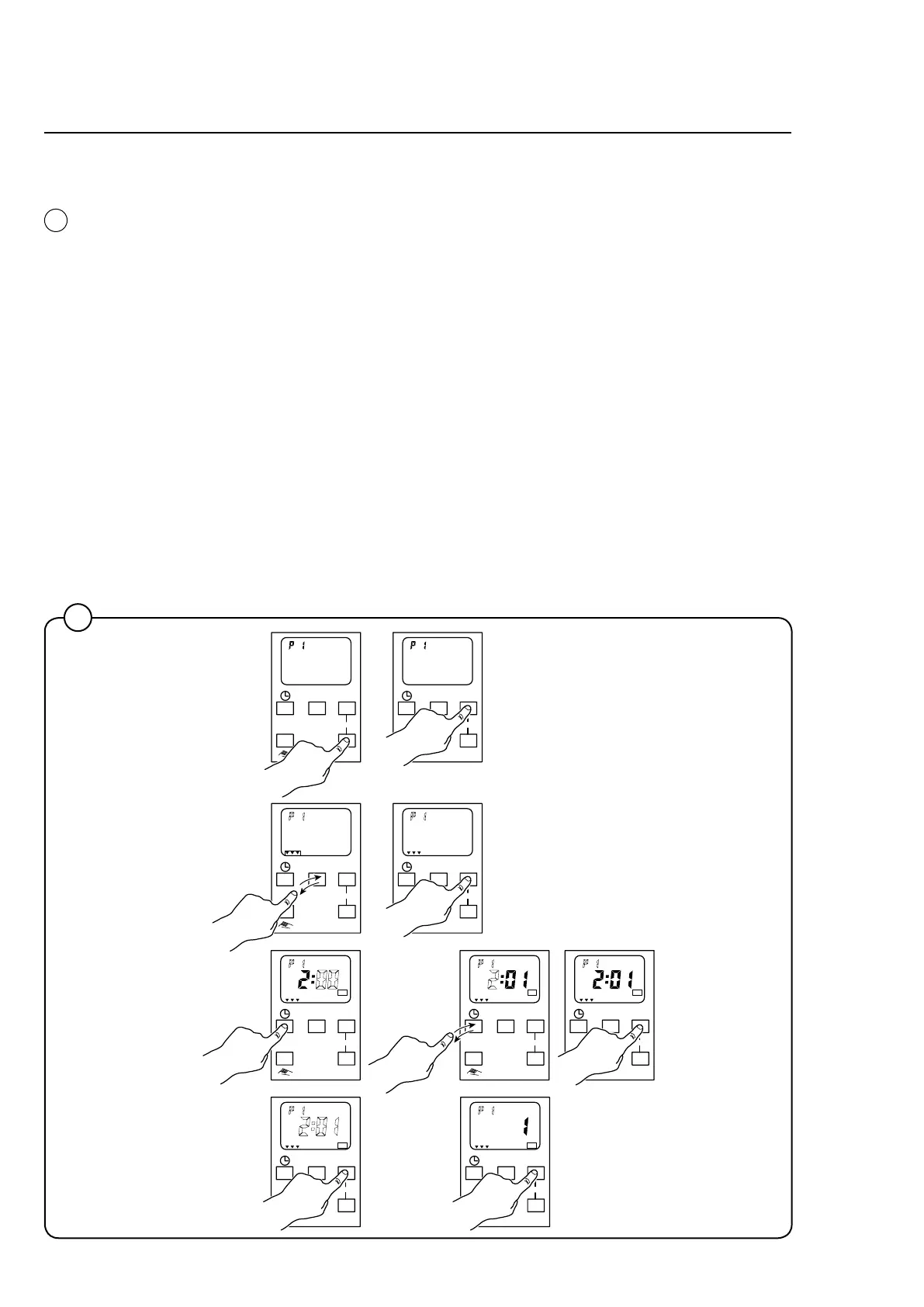
Set the time for the start of the udder cloth program's final rinse:
1. Press "Prog" to select a "program" from 1 to 20 (each "program" corresponds
to a start signal). Press "OK".
2. Press repeatedly on "Day" until the required day(s) (1-7) is/are indicated.
The selected day(s) is/are indicated by arrows.
3. Press "OK".
4. Press and hold the button with the clock symbol until the desired hour is
shown.
5. Press the button with the clock symbol repeatedly, until the desired minute is
shown.
6. Press "OK".
7. The display now shows "OFF time". Press "OK" without making any changes.
8. The display now shows pulse duration = 1 second. Press "OK" without making
any changes.
Repeat steps 1 to 8 for each start signal to be set.
Timer
7408
2
2
Day OK
Prog
Reset
1 2 3 4 5 6 7
Day OK
Prog
Reset
1 2 3 4 5 6 7
Day OK
Prog
Reset
1 2 3 4 5 6 7
1 2 3 4 5 6 7 1 2 3 4 5 6 7 1 2 3 4 5 6 7
Day OK
Prog
Reset
1 2 3 4 5 6 7
Day OK
Prog
Reset
1 2 3 4 5 6 7
Day OK
Prog
Reset
1 2 3 4 5 6 7
Day OK
Prog
Reset
Day OK
Prog
Reset
Day OK
Prog
Reset
On On On
Off Off









 To Next Page