© 2018 Electromedical Technologies, Inc. Phoenix, AZ USA. Any use of editorial, pictorial or layout composition of this publication without express written consent from Electromedical Technologies,
Inc. is strictly prohibited. This publication was written, illustrated and prepared for print by Electromedical Technologies, Inc
36
Step 6: Enter desired running time for this frequency by pressing numbers 1 through 60.
Step 7: Press button
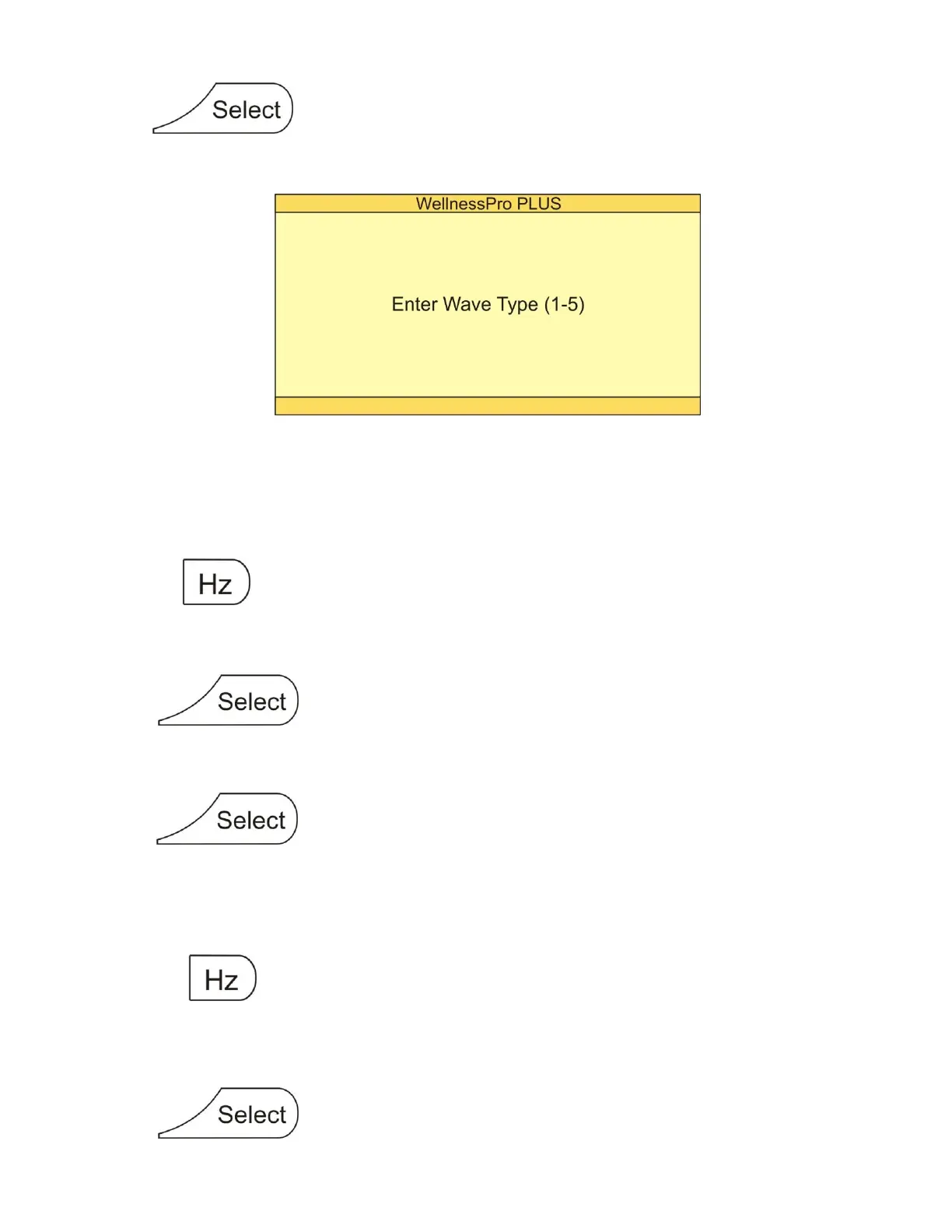
Screen will appear as follows:
Step 8: Enter desired wave type by pressing numbers 1 through 5. (Wave type descriptions located on
page 9)
NOTE: Repeat steps 3 through 8 in order to store the second frequency from our example.
Step 9: Press button
Step 10: Press numbers 22000 (Frequency of 220.00 Hz – no decimal point entered)
Step 11: Press button
Step 12: Enter desired running time for this frequency by pressing numbers 1 through 60.
Step 13: Press button
Step 14: Enter desired wave type by pressing numbers 1 through 5.
NOTE: Repeat steps 3 through 8 in order to store the last frequency from our example.
Step 15: Press button
Step 16: Press numbers 75025 (Frequency of 750.25 Hz – no decimal point entered)
Step 17: Press button


 To Next Page