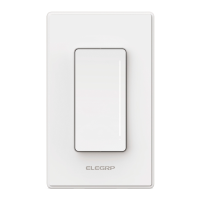
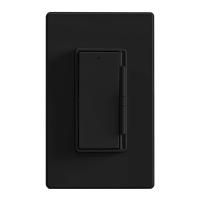
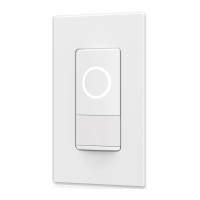
Need help?
Do you have a question about the ELEGRP DPR30 and is the answer not in the manual?
Details manual operation, dimming, and mechanical power switch functionality.
Explains the meaning of different LED indicator light states (White, Flashing White, Flashing Red).
Lists all items provided in the package, including the smart dimmer switch and accessories.
Specifies the tools necessary for installation, such as screwdrivers and wire strippers.
Outlines operating conditions, wiring type, and compatible bulb types for the dimmer switch.
Details the maximum wattage load allowed for different bulb types in single-gang and multi-gang installations.
Emphasizes the critical need for a neutral wire connection for the device to function.
Provides essential safety instructions, including turning off power and avoiding certain appliance types.
Recommends consulting a qualified electrician for unfamiliar electrical codes or installation procedures.
Details steps for safely turning off power and removing the existing wall switch.
Explains how to identify and label Line, Load, Traveler, Neutral, and Ground wires using a test pencil.
Instructs to disconnect the smart switch from the load side of the fixture wiring.
Guides on stripping wire ends to the correct length and using wire connectors properly.
Provides specific instructions for connecting wires at the power source and load locations in a 3-way configuration.
Details the process of securing the switch and attaching the decorative faceplate.
Offers common solutions for issues where the smart switch fails to power on.
Provides steps to resolve problems with connecting the smart switch to a Wi-Fi network.
 General
| Voltage | 120V |
|---|---|
| Poles | Single Pole |
| Material | Polycarbonate |
| Color | White |
| Mounting Type | Wall Mount |
| Voltage Rating | 120V |
| Wattage | 150W LED/CFL |
| Wireless Protocol | Wi-Fi |
| Compatibility | Alexa, Google Assistant |
| Wires | 3 |

 To Next Page