10. KITS AND SOUNDS
33
• Sounds in the +Drive Sound library are organized into 16 banks, ranging from A to
P. Each bank can contain 256 Sounds. Use the [TRIG] keys to view only Sounds
located in a specific bank.
• You can preview the currently selected Sound by tapping the pad of the active
track. All Sounds available for the active track can be previewed. Please note that if
the previewed Sound is sent to the eects, the current eects settings will aect it.
• Several Sounds can be simultaneously aected by the commands available in the
SOUND OPERATIONS menu. Select/deselect individual Sounds by highlighting
them and pressing [YES/SAVE].
• Press [FUNCTION] + [UP]/[DOWN] for faster scrolling in the Sound list.
CLEAR TRACK SOUND will set the PARAMETER page parameters of the active track to their default
values. When choosing this option a prompt will appear. Press [YES/SAVE] to reinitialize the parame-
ters or [NO/RELOAD] to cancel the operation. Note that no parameter information will be permanently
lost until the kit is saved to the same slot it was loaded from.
RENAME TRACK SOUND opens a NAMING screen where the Sound of the active track can be re-
named.
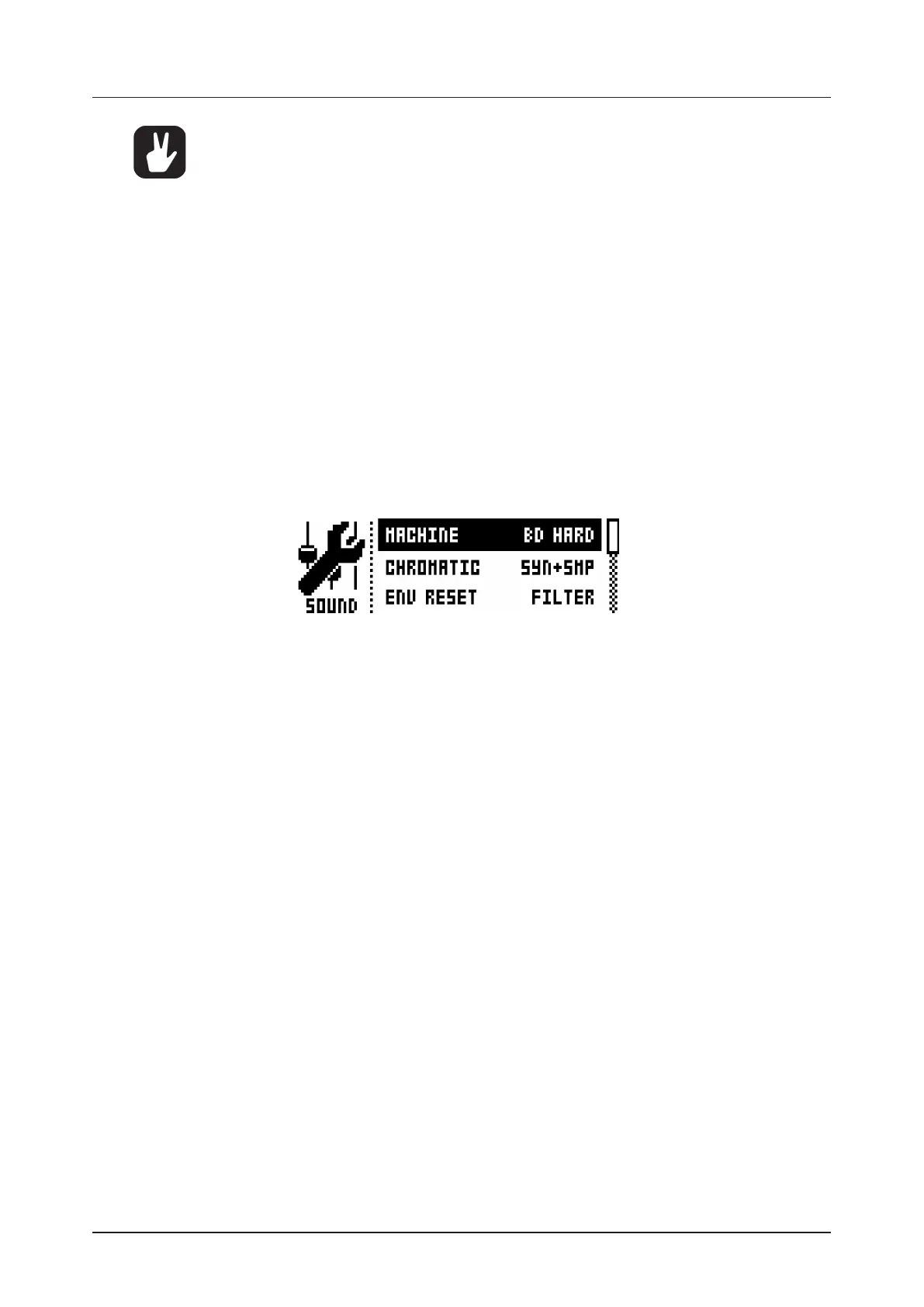
SOUND SETTINGS opens a menu where various overarching Sound settings are found. These
settings are stored to the active kit. Use the [UP]/[DOWN] arrow keys or the LEVEL knob to scroll
through the menu. Use the [LEFT]/[RIGHT] arrow keys to change the settings.
MACHINE select the MACHINE with which the active track Sound will be generated. Only the
MACHINES available for the active track will be shown. To swiftly change MACHINE, use the short-
cut command by quickly pressing the first [PARAMETER] key, SYNTH, twice. To find out more about
MACHINES, see “APPENDIX D: MACHINES” on page 86.
CHROMATIC sets which parts of the Sound CHROMATIC mode, as well as the trig page NOT param-
eter, will aect:
• OFF means the pitch will not be aected at all.
• SYNTH aects the pitch of the Synth part only.
• SAMPLE aects the pitch of the Sample part only.
• SYN+SMP aects the pitch of both Synth and Sample parts.
ENV RESET sets the filter envelope behavior:
• OFF does not reset the envelopes for each consecutive trig (lets the cycle complete).
• FILT resets the envelopes for each consecutive trig (default).
VELOCITY TO VOL select how velocity will aect volume when playing the Sound on the [PADS] or
with an external MIDI unit.
• OFF means velocity will not aect the volume of the Sound.
• ON means the volume will correspond linearly to velocity.
VELOCITY MOD gives access to a menu where up to five PARAMETER page parameters can be
assigned to the velocity mod parameter. Open the menu by pressing [YES/SAVE]. Use DATA ENTRY
knobs A-D to select parameters from any of the PARAMETER pages. Use DATA ENTRY knobs E-H
to set the modulation depth for the chosen parameters. Use the LEVEL knob to set the overarching
velocity range.
AFTERTOUCH gives access to a menu where up to five PARAMETER page parameters can be
assigned to the [PADS] or external MIDI unit aftertouch command. Open the menu by pressing [YES/
SAVE]. Use DATA ENTRY knobs A-D to select parameters from any of the PARAMETER pages. Use
DATA ENTRY knobs E-H to set the modulation depth for the chosen parameters. Use the LEVEL knob
to set the overarching velocity range.


 To Next Page