11. THE SEQUENCER
41
11.6 PATTERN MENU
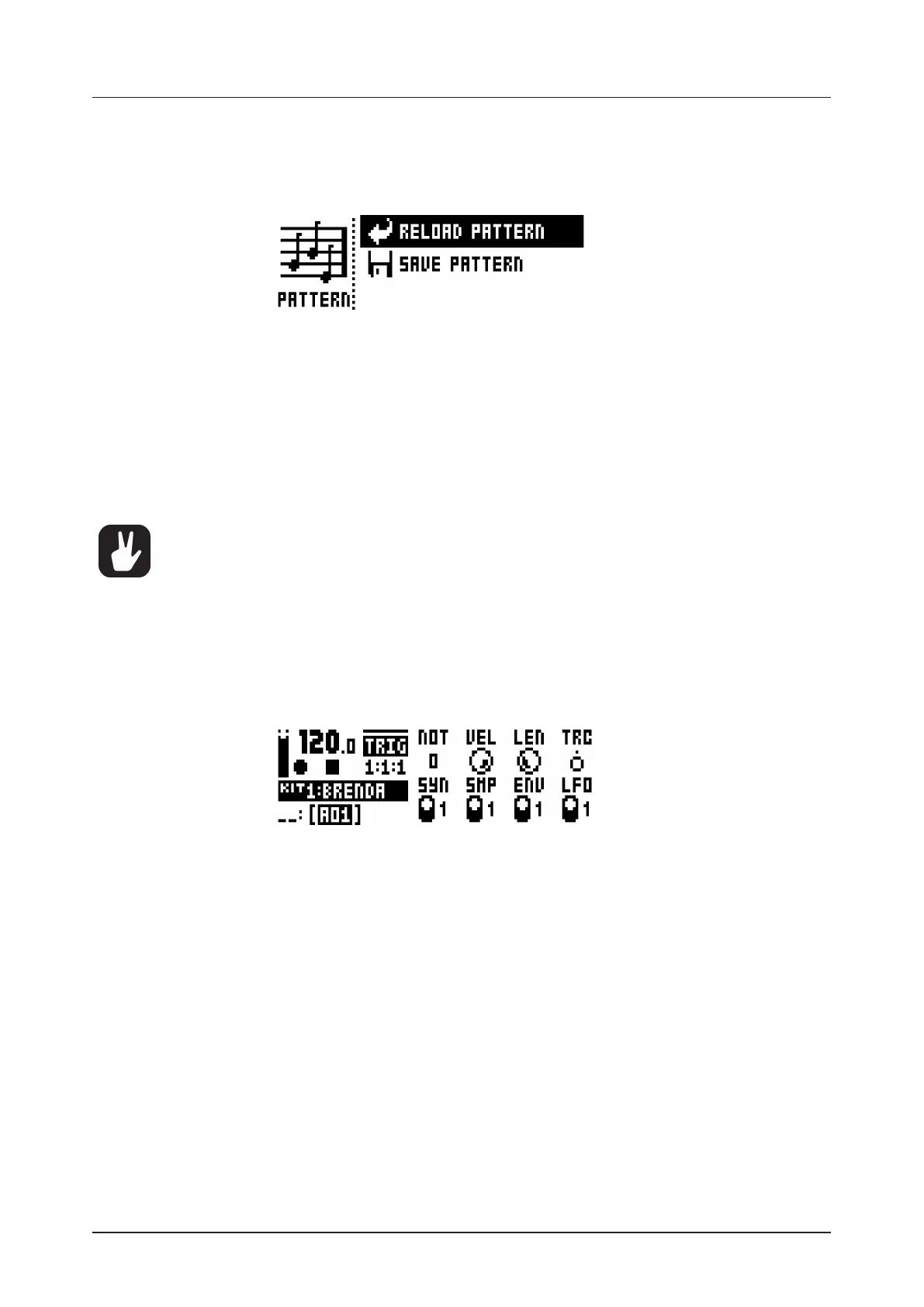
In the PATTERN menu patterns can be saved and reloaded. Open the menu by pressing [FUNCTION] +
[SCENE]. Select between the available commands by using the [UP]/[DOWN] arrow keys. Confirm selec-
tions with [YES/SAVE].
RELOAD PATTERN will reload the active pattern. It will either be reloaded to its original auto-saved state
or to a specifically saved state which can be determined by utilizing the SAVE PATTERN command.
Press [NO/RELOAD] + [SCENE] for a shortcut to the RELOAD PATTERN command.
SAVE PATTERN will save changes made to the active pattern. This is a special feature available in addi-
tion to the general, automatic, saving of patterns which occurs when patterns are changed. The feature
is useful in situations where a pattern is being worked on, the results are desirable and you want to keep
on working with the pattern while having the ability to revert to a specifically saved state. The SAVE PAT-
TERN command makes this possible. When reloading the pattern, it will not be reloaded to its original,
auto-saved, state, but to the manually saved state. Press [YES/SAVE] + [SCENE] for a shortcut to the
SAVE PATTERN command.
The RELOAD PATTERN command is great when improvising live. Any changes made to the
active pattern, like adding bass line notes or similar, can immediately be undone.
11.7 TRIG MENU
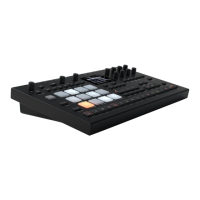
Set the actions for when a note is trigged in the TRIG menu. Press the [TRIG SETUP] key to access the
menu. Change settings using the DATA ENTRY knobs. These general settings aect note trigs placed on
the sequencer. On any step of the pattern, trigs may be locked to other settings by first pressing and hold-
ing a [TRIG] key, then changing the settings. Note that the TRIG settings are stored along with the active
pattern, not to the active kit.
NOT sets the pitch of the note when trigged, ranging from -24 to 24. When LIVE RECORDING and play-
ing in CHROMATIC mode, the pitch of the [PADS] played will override this setting.
VEL sets the velocity at which the note trig on the sequencer is trigged, 1 to 127. In LIVE RECORDING
mode, the velocity at which the [PADS] are tapped will override this setting. This velocity is used when
trigging with [FUNCTION] + [PADS] or with the [TRIG] keys.
LEN sets the length of the note trig. Again, in LIVE RECORDING mode, the duration of pressing the
[PADS] overrides this general setting.
TRC Trig Conditions a set of conditional rules can be applied to any trig, using a parameter lock. Each
setting is a logical condition, which will determine whether or not the sequencer note will be triggered.
For more information, please see “10.11.2 CONDITIONAL LOCKS” on page 33.
SYN controls if the synth part of the Sound will be trigged.
SMP controls if the sample part of the sound will be trigged.
ENV controls if the filter envelope will be trigged.
LFO controls if the LFO will be trigged.
11.7.1 QUANTIZATION
Access the menu by pressing [FUNCTION] + [TRIG SETUP]. Navigate the menu using the [UP]/
[DOWN] arrow keys or the LEVEL knob. Change settings with the [LEFT]/[RIGHT] arrow keys or any of
the DATA ENTRY knobs.


 To Next Page