2. Installation Instruction
2.1 Step 1: Change the user code(Optional)
If you wish to change your code, see below instructions-----
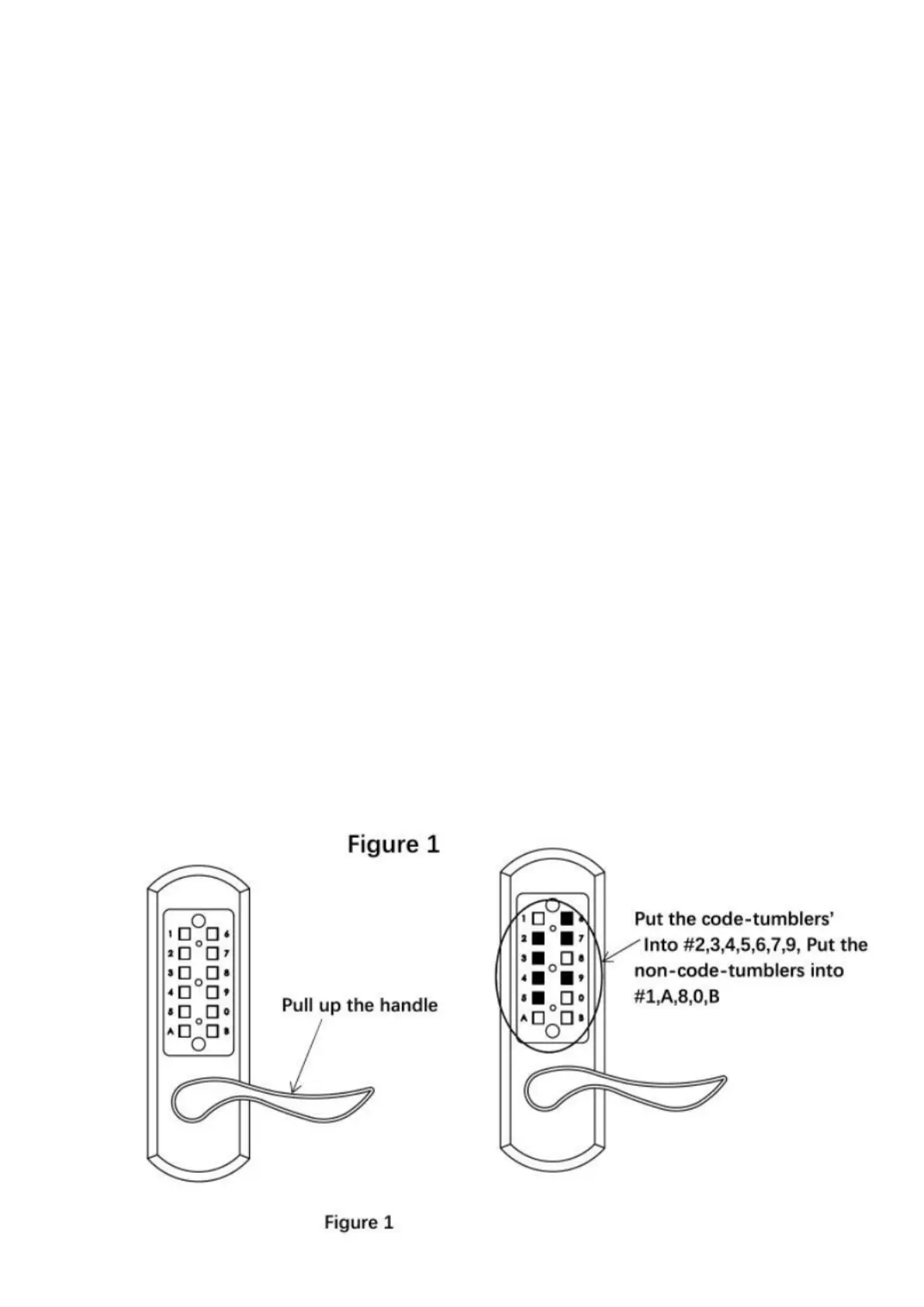
1) Pull up the front cover handle to make the tumblers to protrudefrom
tumbler cavities on front cover.
2) Initial combination is “123678”
3) To change the combination, please put the code-tumblers(golden
colored)into the expected digit’s cavities, and put the
non-code-tumblers(silver colored)into the leftover cavities.
For example, if you want to set up combination 9763254. Just to put
thecode-tumblers(golden colored) into cavities#9, 7, 6, 3, 2, 5, 4, and
putthenon-code-tumblers(silver colored) into cavities #1, 8, A, B,
0.(see figure 1)
Please note that maximum 8 digits combination and no repeat code.



 To Next Page