EasyManua.ls Logo

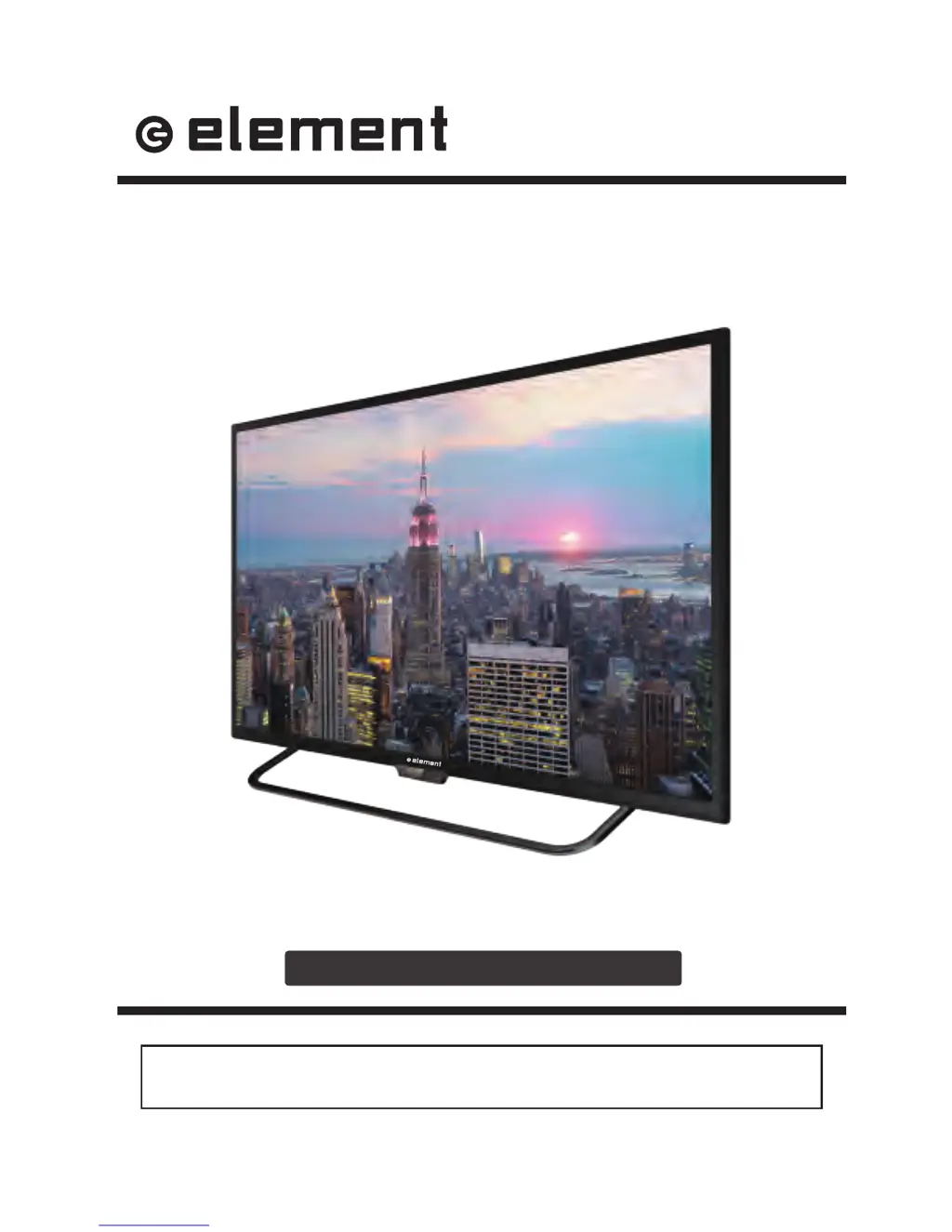
Element E4ST4316H - User Manual

Element E4ST4316H
31 pages
Print Icon
To Next Page IconTo Next Page
Loading...
E4ST4316H
INSTRUCTION MANUAL
Please read all the instructions carefully before using this TV,
and keep the manual for future reference.
43" UHD Digital LED TV

Questions and Answers

  • R
    Raymond McmahonSep 10, 2025
    Why does the picture appear slowly after switching on my Element LED TV?
    • Z
      Zachary LopezSep 10, 2025
      If your Element LED TV picture appears slowly after switching it on, this is normal, as the image is muted during the product startup. If the picture hasn't appeared after 5 minutes, please contact a service provider.
  • E
    Erica RodriguezAug 22, 2025
    Why is there no sound and picture on my Element LED TV?
    • N
      Nicholas SchaeferAug 22, 2025
      If your Element LED TV has no sound and picture, ensure the main plug is connected to a wall outlet. Also, check that you have pressed the POWER button on the front of the TV. Finally, verify the picture contrast and brightness settings.
  • F
    fryejeremyAug 25, 2025
    Why does my Element E4ST4316H have picture but no sound?
    • C
      Christopher AcevedoAug 25, 2025
      If your Element LED TV has a normal picture but no sound, check the volume level and ensure the sound isn't muted by pressing the MUTE button. Try changing to another channel to rule out broadcast issues. Also, verify that the audio cables are installed properly.
  • L
    Lori HawkinsAug 26, 2025
    How to fix poor color or picture on Element E4ST4316H LED TV?
    • A
      Amy MatthewsAug 27, 2025
      If your Element LED TV has poor color or picture quality, try adjusting the color in the Menu option. Keep a distance between the TV and any VCRs. Try another channel to see if the problem is with the broadcast. Ensure the VIDEO cables are installed properly, and activate any function to restore the picture's brightness.
  • M
    Mary SchmidtAug 27, 2025
    How to reset lost password on Element LED TV?
    • D
      Darrell FrancoAug 28, 2025
      To reset a forgotten password on your Element LED TV, select the SET Password setting in the LOCK menu, then enter the master password “8899”. This will clear your previous password, allowing you to enter a new one.
  • J
    John Tucker Jr.Aug 29, 2025
    Why is my Element E4ST4316H showing horizontal/vertical bars or picture shaking?
    • B
      bonillarickyAug 29, 2025
      If you see horizontal or vertical bars, or the picture is shaking on your Element LED TV, check for local interference from electrical appliances or power tools.
  • D
    Denise AlvarezSep 18, 2025
    What to do if my Element E4ST4316H LED TV says 'The signal is out of range'?
    • D
      Darrell BradleySep 18, 2025
      If your Element LED TV displays 'The signal is out of range', adjust the resolution, horizontal, or vertical frequency. Check whether the signal cable is connected properly or is loose. Also, verify the input source.
  • S
    Scott BrooksSep 12, 2025
    Why does my Element E4ST4316H LED TV power suddenly turn off?
    • K
      Kendra LoweSep 12, 2025
      If your Element LED TV suddenly turns off, check if the sleep timer is set. Also, verify the power connection to ensure power isn't interrupted. Finally, make sure there is a broadcast on the tuned station.
  • P
    Patricia DiazSep 8, 2025
    Why is my Element LED TV remote control not working?
    • G
      grojasSep 8, 2025
      If your Element LED TV remote control isn't working, check for obstructions between the remote and the TV. Ensure the batteries are installed with the correct polarity (+/-). Verify that the correct remote operating mode is set (TV, VCR, etc.). If these steps don't work, try installing new batteries.
  • T
    Thomas KerrSep 5, 2025
    Why is the screen color unstable or a single color on my Element E4ST4316H LED TV?
    • L
      Laura MooreSep 5, 2025
      If the screen color is unstable or is a single color on your Element LED TV, check the signal cable and reinstall the PC video card.

Summary

Important Safety Instructions

Additional Safety Information

Electrical Safety

Safety precautions related to electrical connections and usage.

Physical Safety

Safety precautions related to the physical placement and handling of the TV.

Preparations

Remote Control

Explains the functions of each button on the remote control.

Connecting External Devices

Customizing TV Settings

Turning On;Off Your TV

Instructions for powering the TV on and off.

Initial Setup

Guides through the initial setup wizard process for new TV configuration.

Source Selection

How to choose different input signal sources for the TV.

Channel Selection

Methods for selecting TV channels using the remote or buttons.

Parental Control

Setting restrictions for content based on age ratings.

Troubleshooting

Element E4ST4316H Specifications

General IconGeneral
Screen Size43 inches
Display TypeLED
Smart TVYes
HDMI Ports3
Refresh Rate60Hz
Wi-FiYes
Resolution1920 x 1080 pixels

Related product manuals