16
CUSTOMIZING TV SETTINGS
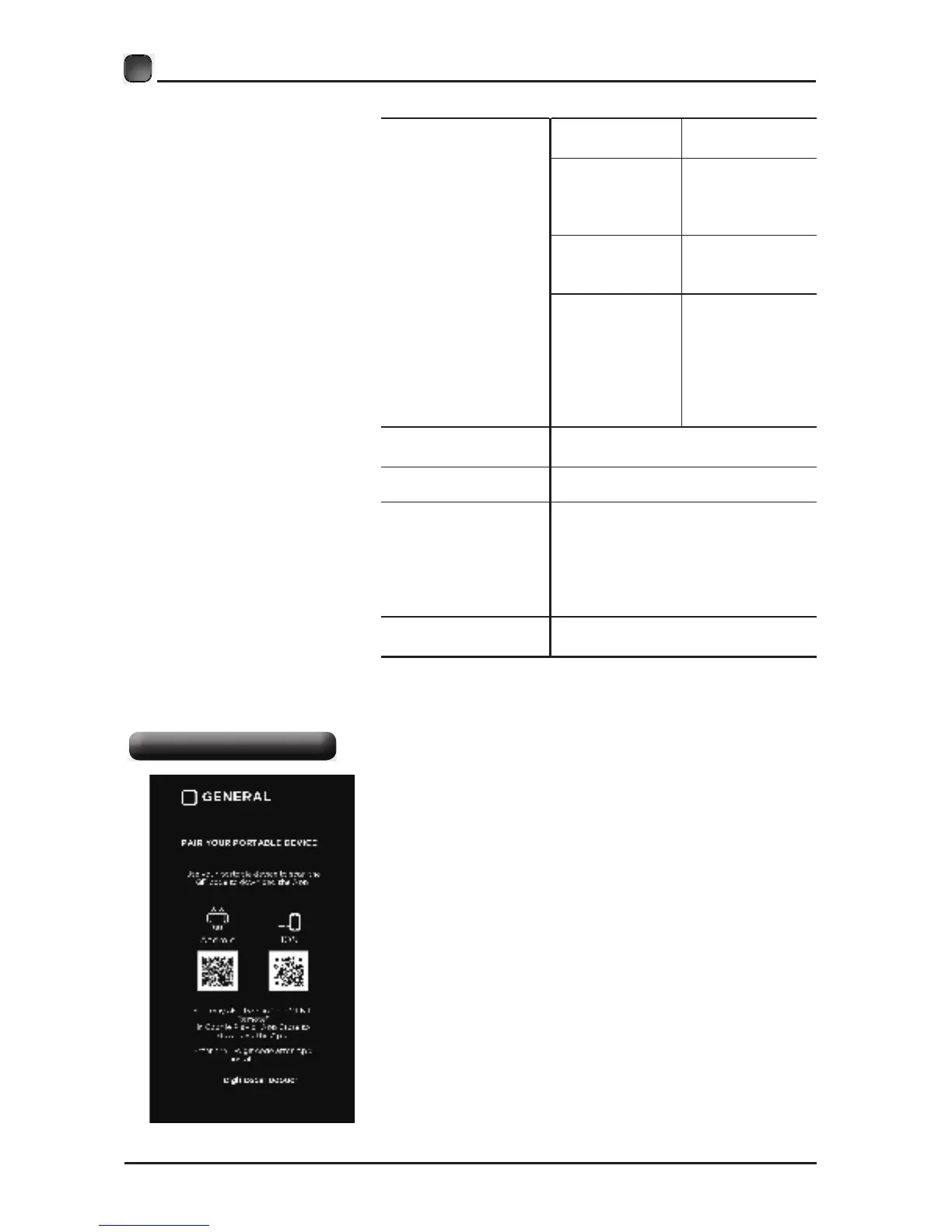
• Use the Arrow buttons to highlight Portable
Remote and press OK to enter. You can pair your
portable devices with the TV by using the
following steps and operate TV by your device.
PORTABLE REMOTE
CLOSED CAPTION
CC mode
Basic Selection
Advanced
Selection
Option
Off/On/CC on
Mute.
CC1, CC2,
CC3, CC4,
Text1, Text2,
Text3, Text4.
Service1/
Service2.../
Service6.
Mode, Font Style,
Font Size, Font
Edge Style, Font
Edge Color, FG_
Color, BG_ Color,
FG_Opacity,
BG_Opacity.
DLC
Select to turn the dynamic
luminance control On/Off.
PORTABLE
REMOTE
Pair your portable devices with TV.
OTHER SETTINGS
HDMI EDID: Select the HDMI
version: HDMI 2.0/HDMI 1.4.
Inlink: Set the options: Inlink
Control, Device Power Off, TV
Power On, Audio Receive, Inlink
Device List, Root Menu.
RESTORE DEFAULT
Restore the TV to factory default
settings.


 To Next Page