10
CUSTOMIZING TV SETTINGS
Initial Setup
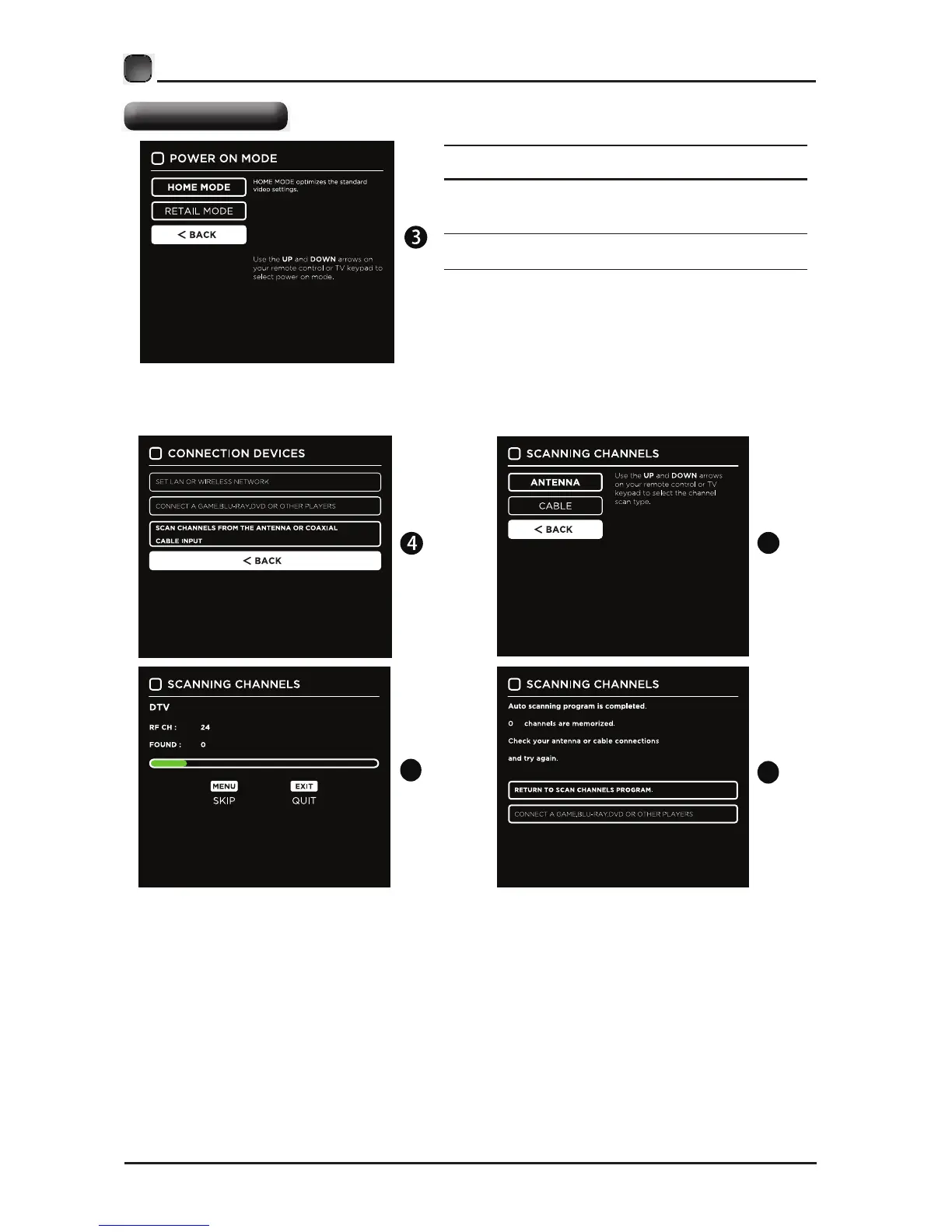
• If channels cannot be found, this frame
will be displayed automatically.
6
7
5
Home Mode : The picture mode will be Standard if you select
this mode.
Retail Mode : Select Dynamic Mode if you would like your picture
times this mode may use more energy to
operate the Volum
Follow the next screens. Use the arrow keys on the remote control
and then press OK button to customize your TV channel configuration.
After the channel scan, your TV channels will be set up.
e/Sound Mode and Picture Mode.
• The SLEEP-MODE power consumption should be less than
0.5W.
to be brighter. At


 To Next Page