~04~
THE DVD PLAYER
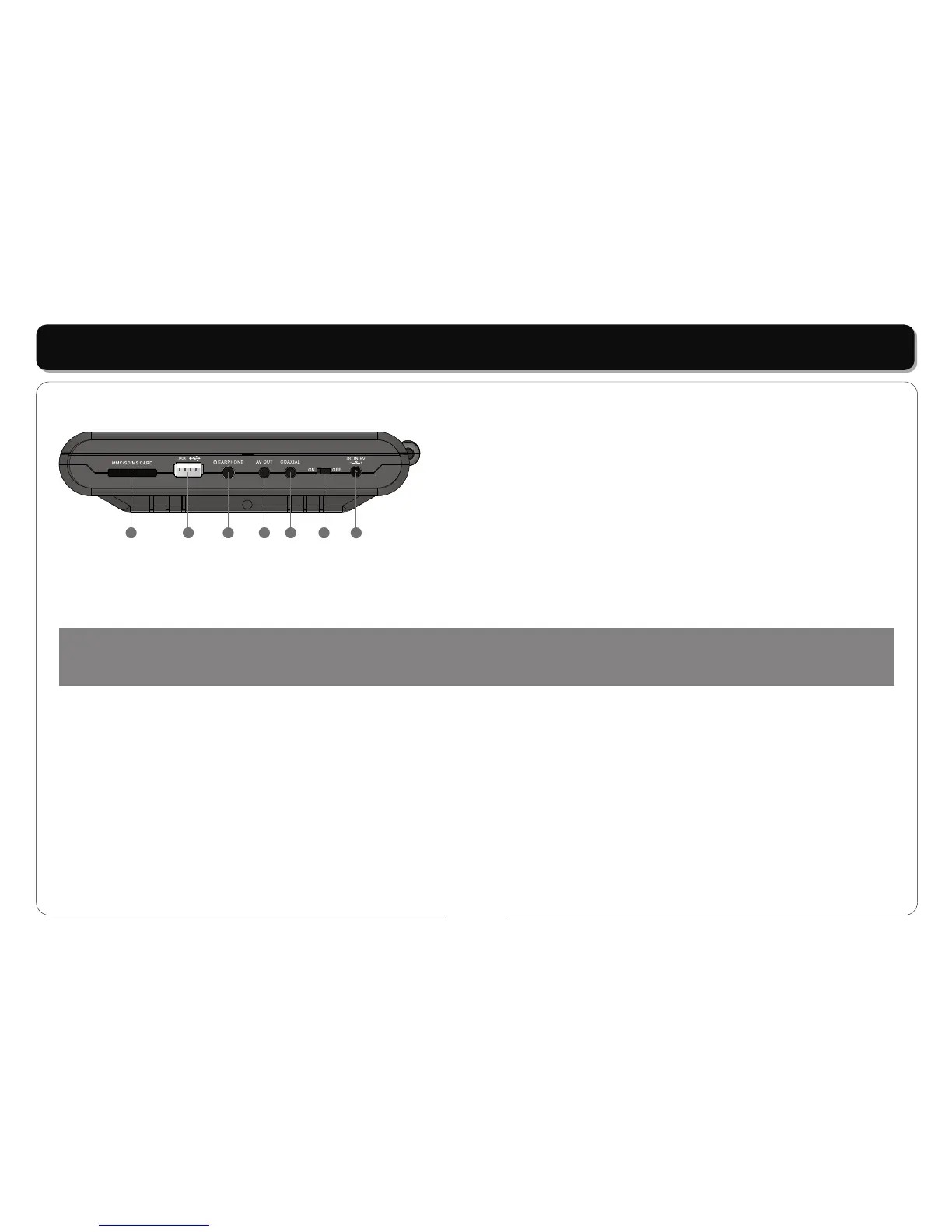
Side view:
1 2
3
4
5
6
7
1. MMC / SD / MS CARD
2. USB jack
3. EARPHONE OUTPUT jack
4. AV OUT jack
5. COAXIAL jack
6. Power ON / OFF Switch
7. DC +9V IN jack
• Powering the Player: The Player can be operated in two ways:
a. If you are near a convenient power source it is best to power the unit directly from the supplied adaptor by connecting the DC output of the
adaptor to (6) the DC Input.
b. If you have no source of power then the battery can be used. Attach the battery to the case as shown in BATTERY ATTACHMENT and then
connect the output lead of the battery to (6) the DC Input on the player.
2. Loading / Removing a Disc:
a. Loading a Disc: Press the button marked "PUSH" on the Player. Place the disc in the player taking care to not touch the active surface of the
disc. Using two fingers either side of the center spindle press the disc down until it clicks into place.
b. Removing a Disc; Stop the Player. Press the button marker "PUSH" Using your third finger to support the spindle lift the edge of the disc up
wards with your thumb. Avoid touching the active surface of the disc.
REMARKS:
• This player utilizes a 9" TFT, LCD Display with multi audio/video outputs presented as a 2 channel audio output. Please make sure the power is
off on both the player and TV before connecting the leads.
• Connecting to a TV: The Player can be connected to a TV to display the sound and video of the DVD or other disc being played.
• Both units should be switched off when the connections are made.
• Ensure the TV and Player are set to the correct (same) systems (PAL / NTSC / AUTO) and screen format (4:3 / 16:9)
To achieve this
use the leads provided.
• The BLACK jack plug connect to (11) the AV OUT Jack on the Player.
NOTE:
Battery life will be reduced if the display is operated at high levels of brightness and contrast. A low battery symbol will appear on the screen
when your batteries power is running low.



 To Next Page