~06~
FUNCTION BUTTONS
• [
• [
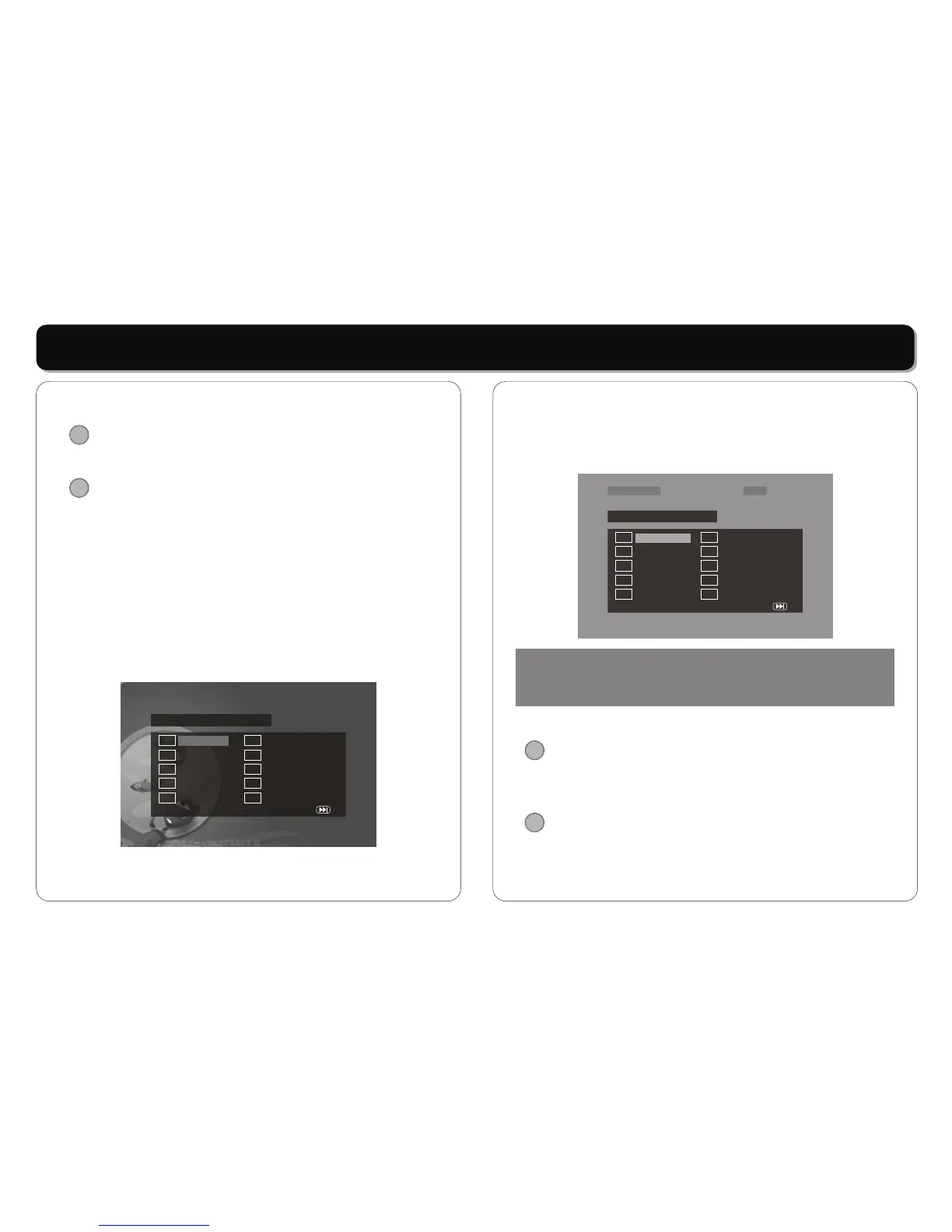
Press [PROGRAM] button on the remote controller to
program a disc play in a desired sequence.
In PBC off mode, press this button to enter the program
menu.
When the program menu appears, input the Title number
by pressing the numeric button, then press [ENTER]
button. And then input title Chapter number, press
[ENTER] button to confirm.
Then the programming is completed.
* Press PLAY button to start program play.
* Press STOP button to quit the program play.
In CD mode
When the program menu appears, input the track number
TFT POWER]:
Press the [TFT POWER] to turn off / on the Display.
PROGRAM]:
In DVD mode:
TFT POWER
PROGRAM
Prog ram : T T ( 02 ) / C H ( - - )
0 1 T T : C H: 0 6 T T : C H:
0 2 T T : C H: 0 7 T T : C H:
0 3 T T : C H: 0 8 T T : C H:
0 4 T T : C H: 0 9 T T : C H:
0 5 T T : C H: 10 T T : C H:
Exit NEXT
by pressing the numeric button, then press [ENTER]
button confirm. Then the programming is completed.
* Press PLAY button to start program play.
* Press STOP button to quit the program play.
•
•
Repeatedly playback your choice of Title, Chapter or Track
by repeatedly pressing the [REPEAT] button.
[SOURCE]:
Press [SOURCE] button to switch among disc playback,
USB and SD / MMC / MS.
[REPEAT]:
Program : T rack (0 1 - 1 8)
0 1 _ _ 0 6 _ _
0 2 _ _ 0 7 _ _
0 3 _ _ 0 8 _ _
0 4 _ _ 0 9 _ _
0 5 _ _ 1 0 _ _
Exit NEXT
Track 02/18 01:43Track 02/18 01:43
NOTE:
Some DVD discs do not allow program setting. Single track
discs cannot be programmed.
SOURCE
REPEAT



 To Next Page