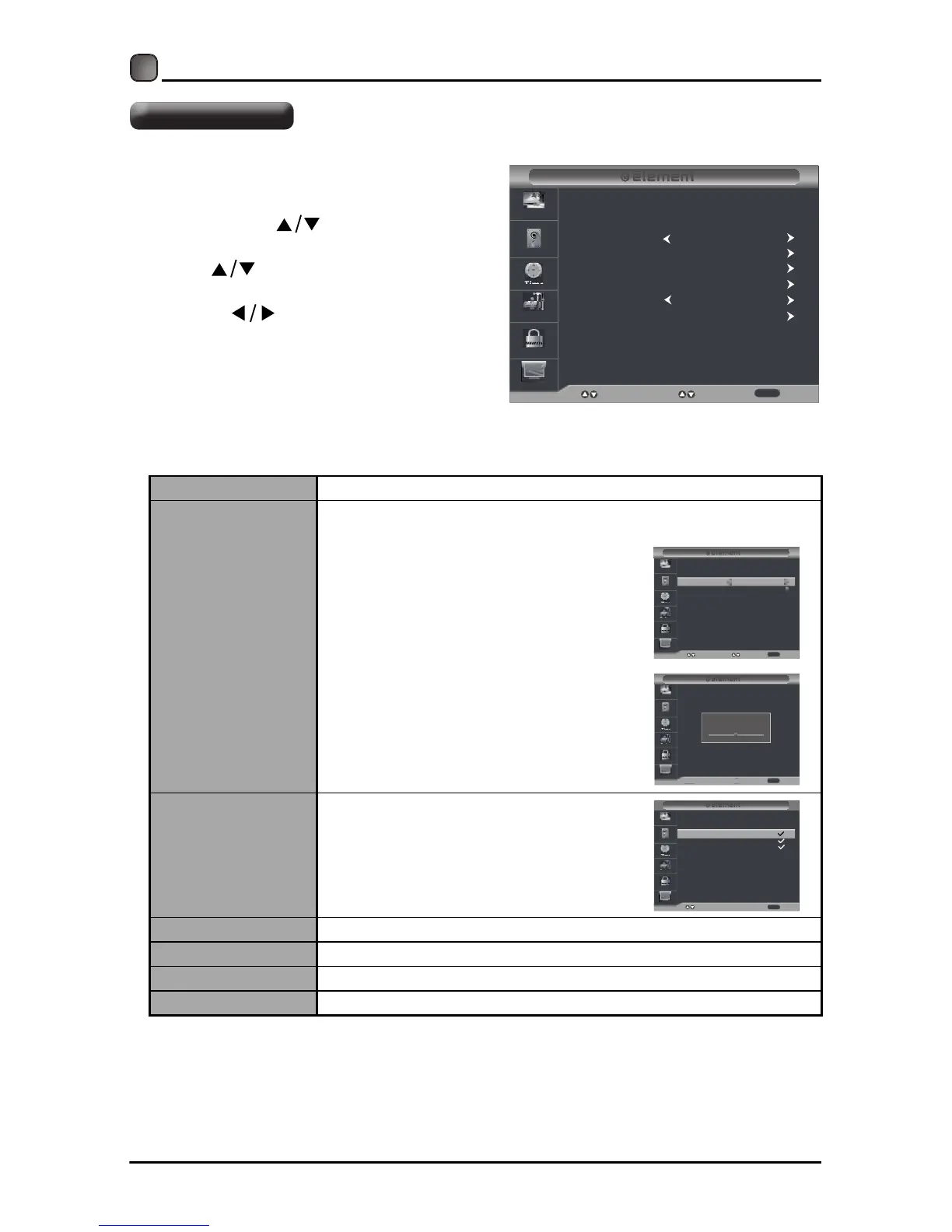
Air/Cable
Select antenna between Air and Cable.
Auto Scan
Find and store all available channels automatically.
• Allows you to select cable
system among Auto/STD/IRC/
HRC before going to auto scan
if you choose Cable as input
signal.
• It will go straight to auto scan if
you choose Air as input signal.
Favorite
Set the selected channel as one
of the favorite programs.
Show/Hide Show/Hide the selected channel.
Channel No. Display the current channel number.
Channel Label Display the current channel label.
DTV Signal
Display the quality of current DTV signal.
CUSTOMIZING TV SETTINGS
•
Press the MENU button on the main
unit or on the remote control and
then press the
buttons to select
Channel menu.
• Press buttons to select the
following channel options and then
press the buttons to adjust each
option’
s setting.
Channel Settings
Air/Cable
Auto Scan
Favorite
Select
Move
Exit
Picture
Audio
Time
Setup
Lock
Channel
Show/Hide
Channel No.
Channle Label
DTV Signal:
Cable
MENU
Cable System
Start to Scan
Picture
Audio
Time
Setup
Lock
Channel
AUTO
Select
Move Return
MENU
Picture
Audio
Time
Setup
Lock
Channel
RF CH : 50
Found : 0
NexteR
Return
MENU
50-1
50-2
50-3
Picture
Audio
Time
Setup
Lock
Channel
KOCE-HD
Press’OK’Change
Move Return
Channel
Channel Name
Favorite
KOCE-SD
KOCE-LB
MENU



 To Next Page