EasyManua.ls Logo

Element ELEFW504A - User Manual

Element ELEFW504A
28 pages
Print Icon
To Next Page IconTo Next Page
Loading...
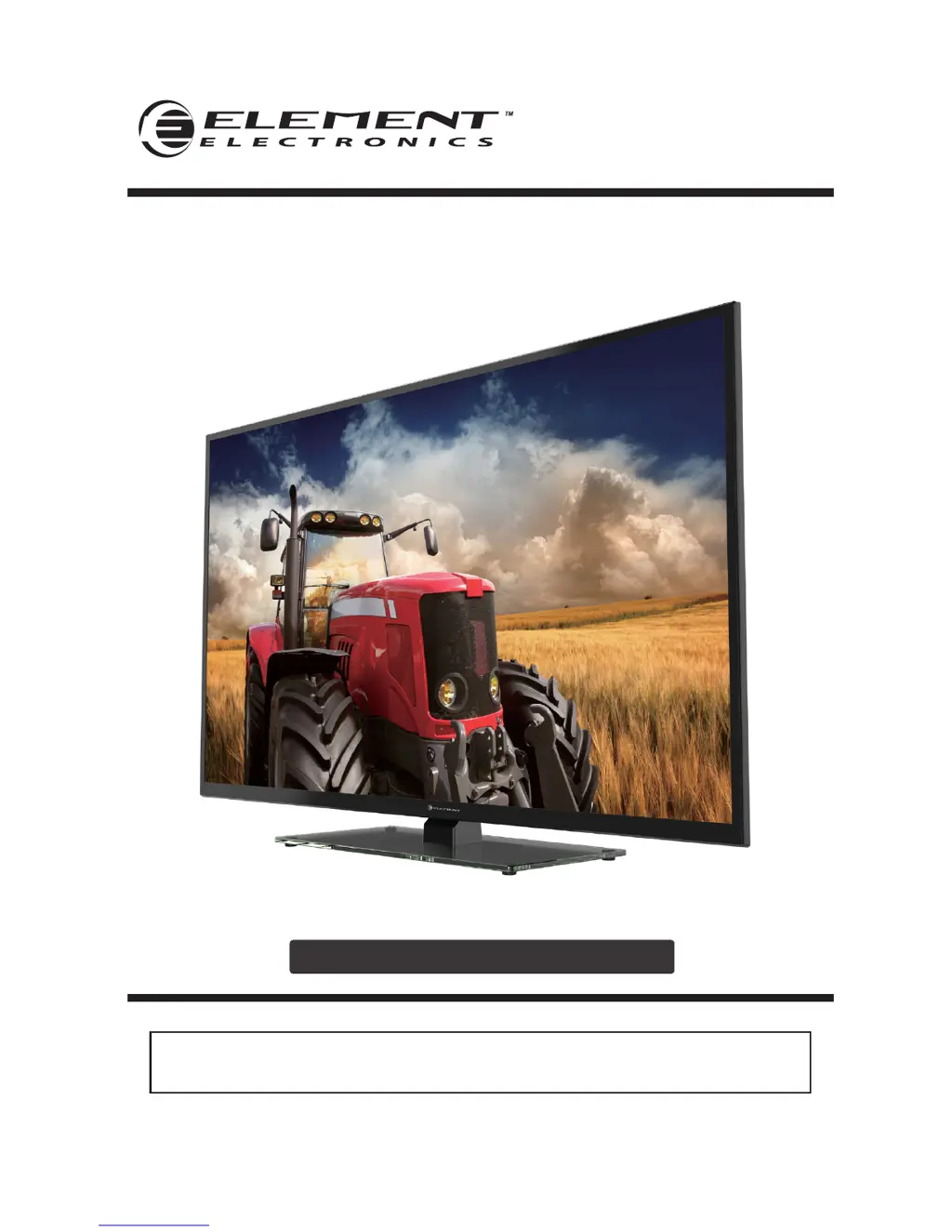
ELEFW504A
INSTRUCTION MANUAL
Please read all the instructions carefully before using this TV,
and keep the manual for future reference.
50" FHD Digital LED TV

Questions and Answers

  • K
    Kimberly RogersAug 20, 2025
    What to do if my Element ELEFW504A suddenly turns off?
    • L
      Luke DavisAug 20, 2025
      If your Element LED TV suddenly turns off, check if the sleep timer is set. Also, verify the power connection to ensure power hasn't been interrupted. Finally, the issue might be due to no broadcast on the tuned station.
  • D
    Diane ButlerAug 22, 2025
    How to fix a blue screen on Element ELEFW504A LED TV?
    • P
      popeteresaAug 22, 2025
      If you are seeing a blue screen on your Element LED TV, press the SOURCE button to select the correct source.
  • G
    Gabriela FischerAug 25, 2025
    What to do if my Element ELEFW504A remote control does not work?
    • E
      Erik PetersonAug 25, 2025
      If the remote control for your Element LED TV isn't working, first check for any obstructions between the TV and the remote. Next, ensure the batteries are installed with the correct polarity (+/-). Also, verify that the correct remote operating mode is set (TV, VCR, etc.). Finally, try installing new batteries.
  • S
    Samuel MartinAug 26, 2025
    How to fix poor color or picture on Element LED TV?
    • T
      Taylor HernandezAug 26, 2025
      To fix poor color or picture quality on your Element LED TV, first, adjust the color in the Menu option. Keep a sufficient distance between the product and any VCR. Try another channel, as the problem may be with the broadcast. Ensure the VIDEO cables are installed properly. You may also activate any function to restore the brightness of the picture.
  • B
    Brian GreenAug 27, 2025
    How to resolve horizontal or vertical bars or picture shaking on Element LED TV?
    • Z
      Zachary GrahamAug 28, 2025
      If you're experiencing horizontal or vertical bars, or picture shaking on your Element LED TV, check for local interference, such as from an electrical appliance or power tool.
  • R
    Ryan RamirezAug 29, 2025
    How to fix poor reception on some channels of Element ELEFW504A?
    • R
      rsimmonsAug 29, 2025
      If you're experiencing poor reception on some channels with your Element LED TV, it could be due to the station or cable experiencing problems, so try tuning to another station. Alternatively, the station signal might be weak, so reorient the antenna for better reception. Also, check for sources of possible interference.
  • L
    Laura RichardAug 31, 2025
    How to remove lines or streaks in pictures on Element ELEFW504A LED TV?
    • J
      Jacob CookAug 31, 2025
      To remove lines or streaks in the pictures on your Element LED TV, check the antenna and try changing its direction.
  • T
    thomasvanessaSep 2, 2025
    How to fix vertical bar or strip on the background, horizontal noise and incorrect position on Element LED TV?
    • M
      Michele AdamsSep 2, 2025
      If you're seeing a vertical bar or strip on the background, horizontal noise, and an incorrect position on your Element LED TV, set the auto configure or adjust the clock, phase, or H/V position.
  • K
    Kathleen MartinSep 4, 2025
    Why is my Element ELEFW504A dead with no LED lit?
    • R
      Robert DavidsonSep 4, 2025
      If your Element LED TV is dead and no LED is lit, the cause may be no power to the TV. Check all connections to the TV's AC socket.
  • E
    Elizabeth MolinaSep 6, 2025
    Why is my Element ELEFW504A LED TV picture noisy, snowy, or ghosting?
    • M
      Matthew SimonSep 6, 2025
      If your Element LED TV picture is noisy, snowy, or ghosting, especially on TV, it's likely due to a poor antenna signal. If you're using an indoor antenna, try adjusting its position. Also, check the antenna connections.

Summary

Important Safety Instructions

Additional Safety Information

Preparations

What is Included?

Lists all items packaged with the TV, such as manuals, remote, and accessories.

Front View

Details the front panel components and buttons of the television set.

Rear View

Illustrates and identifies the various input/output ports on the back of the TV.

Wall Mounting

Instructions and considerations for securely mounting the TV on a wall.

Remote Control

Explains the functions of each button on the television's remote control.

Connecting External Devices

Operating Your TV

Turning On;Off Your TV

Step-by-step instructions for powering the TV on, off, and entering standby mode.

Setup Wizard

Guides through initial TV setup, including picture modes and language.

Selecting the Input Source

How to switch between different connected devices and signal inputs.

Channel Selection

Methods for tuning and selecting TV channels using the remote or buttons.

Volume Adjustment

Instructions on how to control and adjust the TV's audio volume.

Customizing TV Settings

Navigating the On-screen Display

Explains how to access and navigate the TV's menu system and options.

Picture Settings

Adjustments for picture quality, including mode, brightness, contrast, and color.

Audio Settings

Options for customizing sound output, including mode, bass, treble, and balance.

Time Settings

Configuration for sleep timer, time zone, and daylight saving time.

Setup Menu

Accessing and configuring advanced setup options like language and closed captioning.

Lock Settings

Features for setting passwords, system locks, and parental controls.

Parental Control

Managing content restrictions and blocking programs based on ratings.

USB Multimedia

Viewing Pictures

Steps to access and display JPEG images stored on a USB drive.

Operation Tips

Guidance on using playback controls for USB media content.

Troubleshooting

Maintenance

Clean the screen

Instructions on how to safely clean the TV screen without damage.

Cleaning the cabinet

Methods for cleaning the TV's exterior cabinet and frame.

FCC Notes

Specifications

Element ELEFW504A Specifications

General IconGeneral
Screen Size50 inches
Display TypeLED
Refresh Rate60 Hz
HDMI Ports3
USB Ports1
Smart TVNo
Wi-FiNo
BluetoothNo
Resolution1920 x 1080
Dimensions (W x H x D)1123 x 655 x 89 mm

Related product manuals