16
Pressthe MENUbuttononthemai
unitoronthe remotecontrolthe
pressthe
tcelesotsnottub
SETUPmenuandthenpressthe
OKr
Pressthe
buttonstoselec
thefollowingsetupoptionsandthe
press
buttonstoadjust
option’
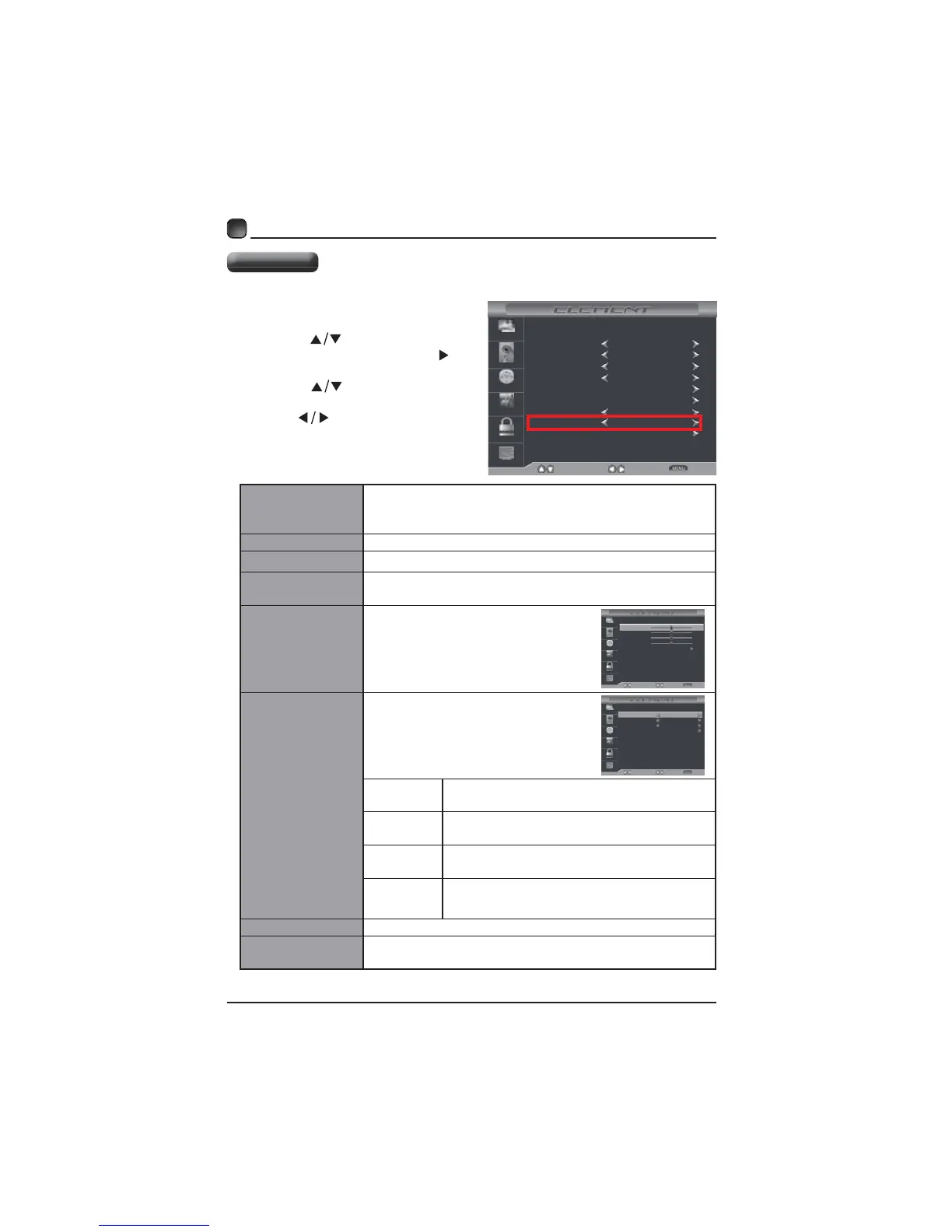
CUSTOMIZING TV SETTINGS
Menu Language
Selectmenulanguageamong:English,Françaiso
Español.Thedefaulton-screenmenulanguagei
English.
Transparency On/Off
Zoom Mode
Noise Reduction
Reducethenoiselevelofthe connecteddevice:Off
Advanced
AdjustthePdesktop content
(VGA source mode only)
Closed Caption
Allowstoturnclose
captioningofaudioon oroff
srmodes
Selectmodeamong:On,Offor
Selection
Selectanalogmodeamong:,
Text1,TTT
Selection
Option
Pthecaptioningst,sucha
DLC On/Off
Restore Default
Restorctosettings(Excc
settings)
Menu Language
Transparency
Zoom Mode
Noise Reduction
SelectMove Exit
Picture
Audio
Time
Setup
Lock
Channel
Advanced
Closed Caption
DLC
On
English
Off
Wide
Middle
Restore Default
H-POS
V-POS
Clock
Phase
Adjust
Move Return
Picture
Audio
Time
Setup
Lock
Channel
Auto
50
50
50
50
CC Mode
Basic Selection
Advanced Selection
Option
Select
Move Return
Picture
Audio
Time
Setup
Lock
Channel
CC1
Off
Service1
Setup Menu
Display Mode
Home Mode



 To Next Page