6
Your new TV is heavy, please consult with professional
wallmount installer to perform this installation.
PREPARATIONS
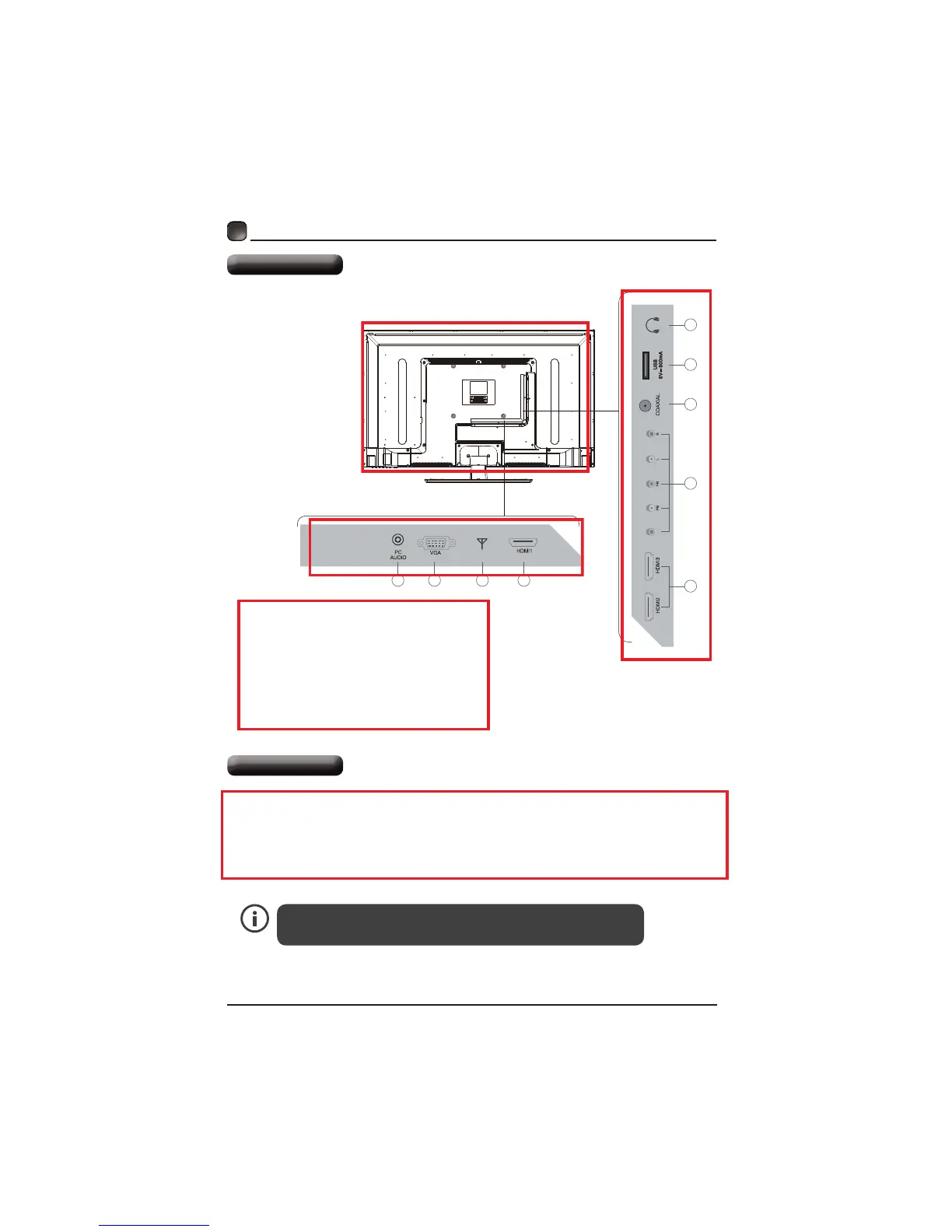
Rear View
The TV is provided with mounting holes for a VESA approved wall mounting bracket (Not
Supplied). Remove the screws holding the base to the base bracket and lift the base away (do
not remove the base mounting brackets). Mount the VESA bracket using 4*M5*20 isometric
threaded screws (Not Supplied). Do not use screws longer than 20mm, damage will occur to
the internal parts.
Wall Mounting
1. PC Audio Input
2. VGA Input
3. DTV/TV Input
4. HDMI1/ HDMI2/ HDMI3 Input
5. COMPONENT Input
6. COAXIAL Digital Audio Output
7. USB Input
8. Headphone Socket
1 2 3 4
4
5
6
7
8
DTV/TV
Y/CVBS



 To Next Page