STEREO
Tuner stereo signal detected.
TUNED
Tuner station detected.
SLEEP
Unit in Sleep mode
Tuner frequency
MEMORY
SLEEP
TUNEDSTEREO
L
R
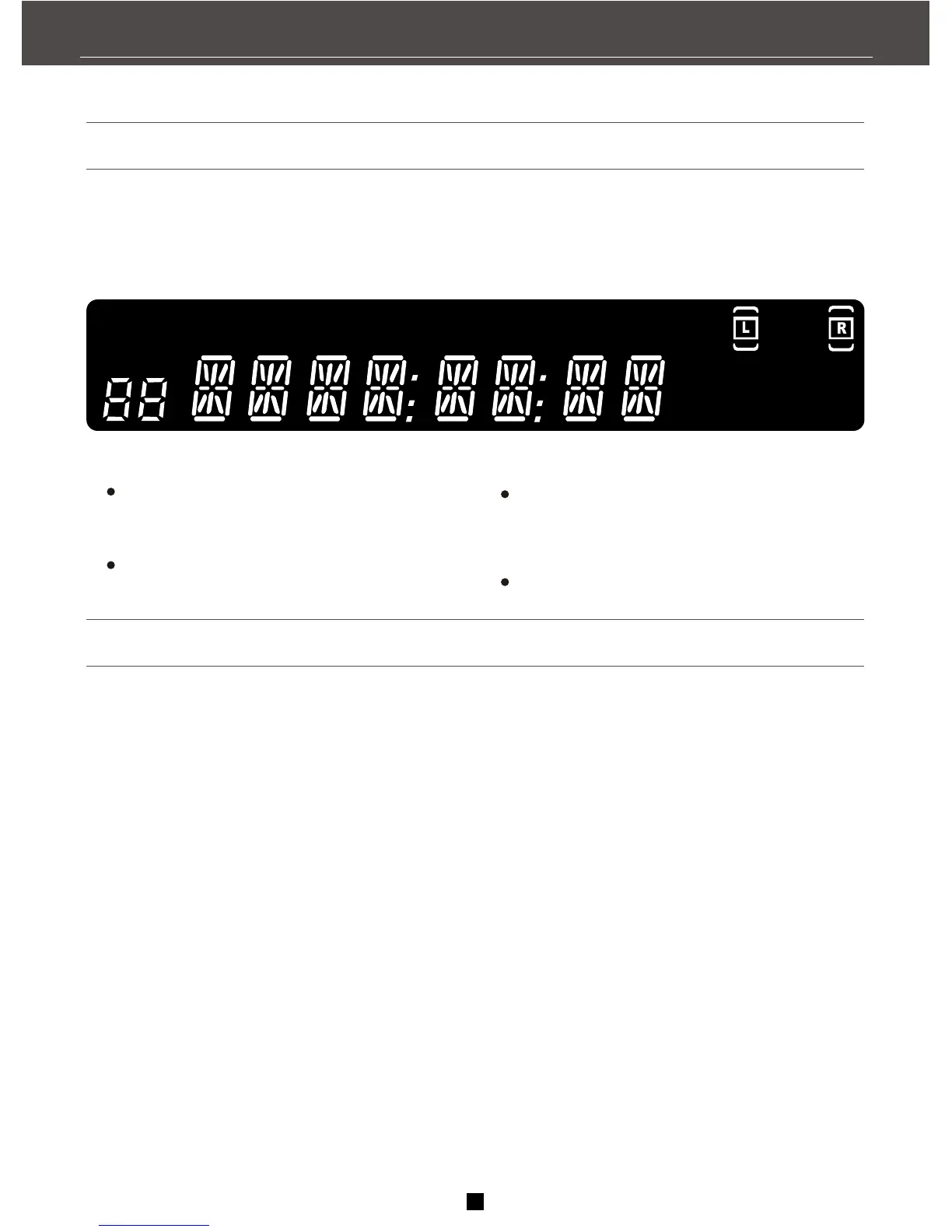
Display messages
The following is an example of all the display messages you may encounter while using this unit.
Tuning the receiver
1.Push the AM /FM button on the front panel (or
the AM/FM button on the remote) to adjust the
tuner.
2.When using the remote you must press the AM/
FM button on the remote again to select the FM
or AM band.
Press the SCAN+ button on your remote to move
the AM or FM band up.
Press the SCAN- button on your remote to
move the AM or FM band down.
You may hold down SCAN+ or SCAN- buttons
3 seconds to find next station.automatically
Auto tuning
Use the AUTO feature to automatically search the
stations.
Press and hold AUTO button for 3 seconds on the
remote. Radio frequencies will be browsed and
radio station stored automatically. When all
available radio stations are stored or all 32
memory locations are full, the auto preset will stop.
Note:
1. If there is interference, modify the location of
the antenna until the optimal sound is heard. TV
and other electronic devices could cause the
interferences so try to move the antenna
away of them.
2. Weak signal can effect the "auto Search
function". Adjust the antenna for better recep-
tion and more efficient search.
Select the AM/FM band
9
KHz
MH
z
MH
KH z
z
Manual tuning
RECEIVER CONTROLS & FUNCTIONS


 To Next Page