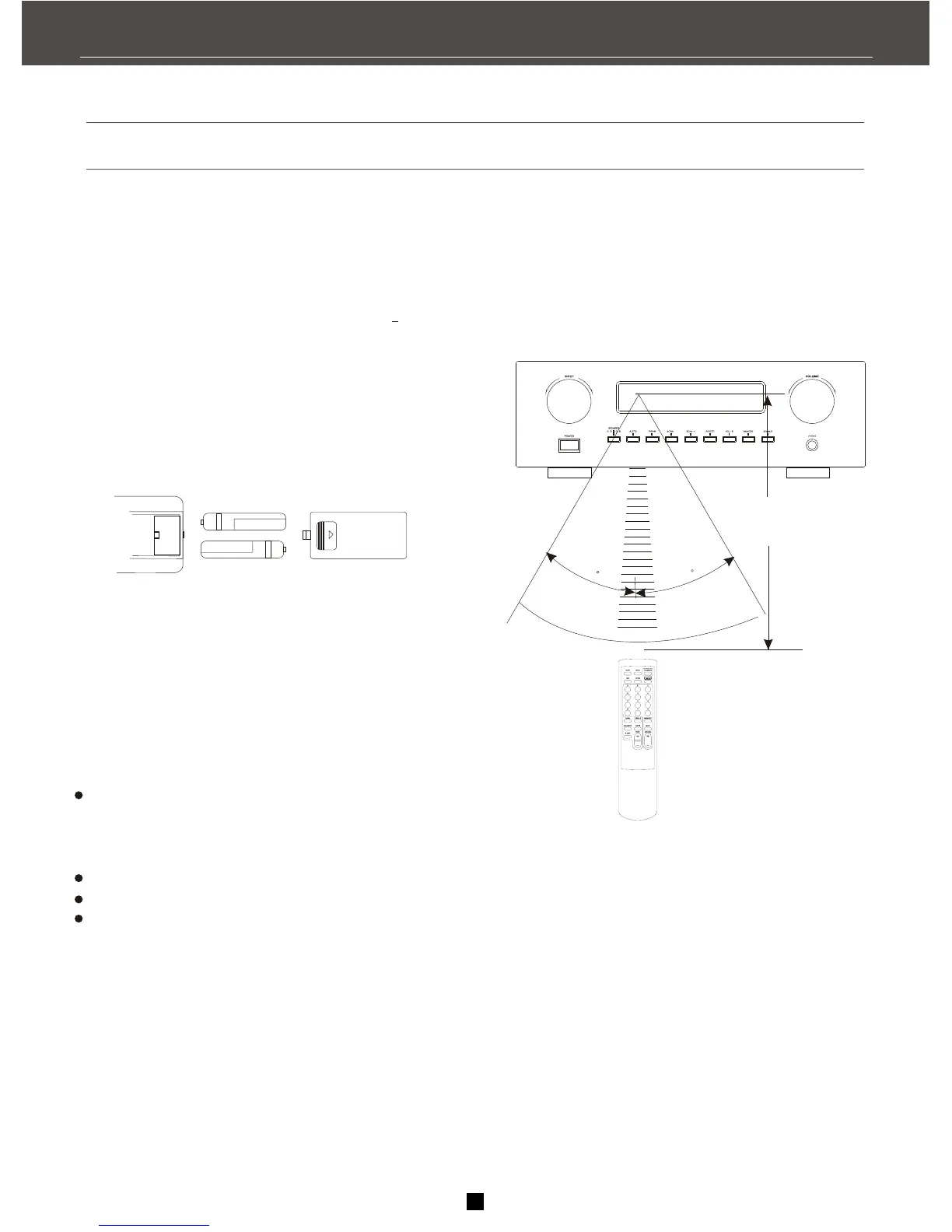
Installing batteries in the remote control
1. Open the battery compartment cover.
2. Insert the supplied batteries ( AA, R6) in the
correct direction by aligning the + and marks on
the batteries with the polarity marking (+ and -) on
the inside of the battery compartment.
3. Replace the cover by pressing until it snaps into
place.
Change all of the batteries if you notice the
condition like: the operation range of the remote
control decreases, the indicator does not flash
or light becomes dim.
Do not use old batteries together with new ones.
Do not use different types of batteries together.
If the batteries have leaked, dispose of them
immediately. Avoid touching the leaked material
or letting it come into contact with clothing, etc.
Clean the battery compartment thoroughly before
installing new batteries.
Remote controller operation range
Approximately
6m(19.7feet)
30
30
About remote control
3
Notes
FIRST THINGS


 To Next Page