FOR SUPPORT, VISIT ELEMENTELECTRONICS.COM/SUPPORT 7
SETTING UP
YOUR TV
(continued)
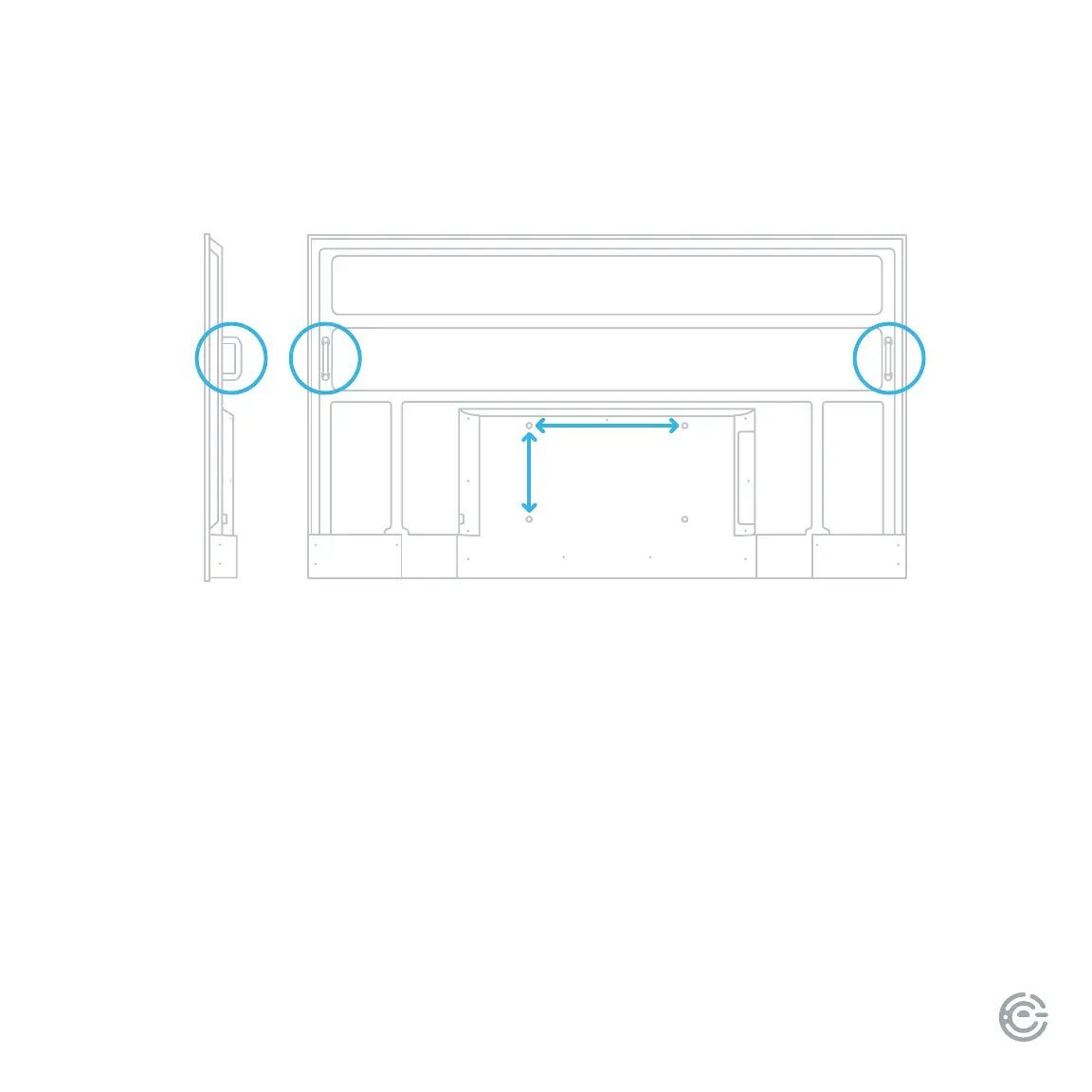
Handles
for liing
300 mm
500 mm
Mounting your TV
If you choose to wall mount your TV, please ensure your wall mount (not included) and supporting
structure can hold >82 lbs and is properly anchored.
Your TV has four mounting holes for a 500 x 300 mm VESA approved mounting bracket.
1. Place the TV screen-down on a clean, at, so surface (e.g.: blanket) to prevent scratches
or damage to the screen.
2. Mount the VESA bracket using four M8 x 25 mm (max depth) screws (not included) and
follow the mounting instructions provided with your wall mount.
If you have any doubts about your ability to safely install your TV, please consult a professional installer.


 To Next Page