QUICK START GUIDE12
USING YOUR
REMOTE
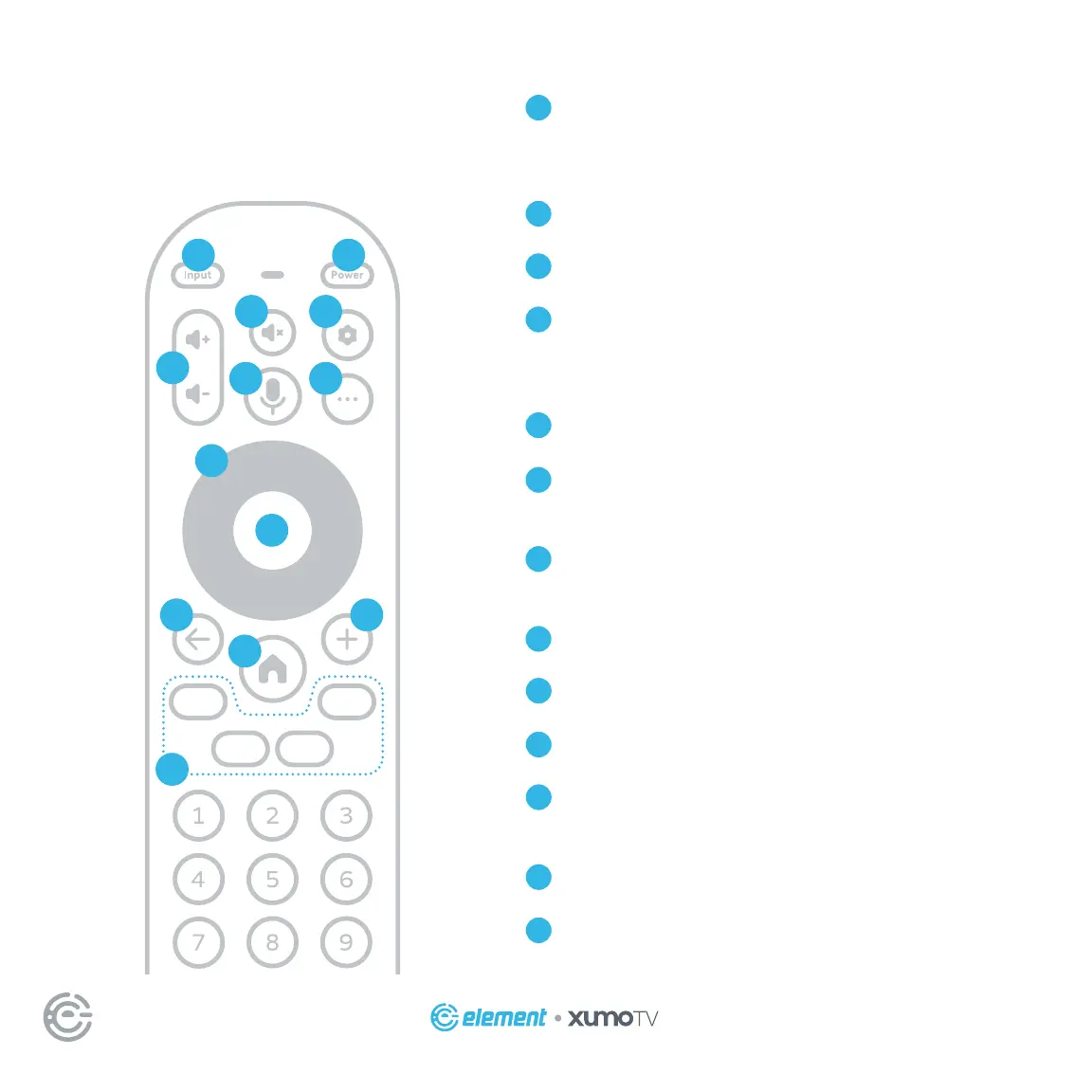
Input Change your TV’s input so that you can use
connected devices like media players, gaming sys-
tems, and sound systems
Power Turn your TV on and o
Volume Make your TV louder or soer
Voice Control Search across your apps and control
your TV with just your voice – just press and hold
the button, say a command, then release it
Mute Turn your TV sound on and o
Settings Press once to open the Settings menu, or
press twice to access your accessibility shortcut
More See more options like program descriptions
depending on which screen you’re on
Navigation Pad Select up, down, le and right
Select Conrm your selection
Last/back Return to the previous screen
Add Add the TV show or movie you’ve selected to
My List
Home Return to the home screen
App shortcuts Launch the labeled app when your
TV is connected to the Internet
A
B
C
D
E
F
G
H
I
J
K
L
M
A B
C
D G
E F
H
I
J K
L
M


 To Next Page