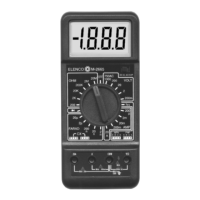
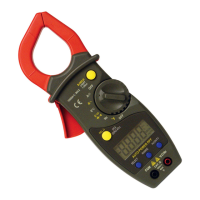
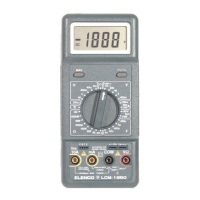
4-2. Measurement Specifications
Accuracy of specifications apply for 1 year after purchase when
operated in a temperature of 18
O
C to 28
O
C (64
O
F to 82
O
F) and a
relative humidity of less than 75%.
Basic electrical specifications are given as +([% of reading] +
[number of least significant digits]).
DC Voltage
200mV 100mV+(0.5% of rdg+2dgt)
2000mV 1mV +
(0.5% of rdg+2dgt)
20V 10mV +(0.5% of rdg+2dgt)
200V 100mV +(0.5% of rdg+2dgt)
1000V 1V +(0.8% of rdg+2dgt)
OVERLOAD PROTECTION: 220Vrms AC for 200mV range and
1000VDC or 750Vrms AC for other ranges.
AC Voltage
200V 100mV +(1.2% of rdg+10dgt)
750V 1V +(1.2% of rdg+10dgt)
OVERLOAD PROTECTION: 1000VDC for 750Vrms for all ranges.
RESPONSE: Average responding, calibrated in rms of a sine wave.
FREQUENCY RANGE: 45Hz - 450Hz
DC Current
200mA.1mA+(1% of rdg+2dgt)
2000mA1mA+
(1% of rdg+2dgt)
20mA 10mA+
(1% of rdg+2dgt)
200mA 100mA+
(1.2% of rdg+2dgt)
10A 10mA +
(2% of rdg+2dgt)
OVERLOAD PROTECTION: 200mA 250V fuse (10A range unfused).
M
EASURING VOLTAGE DROP: 250mV.
AC Voltage Measurement
1. Plug the red test lead into the “V W mA” jack and the
black lead into the “COM” jack.
2. Set the RANGE switch to the desired ACV position.
3. Connect the test leads to the device or circuit being
measured.
4. Turn on the power of the device or circuit being
measured. The voltage value will appear on the
digital display.
DC Current Measurement
1. Plug the red test lead into the “V W mA” jack and the
black test lead into the “COM” jack (for
measurements between 200mA and 10A, connect
the red test lead to the “10A” jack. Make sure that
the test leads are pushed all the way into the jack).
2. Set the RANGE switch to the desired DCA position.
3. Open the circuit to be measured and connect the
test leads IN SERIES with the load in which current
is to be measured.
4. Read the current value on the digital display.
Range Resolution Accuracy
Range Resolution Accuracy
Range Resolution Accuracy
-6-
-11-


 To Next Page